


November 4, 2025, 10:16 am | Read time: 6 minutes
An early launch in November was already anticipated, and now the first major follow-up update to iOS 26 is available. It offers users more control over the new “Liquid Glass” interface–which not everyone is fond of. TECHBOOK has all the details on iOS 26.1.
Overview
- Users can turn off transparency
- Photo backups with other services
- Alarms and timers now swipe-only
- Adjustments in Photos, Calendar, and Safari
- iOS 26.1 brings new security updates
- Additional languages for Apple Intelligence and Live Translation
- Further innovations
- Security patches and bug fixes
- Should you install iOS 26.1 right away?
Users can turn off transparency
Since the introduction of Liquid Glass with iOS 26, frustrated users have been looking for a way to tone down the transparent look for better readability. So far, this is only possible through accessibility settings.
In iOS 26.1, however, Apple allows this adjustment directly in the settings under “Display & Brightness” and “Liquid Glass.” There, users can now select the option “Tinted” instead of “Transparent,” which is supposed to add more “opacity” and increase contrast.
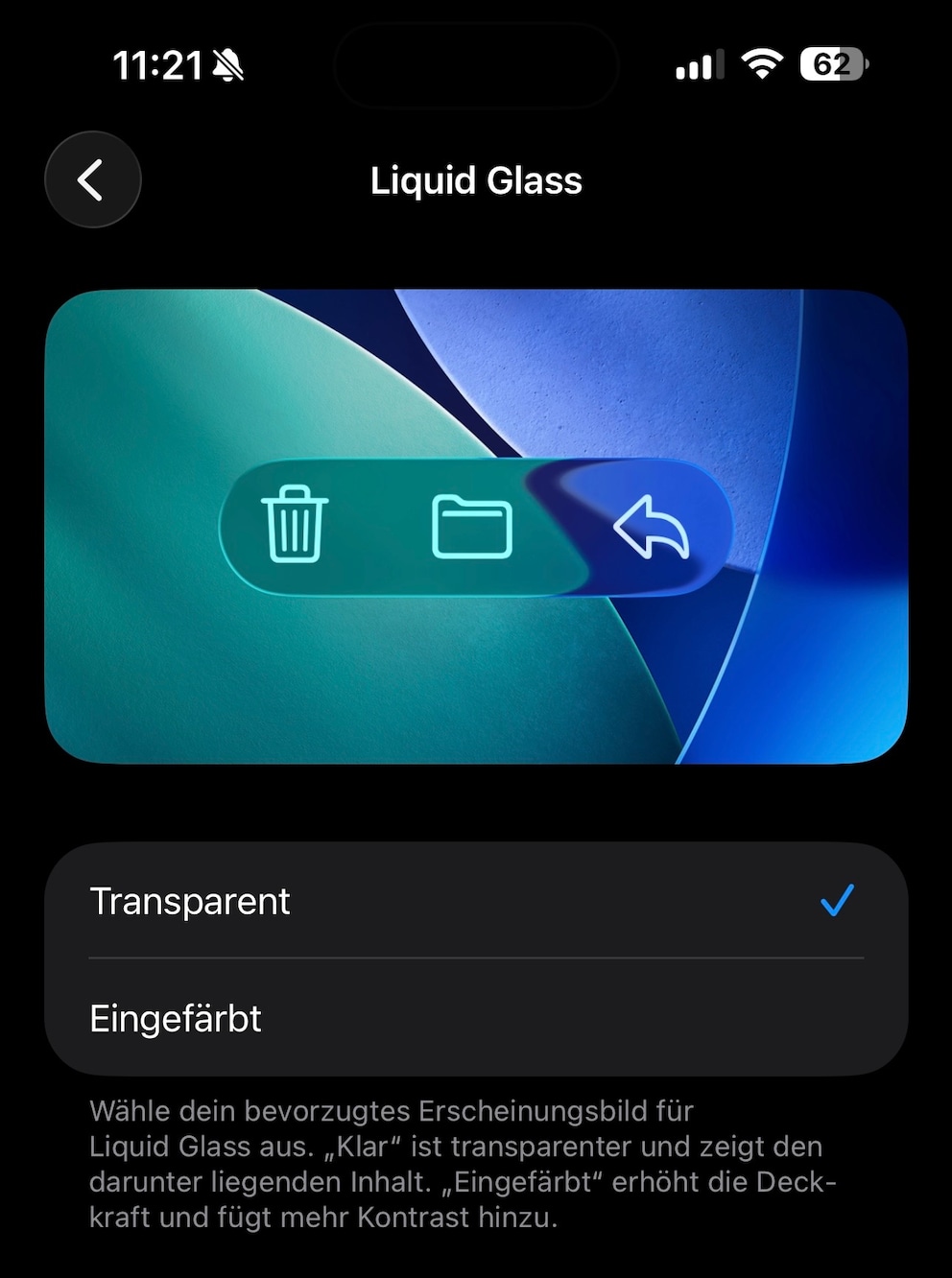
In the current beta version of iOS 26.1, however, the description also mentions the option “Clear” instead of “Transparent”–but this is most likely a translation error that will hopefully be corrected by the release of the final version.
Photo backups with other services
Until now, users could only natively back up their photos and videos to the cloud via iCloud. While there are alternatives like Google Photos, they have to resort to workarounds that make reliable backups difficult. Apple has published a comprehensive documentation for PhotoKit on its developer blog, which will enable developers to automatically and seamlessly back up photos and videos to the cloud in the background.
Apple states: “In iOS 26.1 and later, PhotoKit offers a new extension type for uploading background resources, allowing photo apps to provide seamless cloud backup experiences.” In the future, iPhone users will be able to choose which cloud service they want to use for their photo backups.
Revised details in keyboard and music app
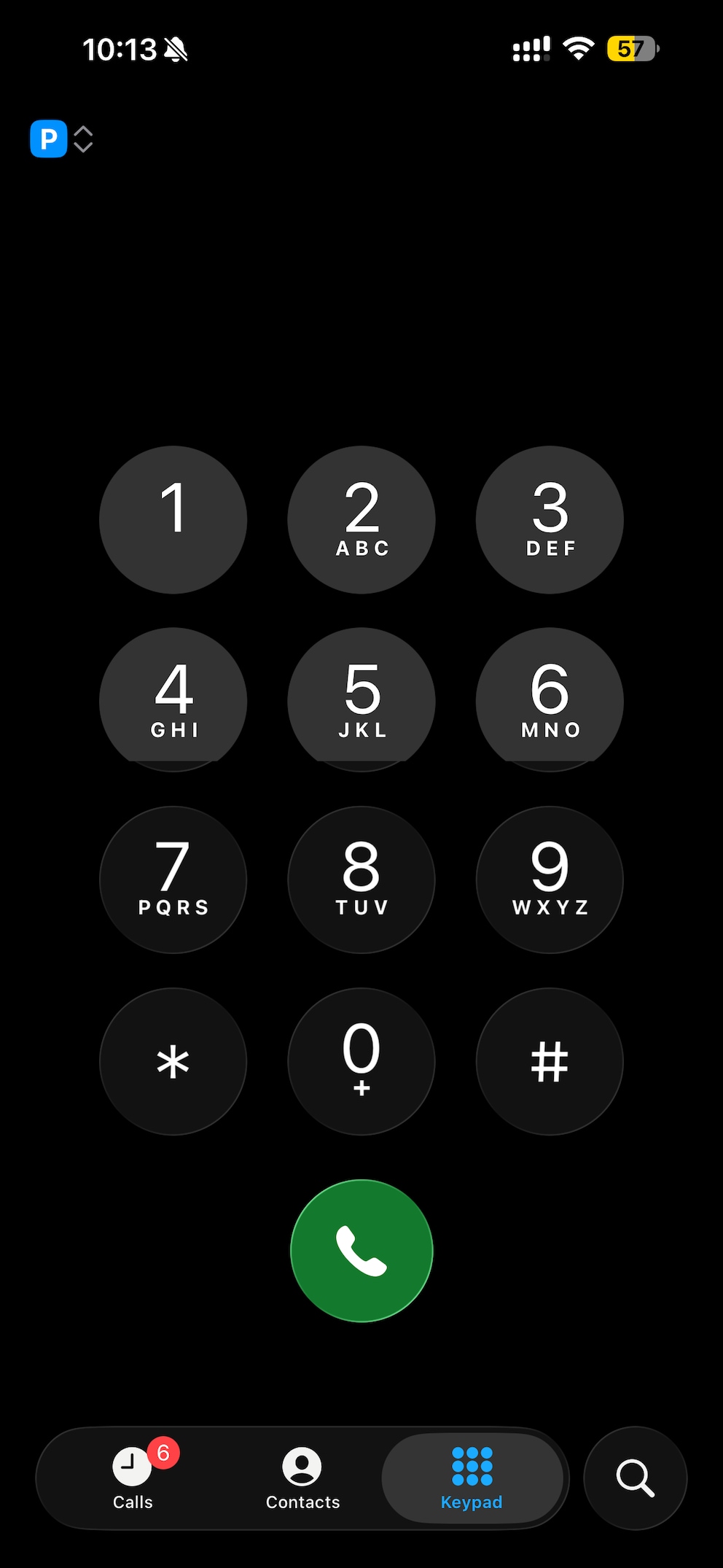
The phone keyboard will also adopt the “Liquid Glass” design–previously, the dial keys were still in the old look.
In Apple Music, navigation has been simplified: Users can now swipe directly over the song title at the bottom of the screen to skip to the next track or return to the previous one.
Alarms and timers now swipe-only
Previously, alarms and timers on the iPhone lock screen displayed two equally sized buttons for snooze (or repeat) and stop. With iOS 26.1, however, Apple has turned the stop button into a slider, making it a bit harder to activate. This is an important change, especially for the alarm clock, which is meant to help users wake up. Sleepy users can no longer simply click away the alarm.
Adjustments in Photos, Calendar, and Safari
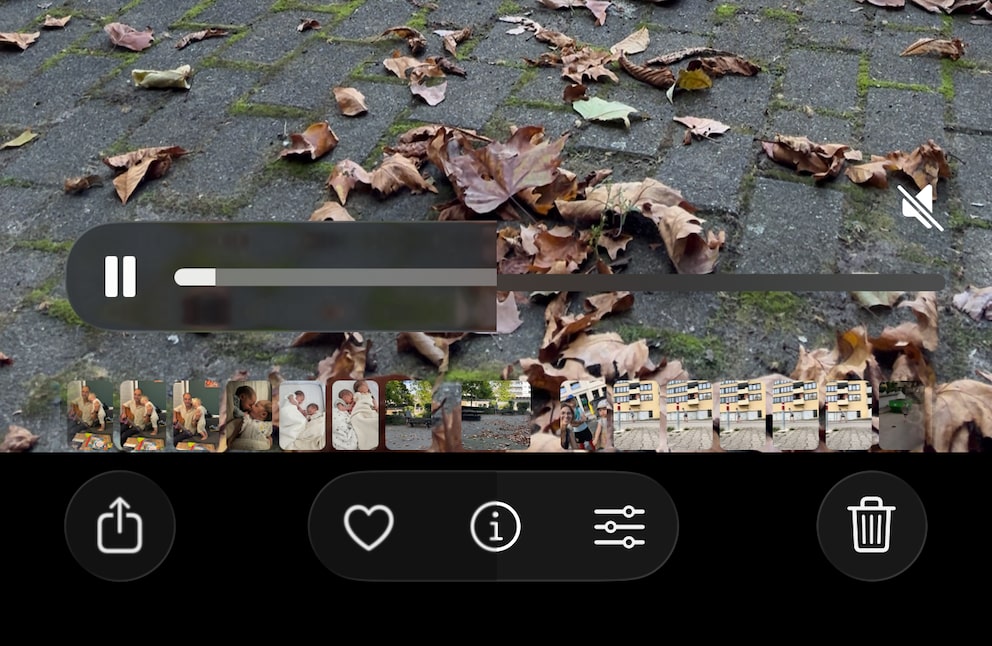
The Photos app is also getting an update. The slider for browsing videos has received a small update, making it stand out better from the background. The navigation bar is also less transparent, making it easier to see on light backgrounds.
In the Calendar, Apple now displays certain views with colored backgrounds, making appointments from different calendars more distinct from one another.
In Safari, the tab bar at the bottom is noticeably wider. At the same time, Apple has reduced the spacing at the edges, which is intended to make navigation more precise.
Also interesting: The best hidden features in iOS 26
iOS 26.1 brings new security updates
A few years ago, Apple introduced “rapid security responses” to quickly deploy patches for vulnerabilities independently of major iOS versions. In iOS 26.1, however, these are replaced by the “Background Security Enhancements” feature.
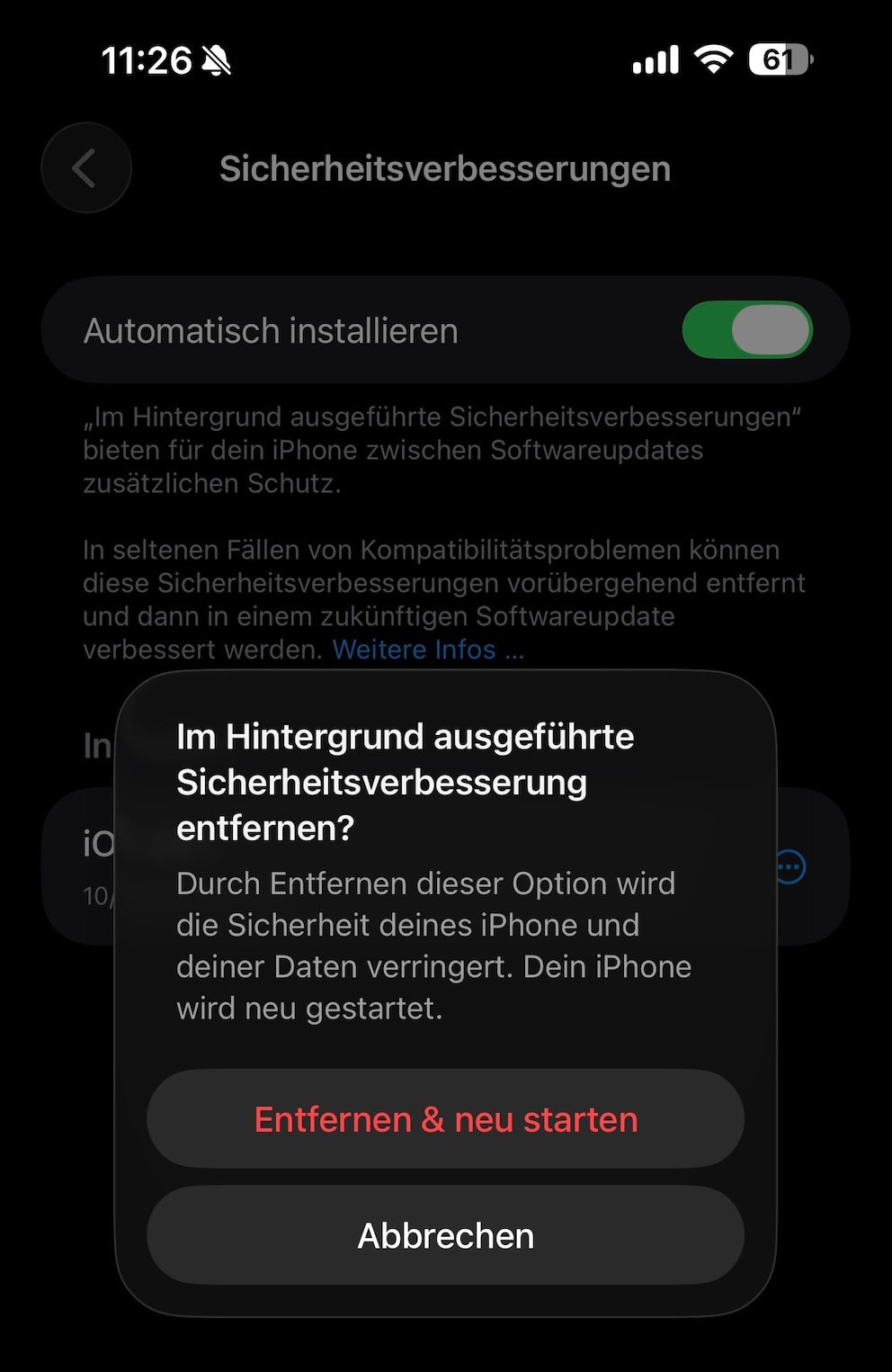
The option is no longer located under the “Software Update” section in settings but is now found under “Privacy & Security.” When enabled, patches install directly in the background–even before an iOS update is available. If problems arise, the patches can be temporarily removed.
Additional languages for Apple Intelligence and Live Translation
With iOS 26.1, Apple Intelligence is available in more languages, including Portuguese (Portugal). According to “MacRumors,” Live Translation with AirPods also supports additional languages after the update, including Chinese (Traditional and Simplified), Italian, Japanese, and Korean.
Further innovations
- The feature “Swipe to open camera on lock screen” is now optional and can be disabled in the camera settings to prevent accidental inputs.
- In the phone settings, users can disable haptic feedback (vibration) when connecting and ending a call.
- In settings and over folders on the home screen, names and descriptions are no longer centered but left-aligned.
- Users can choose a custom storage location for recordings of audio and video calls in iOS 26.1. The option is found in settings under “General” > “Local Recording“.
iOS 26.2 Introduces New Lock Screen Customization
Apple Continues to Refine Liquid Glass in iOS 27
Security patches and bug fixes
iOS 26.1 receives a series of patches that address vulnerabilities in accessibility, the Apple account, the camera, the control center, as well as in Find My, Photos, and Safari. Before the update, apps could, in some cases, access the camera viewfinder without user consent. Through the Find My network, attackers could also obtain information about the device owner’s identity.
Additionally, the update also fixes bugs that occurred in previous iOS versions–including with the iPhone keyboard. However, it does not seem to resolve the issue that leads to typos for many users.
Should you install iOS 26.1 right away?
TECHBOOK recommends installing iOS 26.1 solely due to the numerous security patches the update brings. Those who are not convinced by the new Liquid Glass interface also have the option to tone down the look. Minor improvements like the new video slider are also welcome.
Currently, we are not aware of any issues caused by the current update. It is available for iPhone 11 and newer–including iPhone SE 2020 and SE 2022.