


June 7, 2023, 11:04 am | Read time: 5 minutes
DKB is adjusting the online banking interface for browsers. The new website closely resembles the app but comes with some initial limitations.
DKB is a direct bank, meaning banking is only possible via browser or app. The latter has been completely revamped by DKB and has been offered alongside the old app for several months. There’s also a new browser interface that the bank is heavily promoting. When logging into online banking, users are notified that the old version will be discontinued by summer and they should switch to the new one. Alternatively, DKB also informs its customers via email about the new browser interface for online banking.
Overview
DKB revamps browser banking completely
“Switch to the new banking now,” reads the email obtained by TECHBOOK. “Your banking is taking a leap forward. We’ve completely redesigned your browser banking–more modern, intuitive, and just as secure.” Indeed, the new browser interface bears no resemblance to the previous online banking at DKB. Those who have tried the new app will notice significant visual similarities. Everything appears more organized, the font is larger, and important settings and information are now found in blue boxes with rounded corners. DKB emphasizes to TECHBOOK that they deliberately chose recognizability so that customers can easily navigate both platforms and find familiar elements more easily. In the background, however, a complete system modernization has taken place.
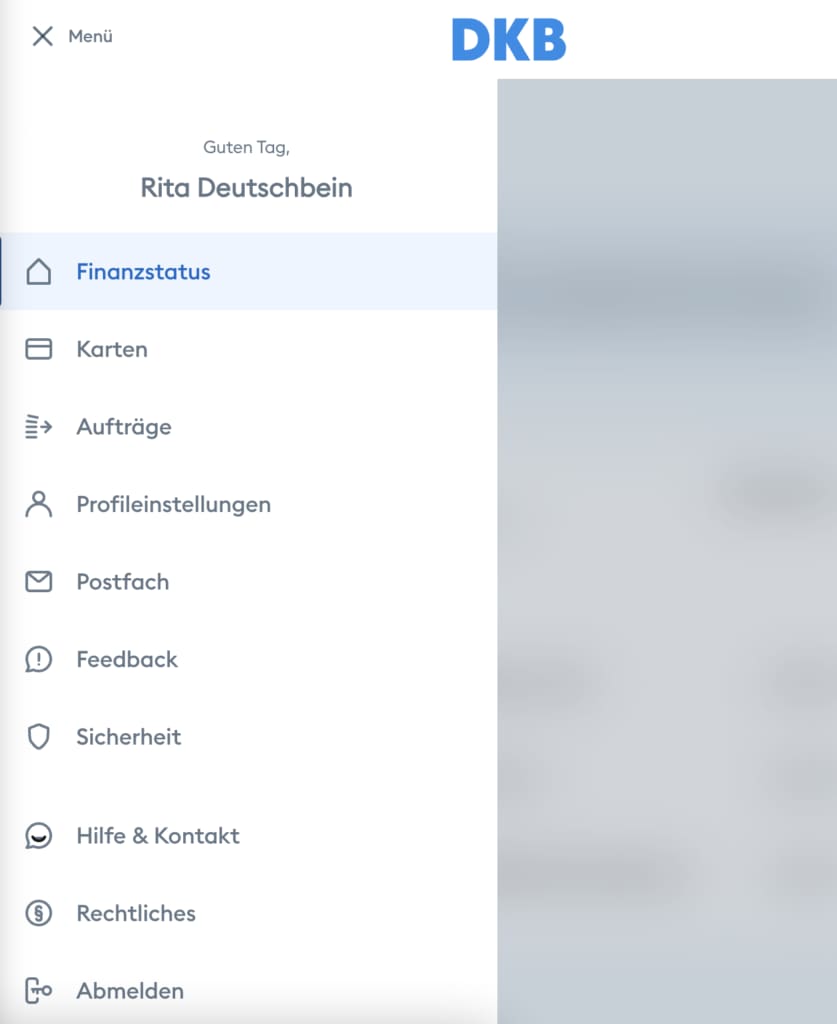
As part of the redesign, DKB has significantly adjusted the side menu and reduced the entries to the essentials. Now, it only includes items like “Financial Status,” “Cards,” “Orders,” “Profile Settings,” and “Feedback.”
Read also: Significant price increase at DKB! Which customers will have to pay more now

Update for DKB App Finally Unlocks Important Features

DKB Shuts Down App! Users Must Finally Switch
New interface still missing some features
However, the renewed browser interface currently has some limitations, as the parallels to the new app are also found in content. Both the app (blue icon with white DKB lettering) and the new browser interface currently lack important features. In our direct comparison, it was noticeable that the overview of incoming and outgoing transactions is now less comprehensive. Certain search filter options that were available in the previous interface are also missing, as well as the separation of checking account and credit card. Upon inquiry, DKB explained that they are currently working on the transaction display and plan to adjust it later this year. Then, customers will also be able to view transactions older than 360 days.
There is also a real shortcoming with standing orders. While they can be viewed and deleted in the new banking app and browser interface, editing is not possible. So, if you want to change a standing order after a rent increase or electricity price adjustment, you’re out of luck. Instead, the standing order must be newly created. However, DKB promises quick improvement to TECHBOOK. “The full functionality, i.e., directly changing standing orders, has already been completed by our developers and is available to our customers in the Testflight version. A release for all customers is planned in the coming weeks,” said a bank spokesperson.
Update on June 15: DKB has now released an update that enables editing standing orders in the app.
DKB does not hide the still missing features and also points them out on its website. When users are on the new browser interface, they find a note that the focus of the new banking is initially on the central functions. “We are continuously expanding the functionality of the new banking to make your daily banking even better,” says DKB in a notice box on the homepage. Another box in the “Cards” section reveals that DKB customers will soon find many more options for their banking in the new browser interface.
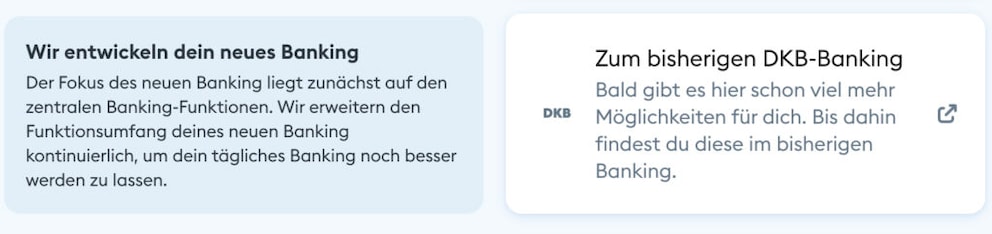
Until all features are available in the new browser interface, DKB refers customers who miss a feature to the previous banking. Users are also redirected here if they want to access their mailbox, for example.
Our customers still have full access to the previous banking.
Statement from DKB
At the same time, we have designed the user-friendliness for customers of the new banking–via app or web banking–so that they can revert to the previous banking (with the full range of functions) without having to log in again if any functions are still outstanding.
This ensures that our customers can continue to use the full scope of our banking while we regularly expand the functionality of the new products.
So, DKB is not quite ready to say goodbye to the previous browser interface for online banking. The new and old versions of the app have also been running parallel for months. But this will soon come to an end, as the bank announces in the info email. By summer, users should switch to the new interface, as the previous banking will soon no longer be supported.
How to switch to the new banking interface
If DKB customers want to try the new browser interface for online banking, they need to keep a few things in mind. First, they should check if their current mobile number is stored in their profile. The corresponding entry can be found in the “Service” and “Personal Data” sections. Secondly, they need the current DKB app, the one with the blue icon and white logo. It can be downloaded for free from the Google Play Store and Apple App Store. The app is used to confirm the login in online banking.