

May 10, 2024, 5:49 am | Read time: 5 minutes
Especially when you’re out and about for longer periods during the warm season, it can happen: the battery of your smartphone, headphones, or smartwatch runs out. With a power bank, charging on the go is no problem. However, there are a few things to consider when buying a power bank.
The days when a single phone charge could last several days are long gone. No wonder: Back then, mobile phone use was mostly limited to making calls, sending texts, and playing “Snake.” Today, smartphones with high-resolution screens, cameras, and internet access are an integral, yet power-hungry, part of our daily lives. The same goes for Bluetooth headphones, smartwatches, fitness trackers, or portable speakers. If you want your smartphone and other devices to last all day despite heavy use, you’ll need some help: power banks.
These small power sources for your pocket can be lifesavers in everyday life and while traveling. Size, price, and performance vary greatly. Therefore, the purchase should not be rushed and should be tailored to your own needs and technical requirements. TECHBOOK provides an overview of what to consider when buying a power bank. And by the way: If you avoid these mistakes, your power bank will last longer.
Overview
Power Bank Capacity
The capacity theoretically indicates how many times you can charge a smartphone with a fully charged power bank. Modern smartphone batteries typically have a capacity of up to 5000 mAh. A power bank with 5000 mAh thus provides a single smartphone charge. In practice, however, the stated capacity can differ from the actual delivered capacity. With particularly cheap models, the practical test often deviates more, sometimes by up to a third, downward.
Typically, the capacity of modern power banks ranges between 10,000, 20,000, or more than 20,000 milliampere-hours. Depending on which devices you want to charge and how often, you will need more or less capacity. However, a power bank with a large capacity is usually also larger, heavier, and more expensive. So, if you want to go several days without an outlet, you’re better off with a large capacity than someone who just wants to charge their Bluetooth headphones in everyday life.
Charging Speed
How quickly the power bank can recharge other devices depends on the charging power. Typically, power banks range between 22.5 and 140 watts. If you also want to charge a laptop, you should have at least 50 watts available. Smartphones and most other devices require 25 to 45 watts. By the way: Connecting a significantly more powerful power bank won’t charge your smartphone faster, but it won’t cause any damage either.
Most power banks have some form of display that informs users about the charge level–so that the backup battery isn’t empty at the crucial moment. Also very practical is the feature where a power bank charges itself and connected devices simultaneously. If you use the connected smartphone during this time, it slows down the charging process.
Also interesting: The best power banks for smartphones compared
What You Should Consider When Buying a USB-C Cable

What to Consider When Vacationing With a Smartphone
Size, Weight, and Solar Energy
The dimensions of a mobile battery are closely related to its capacity: The larger the power bank, the greater the capacity usually is. However, you should carefully consider whether you really need the largest possible version. Larger power banks are not only bulkier, heavier, and therefore harder to store, but they also cost more. If the power bank is only meant to serve as a backup in everyday life or as an emergency battery during a hike, a lighter option is advisable.
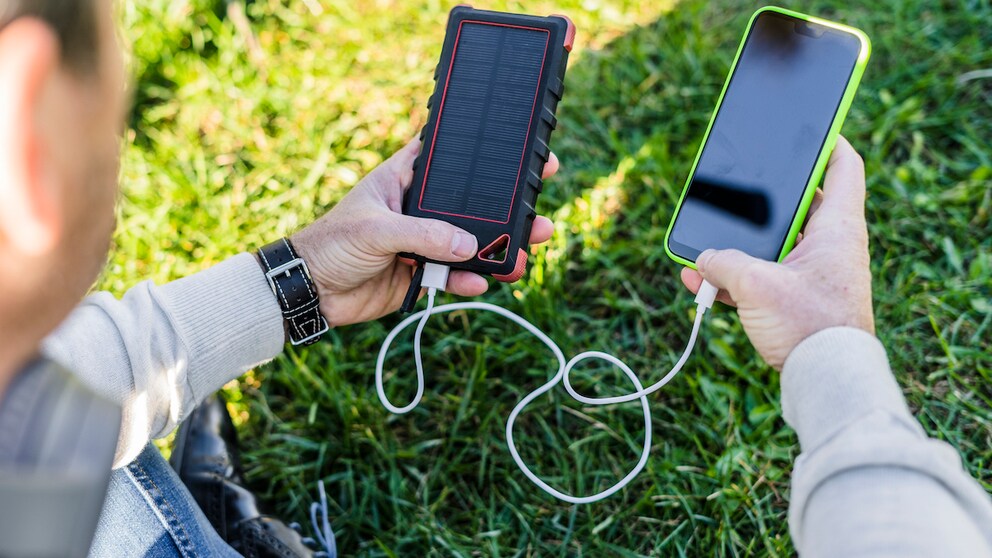
For true outdoor adventurers, there are also particularly robust models. If you want to be completely self-sufficient–for example, when camping or in an emergency–you can opt for a power bank that charges via solar panels. This way, you are not dependent on outlet power even for the backup battery. However, this feature significantly increases the weight, and for many models, the self-charging time of the power bank via solar is still very long.
Connections and Cable Clutter
Most power banks have multiple connections: USB-A and USB-C. If you want to charge multiple devices simultaneously–for example, while traveling–you should choose a model with a sufficient number of ports. Especially with older Apple devices, you should also note that a Lightning-to-USB cable may be needed.
While the USB-C connection is already the more powerful connection, EU regulations aim to reduce cable clutter in the future. By the end of 2024, the USB-C connection will be the legal standard for devices like smartphones, headphones, tablets, handheld consoles, e-readers, and digital cameras. For accessories like keyboards, mice, navigation devices, and portable speakers, you will no longer need an additional cable.
Wireless charging is a standard supported by more and more devices and is increasingly offered by power banks. This charging technology promises more convenience, as you only need to place the smartphone on the power bank without carrying a cable. However, this also presents a potential downside: If the smartphone is not perfectly positioned, it can slow down the charging process. Even in the optimal position, at least 10 percent of the energy is lost during wireless charging. Additionally, this feature usually means a higher price.
Overall, when buying a power bank, it’s always important to first consider your own needs. As is often the case in the tech world: If you buy cheap, you often buy twice. However, depending on the field of use, it doesn’t always have to be the most powerful power bank.