


January 24, 2026, 3:13 pm | Read time: 4 minutes
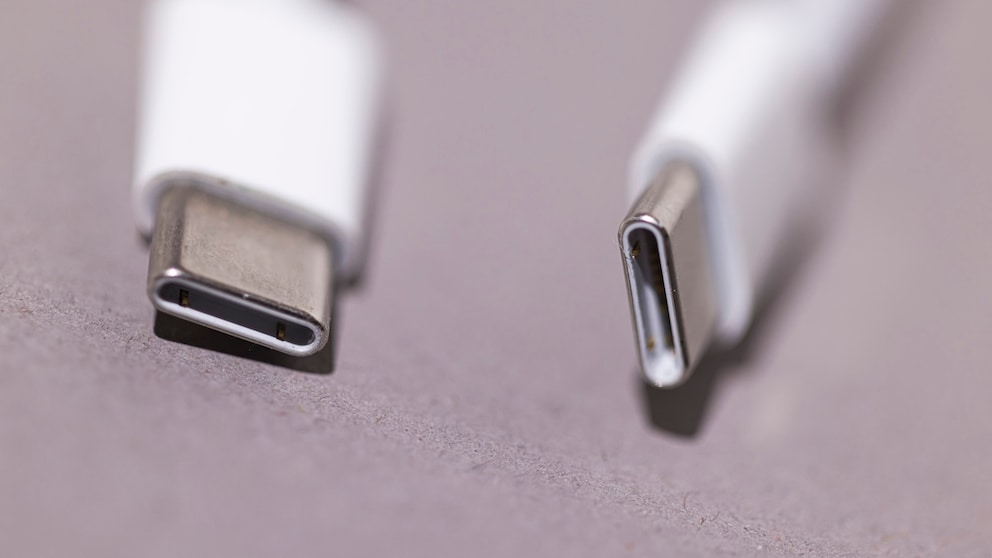
USB-C is not just USB-C. In fact, there are differences that you should pay attention to when buying. TECHBOOK explains the details.
Although it has been around since 2014, the EU regulation that recently came into force means that sooner or later, consumers in our part of the world will no longer be able to avoid the USB-C port. New devices, whether smartphones or games consoles, are already only coming onto the market with the latest ports. This will increase the demand for corresponding equipment. However, users should bear in mind that there are differences in USB-C cables that need to be considered before making a purchase.
Confusion About Differences With USB-C Cables
Although the connection is identical for all, there can be several differences with USB-C cables. In fact, their range of functions can vary. Some can only charge the battery, while others can also be used for data transfer. In turn, some cables support fast charging, while others do not, as the manufacturer Anker explains. In addition, there may be inconsistent functional specifications and designations depending on the manufacturer, which does not simplify matters.
Furthermore, the power source and compatibility with the connected device always play an important role. Although the cable enables charging, there are also connections on notebooks that do not allow this, but only data transfer.
It is therefore important that all components—i.e., cable, device, and adapter—support the same standards and performance levels. If this is not the case, performance will drop. Depending on the usage requirements, it is therefore important to choose the right product and to be aware that there are differences between USB-C cables.
The Different USB Transmission Standards
It is well known that there have been repeated revisions of the USB transmission standard over the years. Starting with USB 1.0, which was introduced in 1996, we have now reached USB 3.2. This enables data transfer speeds of up to 20 gigabits per second. There is also a further development to USB 4, but it is not yet intended for the consumer market.
Older versions of the standard are still in circulation, however, and you should pay close attention to this when shopping. For example, you can currently stumble across a cheap cable on Amazon that only supports USB 2.0.
Significant Energy Performance Gradient Possible
As a consumer, you need to consider whether you only need a USB-C cable for data transfer, charging, or both. Different power levels are available for charging various devices. While smartphones and smaller devices only require around 10 watts, notebooks need a significantly higher power supply.
As “Elektronik Kompendium” writes, up to 60 watts can be required for “large notebooks”. For “workstations, hubs, docking stations,” even 100 watts may be required. A look at the Amazon search reveals power supply units with just 20 watts through to cables that can even deliver 240 watts of power.
With or Without Video Transmission?
The author of these lines is sitting comfortably in his office and only has to plug a cable into his work laptop to not only connect it to the mains but also mirror the image on a monitor. Image and video transmission via a USB-C cable should therefore also be considered when buying a new laptop.
Not all manufacturers offer this practical feature and not all of them need it, of course. Nevertheless, this is another factor that you should definitely pay attention to so that there is no frustration afterwards.

Free Tool Exposes Slow Cables in Seconds
Apple Unveils New USB cable! The Price Is Noteworthy
Size, Length Also Play a Role with USB-C Cables
Last but not least, the physical properties of the cable can also say something about its quality and performance. Both the length and the cross-section are factors that you might not even think about.
Thicker wires in the cable can ensure better power transmission, while thinner wires are less efficient. The result: slower charging times. And the longer the cable, the greater the resistance. This can lead to reduced charging speeds, as power and voltage drop.
Conclusion – Pay Attention to These Details
As there can be differences between USB-C cables, you should therefore consider the following:
- How much functionality do I want from the cable?
- Do I need all functions—charging, data, and video transfer—or just individual aspects?
- Do I need USB 2.0 or better?
- Which transmission standard does my hardware support? A cable for USB 3.2 is useless if the laptop is only capable of USB 2.0.
- Which devices do I want to charge/operate with the cable? Is 20 watts enough, or do I need more?
- Which cable length is sufficient for my needs and for me?
So think about what you need before you buy, and don’t spend money unnecessarily on more functions than you actually need.