

March 14, 2026, 12:38 pm | Read time: 3 minutes
Strong start for Samsung’s new smartphone line: The Galaxy S26 series is well-received by buyers. However, one detail is drawing criticism. A large portion of the storage space is already occupied upon first powering on.
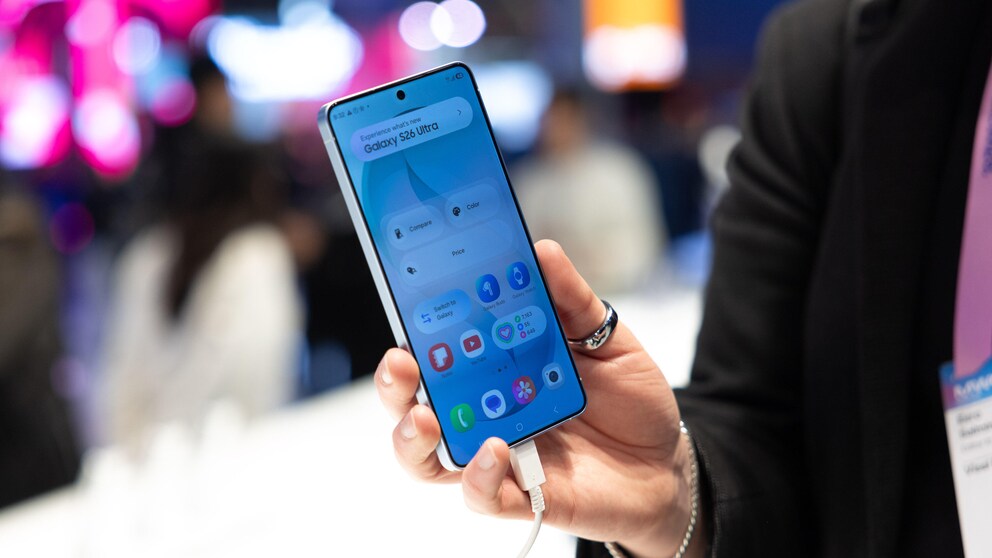
In a test by COMPUTER BILD, the Galaxy S26 Ultra impressed with its high speed, powerful camera, and new display technology. The smartphone received a score of 1.1. Buyer interest is also high. Never before has a Galaxy S series been preordered so frequently before its market launch as this generation. In South Korea, Samsung registered about 1.35 million reservations within a week. Approximately 70 percent of these were for the Galaxy S26 Ultra. Despite the successful launch, there is criticism. The reason is the occupied storage space right after setup.
Over 40 GB occupied right after startup
As an analysis by “Android Authority” shows, the high storage consumption is noticeable immediately after the first power-on. On a Galaxy S26 Ultra with 512 gigabytes of storage, more than 40 gigabytes are occupied after setting up with a Samsung and Google account and all updates. This figure includes not only system files but also numerous preinstalled applications and additional software packages that are automatically installed in the background. Even with 512 gigabytes of storage, about 8 percent of the total space is already occupied.

Hands-On With the Galaxy Z Fold 8

Samsung Galaxy S26, Plus and Ultra–Which Is Right for You?
Many apps already preinstalled
The amount of so-called bloatware is particularly controversial. Samsung preinstalls several third-party applications in addition to its own services. These include Facebook and Instagram from Meta, Spotify, and various Microsoft programs such as Microsoft 365 Copilot, OneDrive, Outlook, LinkedIn, and Link to Windows.
Which apps are installed can vary by country. However, there is no option to choose during setup. Users cannot decide which additional programs are installed on the device.
Also interesting: Samsung Galaxy S26, Plus, and Ultra–which is suitable for whom?
Google apps occupy storage
In addition to these applications, numerous Google apps are also present on the device. The reason lies in Google’s licensing requirements. Manufacturers must include certain applications if they want to offer the Play Store and Google Play services. As a result, many devices have multiple programs with similar functions. Examples include the Samsung browser alongside Google Chrome or the Galaxy Store in addition to the Play Store. This leads to further storage space being used, even though many users do not need all these apps. This is particularly criticized in a premium device like the Galaxy S26 Ultra, as the smartphone can cost up to nearly 2,000 euros depending on storage size, and many buyers expect as much free storage as possible.