


September 19, 2022, 9:34 am | Read time: 4 minutes
Amazon Prime Video is one of the most widely used streaming providers worldwide. However, the interface is not very intuitive, and content can sometimes be hard to find. A facelift was supposed to change that–with moderate success.
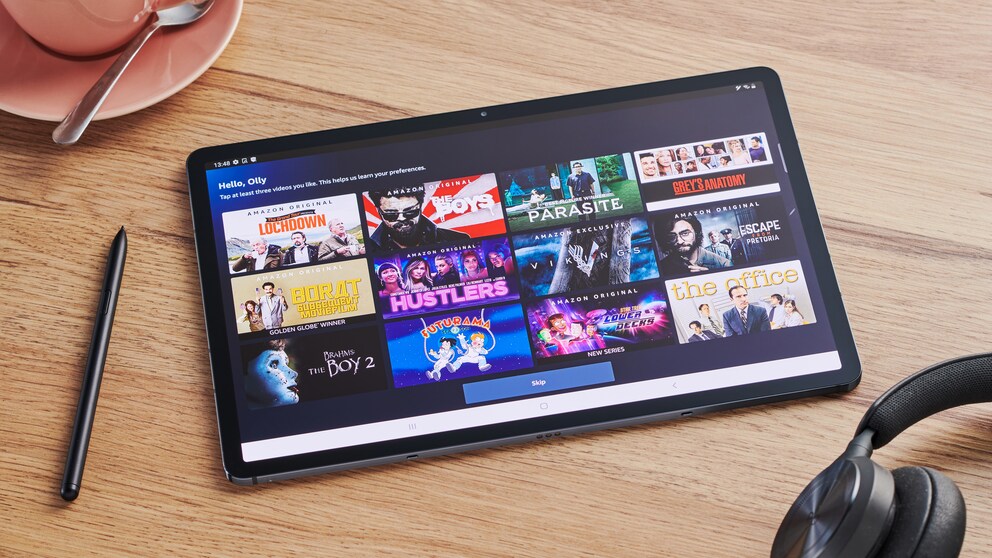
The new user interface for Amazon Prime Video began rolling out in mid-July 2022 and is now widely available. However, not all customers have received it yet. The redesign affects both app-connected devices and Fire TV. With the new user interface, Amazon Prime Video aims to highlight its own content more and make it easier to search for movies and series. But it seems this hasn’t quite worked out.
Overview
New Navigation Modeled After Netflix and Disney+
The usability of a website largely depends on its navigation. On platforms like Netflix and Disney+, users find menu items for series, movies, new content, and settings on the left side of the screen in a vertical view. This way, they are always accessible, even when users scroll through the homepage offerings. On the Amazon Prime Video interface, however, they were previously placed horizontally at the top of the view.
The redesign has changed this, bringing the vertical arrangement to Prime Video as well. Users can now find items like “Home,” “Store,” “Search,” “Live TV,” “My Stuff,” and “Free with Ads” in the bar. Subcategories have also been introduced, allowing users to directly access movies, series, and sports from the homepage. In the “Store” section, subcategories like “Channels” and “Rent or Buy” have been added.
Also read: All New Series on Amazon Prime Video
(Live) Sports and TV Program
For sports broadcast enthusiasts, Amazon Prime Video introduced the already mentioned “Sports” submenu with the new user interface, which is intended to make it easier to find games. The provider also presents interesting leagues and teams in a specially developed carousel.
On the new Live TV page, currently broadcast matches and live sports events can be found. Amazon Prime Video lists all current sports and TV shows in a Live TV guide, allowing users to see what’s currently airing and find out when the next broadcast begins.

Also read: TV Channels You Can Watch for Free on Amazon Prime Video

Streaming Tips on the New Amazon Prime Video Interface
Previously, the streaming provider already offered program tips for customers. On the new user interface, Amazon Prime Video presents them more attractively in the form of carousels. For example, there is a carousel with the “Top 10 Charts,” where the most popular current content can be found.
Specifically for Amazon Originals, Exclusives, and Prime Video Cinema, there is the “Super Carousel,” where Amazon lists the latest top titles with larger movie posters and automatically playing trailers.

Prime Content Still Not Clearly Marked
A common complaint among Amazon Prime Video users is the mixing of Prime content with paid content. To help customers better identify titles included in the Prime membership on the homepage, Amazon Prime Video introduces additional symbols with the new user interface. A blue checkmark, for example, indicates a title included in the subscription. A shopping bag, on the other hand, marks content that users must pay for. There is also still the Prime overview, found under “My Subscriptions,” where the provider lists all videos and series included in the Prime membership.
In reality, the implementation still leaves much to be desired, especially in this area. As a result of the change, the banner that previously spanned the corner of a cover is now gone. While a corresponding mark now indicates which content is paid, the absence of a mark on a cover does not mean it is part of the Prime subscription. This is evident with Freevee content, among other things. All content is still equally displayed on the homepage: both subscription content and those with additional fees. Users cannot filter specifically and must always look closely.

What Is Behind the New Sky Stream Offering?

Video Streaming Services in a Comprehensive Comparison
New Search with Live Suggestions
Netflix users are already familiar with it: the search function that displays matching suggestions as you type. Amazon Prime Video incorporates this search feature into the new user interface. Additionally, with the update, results can be filtered by genre or resolution, such as 4K UHD. Amazon also uses the new symbols, like the blue checkmark and the shopping bag, to clearly filter free from paid content.