September 17, 2018, 3:29 pm | Read time: 4 minutes
With the new Sky Ticket TV Stick, the pay-TV broadcaster aims to compete with Amazon’s Fire TV Stick and Google’s Chromecast by establishing a streaming stick tailored to the Sky program. Can it succeed? TECHBOOK has tested it.
If you enjoy watching the Bundesliga or Champions League, you can’t avoid pay-TV offerings like DAZN and Sky. For those who don’t want to commit to a long-term Sky subscription with a receiver, Sky has been offering the so-called Sky Ticket for some time. It works similarly to Netflix: The user selects a streaming package, pays a monthly fee, and can access Sky content, with the option to cancel the subscription every four weeks. Available options include the “Entertainment Ticket” with series for 9.99 euros per month, the “Cinema Ticket” for 14.99 euros per month with movies, or “Sky Ticket Supersport” for 29.99 euros with the Bundesliga, Champions League, and DFB-Pokal.
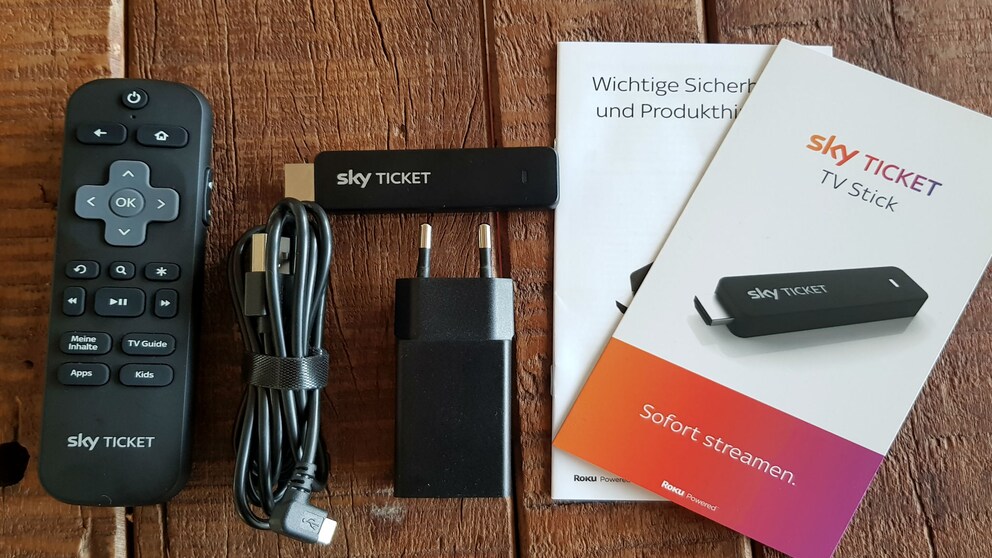
Until now, you could watch Sky Ticket on TV with Apple TV, Smart TV, or Chromecast. Now, Sky offers its own hardware with the “Sky Ticket TV Stick.” TECHBOOK has tested the dongle, and you can get a first impression in the video here:
The key criteria were setup, operation, picture quality, and functionality.
Easy Setup, Limited Selection
Setting up the “Sky Ticket TV Stick” is straightforward: Simply plug it into an available HDMI port on the TV, and it starts—provided the TV can draw power through the HDMI connection. If not, the package includes a power cable and adapter to connect it to an outlet.
After a brief update, you land on the very user-friendly—and minimalist—interface. In addition to Sky Ticket, there are 19 other apps, such as the media libraries of ARD and ZDF, YouTube, or a media player. Overall, the selection is significantly smaller than Amazon’s Fire TV Stick or Google’s Chromecast, and there’s no app store—unfortunate! Popular services like Netflix, Amazon Prime Video, or DAZN are not included.
Unfortunately, the menu often responds sluggishly, reminiscent of older Smart TVs. It takes a few seconds to start a soccer stream from Sky. However, once it starts, everything runs smoothly, with content displayed in sharp Full HD resolution. The stick does not support 4K or voice control, unlike Amazon’s Fire TV Stick. Oddly, the remote clearly has a hole for a microphone. Perhaps Sky will add a voice assistant via an update someday.
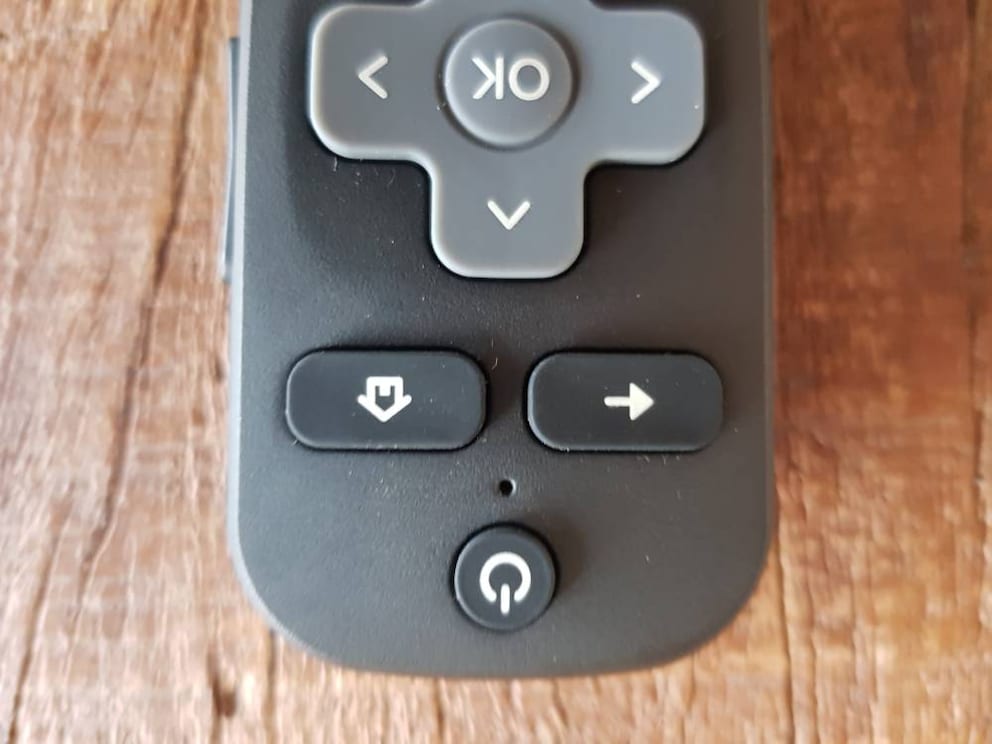
The Sky Stick is produced by the U.S. company Roku for the pay-TV broadcaster. While Roku is not well-known in Germany, it is the leading provider of streaming sticks and boxes in the U.S., with a market share of 32.4 percent, ahead of Amazon’s Fire TV (26.6%) and Google’s Chromecast (16.8%). The experience shows: The stick and remote are well-made, and the controls are quick and responsive. However, the complicated quick-access buttons on the remote are puzzling: If the user presses the “Kids” button in the Sky app, the stick first exits the app, then restarts it in the children’s content section. Why so cumbersome?
The Fire TV Stick 4K Offers No Advantage to Many Users

Watch all the Champions League 25/26 games live here
Prices and Availability
You can order the “Sky Ticket TV Stick” now on the Sky homepage. The purchase price of 29.99 euros includes Sky Tickets of the same value—either three months of “Sky Entertainment,” two months of “Sky Cinema,” or one month of “Sky Supersport.” Customers who choose a ticket subscription directly receive the stick essentially for free.
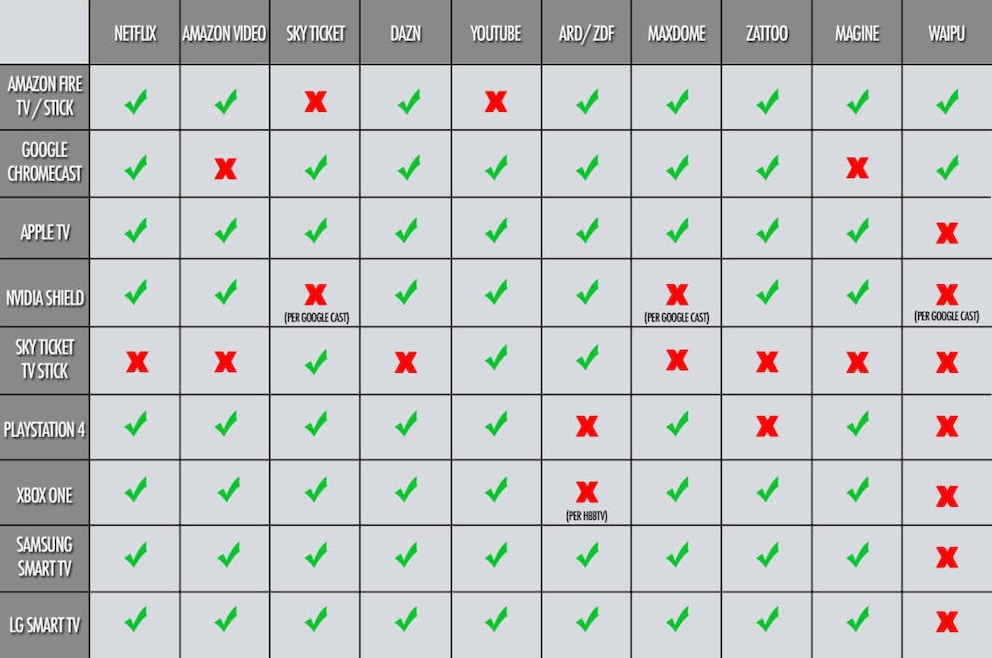
Which Device Supports Which Service?
To provide an overview of all current devices and services, TECHBOOK has summarized the most important ones in this table: