



October 8, 2024, 4:01 pm | Read time: 9 minutes
If you don’t have a smart TV with Netflix and other services already integrated, you’ll need a streaming stick for smart entertainment. They also upgrade older TVs and can access numerous media libraries and apps. Retrofitting is straightforward, and the sticks are available for little money. Our recommendations can be found here.
If you’ve bought a new TV in recent years, you can usually stream content from the internet. Whether it’s the missed “Tatort” from Sunday evening via the media library or movies and series from streaming providers. Internet-connected smart TVs make users more independent from linear TV and offer countless new content. But even if you still have an older TV at home, you don’t have to miss out on direct access to Netflix, Amazon Prime Video, and others. With a streaming stick or box, the old TV can be connected to the internet. Additionally, users can get apps on the TV that its system otherwise doesn’t offer.
Overview
Streaming Stick – How to Make a Good Choice
How to smartly upgrade the old TV? Flawless sound and picture quality are obvious selection criteria. But each streaming stick also has different features:
- available apps
- operating system
- connections
- compatibility options
All these aspects should be carefully considered in advance to find the right device for your home theater. You should also ask yourself how exactly you want to use the streaming stick, which streaming services you already have or want to subscribe to. It’s easy to reach for the most well-known brand, but perhaps a stick from another manufacturer is worth considering for individual use.
You can get a first impression of the most important streaming sticks on the market in the video:
Also interesting: Video Streaming Services in a Big Comparison
Amazon Fire TV Stick 4K Max
A small device with strong performance as an absolute bargain: The Amazon Fire TV Stick 4K Max is the evolution of a product that has already thrilled many users, for example, with its practical plug-and-play. The stick is quickly set up and works with the included remote control, including quick-start buttons for Netflix, Disney+, Amazon Prime Video, and Music, as well as voice control. The streaming stick supports 4K and WiFi 6. Compared to the previous 4K stick, Amazon has also increased the performance in the Max model, making menu navigation even faster.

Advantages:
- excellent picture and sound quality
- flawless voice search
- apps for the most popular streaming providers
- easy operation
- with 8 GB hard drive storage
- support for WiFi 6
Disadvantages:
- brief instructions
Telekom MagentaTV-One (2nd Gen)
The MagentaTV One is the ideal device for anyone who values modern streaming and TV experiences. With this compact media receiver or box, Deutsche Telekom offers access to a variety of streaming services like Netflix, Disney+, and Amazon Prime Video, as well as linear TV.
Thanks to the integration of Android TV, the user interface is intuitive to use, and the Google Play Store provides access to numerous apps and media libraries. Particularly practical: The 4K support ensures razor-sharp images, and voice control via Google Assistant makes operation easier. By the way, if you’re wondering why the MagentaTV stick is missing from the overview, the answer is quickly found. The stick was discontinued in mid-2024.
Advantages:
- many additional features through Telekom MagentaTV, such as TV channels, time-shifted TV, and cloud recorder
- sharp 4K Ultra HD picture
- remote control with many functions
- Velcro mounting points for secure attachment to the TV
- Google Assistant
Disadvantages:
- Telekom MagentaTV subscription required for some services
- slightly more expensive than alternative models
Google TV Streamer
For a long time, the Chromecast was Google’s flagship streaming device. However, it has been replaced by the Google TV Streamer. This offers an easy way to turn your TV into a smart entertainment center. With a resolution of up to 4K UHD and HDR10 support, the device delivers sharp images and brilliant colors.
Thanks to the integrated Google TV operating system, you have access to a variety of streaming services like Netflix, YouTube, and Disney+. The Google Assistant voice assistant also allows for convenient control via voice command. The 32 GB storage provides ample space for apps and updates.
Advantages:
- one of the newest streaming sticks on the market
- very handy form
- up to 4K HDR with Dolby Vision possible
Disadvantages:
- possible delays with a weak internet connection
- remote control could be a bit larger
Also interesting: New Streaming Service Paramount+ Now Also in Germany
Amazon Fire TV Cube
To be honest, this is not a stick, but the Fire TV Cube belongs in a streaming overview. The gadget combines streaming and voice control in a compact device. It supports 4K Ultra HD content as well as Dolby Vision and HDR10+, providing razor-sharp images and vibrant colors. With the integrated Alexa voice assistant, the Cube can be operated hands-free, allowing you to turn the TV on and off, adjust the volume, or search for content–all through voice commands.
Additionally, the Fire TV Cube can also function as a smart home hub by controlling other compatible devices. The dual-band Wi-Fi connection ensures fast and stable streaming experiences. With a wide selection of apps like Netflix, Disney+, and Prime Video, users have access to a variety of content. The Fire TV Cube offers a convenient all-in-one solution for streaming and smart home control.
Advantages:
- very functional
- the most important apps and streaming services
- 4K UHD and HDR support
- fast streaming
Disadvantages:
- not as handy as other sticks
- relatively expensive
Apple TV 4K (2022, 3rd Generation)
https://oembed/techbook/affiliate/43bad0b6d481fd178aec3b524b357035874c3680e76a259ffb011ac87f33584c/b6e44ea0-940f-43c7-93ea-971f6546c765/embed
For all Apple fans, this streaming device is a must. The Apple TV 4K (2022 – 3rd Generation) is one of the more expensive models, but it offers excellent quality and a variety of features that make it worth the investment. Setting up the box is simple, just like with competing devices: connect the device to a free HDMI port, connect to Wi-Fi, go through the configuration dialog, and the Apple TV is ready to go.
Conveniently, you don’t have to search within individual apps to see if movies or series are available. Instead, you can use the general search, and the user interface will show which streaming provider offers the content. The Apple TV can be operated with the included remote control or via voice control–Siri is supported by Apple TV. And thanks to Airplay, music, videos, and pictures can be easily streamed from an iPhone, iPad, or Mac to the set-top box.
Advantages:
- intuitive operation
- excellent picture and sound quality
- practical voice search
- apps for the most important streaming providers integrated
Disadvantages:
- relatively large compared to other models
- relatively expensive
Xiaomi Mi TV Stick 4K
The streaming stick looks like a USB stick and runs on Android TV based on Android 11. Thus, the Mi TV Stick 4K allows the download of numerous apps, which are neatly arranged on its own user interface.
The remote control included in the package also has separate buttons for Amazon Prime Video and Netflix, allowing the streaming services to be started with a single click. Like the Fire TV, the Xiaomi Mi TV Stick 4K is connected via the HDMI or USB port of the TV and integrated into the home network via Wi-Fi.
Advantages:
- widely compatible
- with practical Google Assistant
- flawless Android TV 11 operating system
- solid casing
- good selection of integrated apps
Disadvantages:
- relatively short power supply
- Micro-USB
Roku Streaming Stick 4K
https://oembed/techbook/affiliate/9384cfbe4b6ce67a1fc3ca77a3dc8ae6dee92ec2a36713cacafdff10ea5b4e7a/b6e44ea0-940f-43c7-93ea-971f6546c765/embed
If you’re looking for a streaming stick away from the more well-known brands, the Roku Streaming Stick for 4K experiences might be just right. Whether Netflix, Amazon Video, Apple TV–this small stick, weighing only 22 grams, offers a wide range. The storage capacity is 100 GB, and the video output resolution can also be seen with 4K UHD. Even a voice remote control is included in the offer, leaving little to be desired.
Advantages:
- easy installation behind the TV
- with voice remote control (compatible with all popular voice assistants)
- all common streaming providers are supported
- with Roku app, to save content for later, among other things
- picture quality in 4K
- no activation fee
Disadvantages:
- Roku account must be created
Waipu TV Stick
The Waipu TV Stick also quickly turns any TV into a smart TV. With access to over 180 channels, numerous media libraries, and popular streaming services like Netflix and Prime Video, the stick offers entertainment for every taste. Thanks to the user-friendly remote control, which includes quick-select buttons for Waipu.tv and Netflix, navigation is a breeze. The stick also supports video resolutions up to 4K and, with its compact design, ensures seamless integration into your living room. Just plug it into the TV’s HDMI port and start watching right away.
Advantages:
- easy setup
- support for 4K streaming
- many apps and channels
Disadvantages:
- storage space could be more
- no Ethernet port
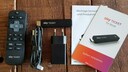
Competition for Fire TV? Testing the Sky Ticket TV Stick

Current Tech Deals–These Offers Are Especially Worthwhile Today
Solution for Very Old TVs
If you have a TV without an HDMI port, you can still equip the old TV with a TV streamer, Amazon Fire TV (stick), or Apple TV. However, users will need a decoder. This converts the digital HDMI signal into an analog signal to connect a streaming stick to the TV via Cinch or Scart.
Conclusion
The decision on which streaming stick to optimize the TV with is now easier than before. We have presented the appropriate recommendations in this article and offer both specialized providers and streaming-open sticks, which are especially suitable for beginners. Basically, all streaming sticks are suitable as they support most apps and services and are easy to use.