


May 26, 2023, 7:09 am | Read time: 4 minutes
The online bank ING updated its app, introducing not only minor bug fixes but also a significant design change. The update completely altered the menu navigation, causing frustration among users. The bank has now responded and made improvements.
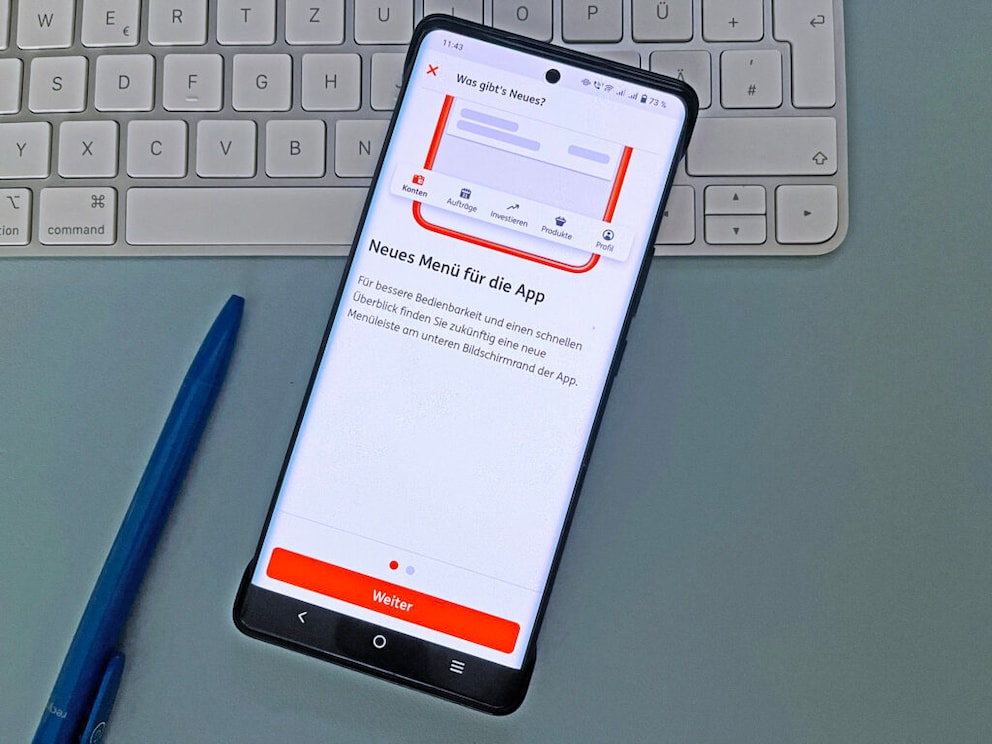
With the update to version 6.0.3, ING introduced an entirely new menu navigation for its banking app. Android users received it in April, and iPhone users got it on May 9. Upon launching the ING app, users received a notification about the changes. “For better usability and a quick overview, you will find a new menu bar at the bottom of the app screen in the future,” the message stated. However, this change was not as well-received by users as hoped. Certain settings were hidden in the menu and became cumbersome to access. ING has now responded to the criticism with another app update.
Overview
Customers Criticized App Changes
Before the update, various sections within the ING app could be accessed via the sidebar, which was opened using the hamburger menu (icon with three horizontal lines) in the upper left corner. Users had to make at least one active click to view the menu items. The update introduced a menu bar at the bottom of the ING app, changing this. Bank customers can now immediately navigate to the “Accounts,” “Orders,” “Invest,” “Products,” and “Profile” sections.
Apart from these sections, some options became harder to find with the new menu bar than before the app update. In app reviews on the Google Play Store, Facebook, and Reddit, users complained about not being able to find important functions or having to put in more effort to do so. The “Manage Access” function, which allows switching between multiple accounts, was frequently mentioned.
One ING customer reported on Facebook that he thought access to two of his three accounts had been removed. It was only ING’s response that guided him correctly. Since the ING app update, account management was found under the “Profile” section, where users could set and switch their default account. “What was previously quickly selectable via the side menu now has to be laboriously searched for and set via the profile. There’s room for improvement,” wrote a user in the Play Store who had the same issue. He rated the app only two out of five stars. “Usability completely ruined with the update, as almost all actions I frequently need now require additional clicks,” said another user on Reddit.

Update for ING App Introduces Handy Feature for Interest and Account Balance

YouTube Revamps Homepage–and Users Are Annoyed
Bank Response to Customer Feedback
The three examples are just representative of numerous reports found in app reviews and discussion forums since the last major update. To be fair, major changes in an app’s interface often initially cause frustration. Once users get accustomed to them, it usually doesn’t seem as bad. In the case of the ING app update, it was mainly the additional clicks that annoyed users.
In response to our inquiry, an ING spokesperson assured on May 12 that they take customer feedback for future updates very seriously. They aim to design the app to enable simple and intuitive banking. “Therefore, we are continuing to work on making account switching within the app easier, so that no more clicks are needed than before to switch between different accounts. In general, we always test comprehensive app updates in advance with users.”
Another Update Fixes Annoying Navigation
Indeed, another update to version 6.1.1 is now available for download, primarily addressing the annoying issue of hard-to-reach additional accounts and optimizing account switching. With a long press on the “Profile” tab, customers can now directly manage their accounts, eliminating the tedious menu search.
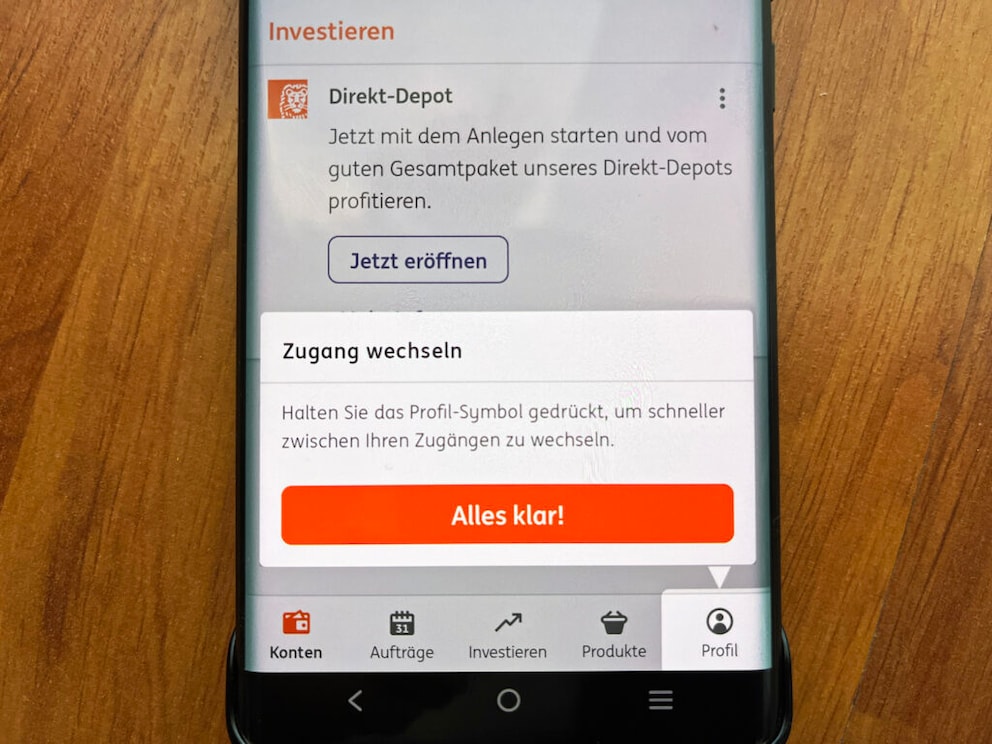
ING also mentions improved overview with individual icons for accounts and the ability to edit savings goals directly in the app as part of the new features and adjustments. Initially, only iOS users could install the update for the ING app, but it is now also available for Android smartphone owners.