


September 26, 2018, 10:43 am | Read time: 7 minutes
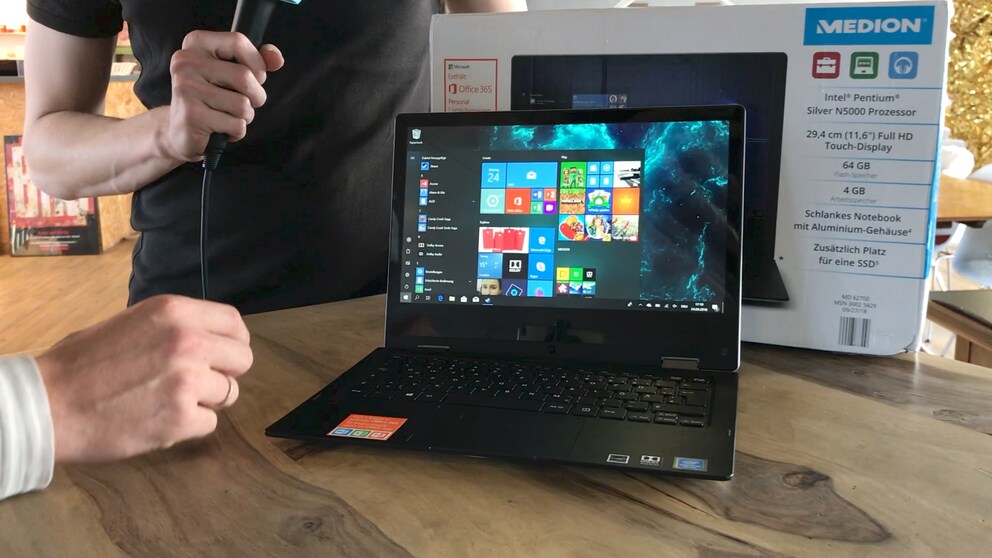
Starting Thursday, Aldi will offer the Medion Akoya E2294 convertible for 299 euros. Can the combination of a notebook and an 11-inch tablet convince? TECHBOOK has tested it.
The most important test criteria for us were the build quality (2 stars), the convertible’s performance in everyday use (2 stars), and the features and ports (1 star). If you want to see the Akoya in action, you can watch the test video here:
Build Quality
Unfortunately, we noticed a significant defect in our test device right out of the box. The left hinge does not lock properly and therefore cannot always hold the screen in position. Due to the defective hinge, we were also unable to thoroughly test how stable the screen is in laptop mode when tapped with a finger. Touching the screen caused significant wobbling, making double-clicks, for example, a nuisance. It is unclear whether the wobbling is due to the defect or if it also occurs in a flawless device. In tablet mode, the device also had trouble securing the screen, leaving a gap between the base and the screen. However, we did not include the defective hinge in our evaluation and requested a new test device from Medion. We will test this defect again later.
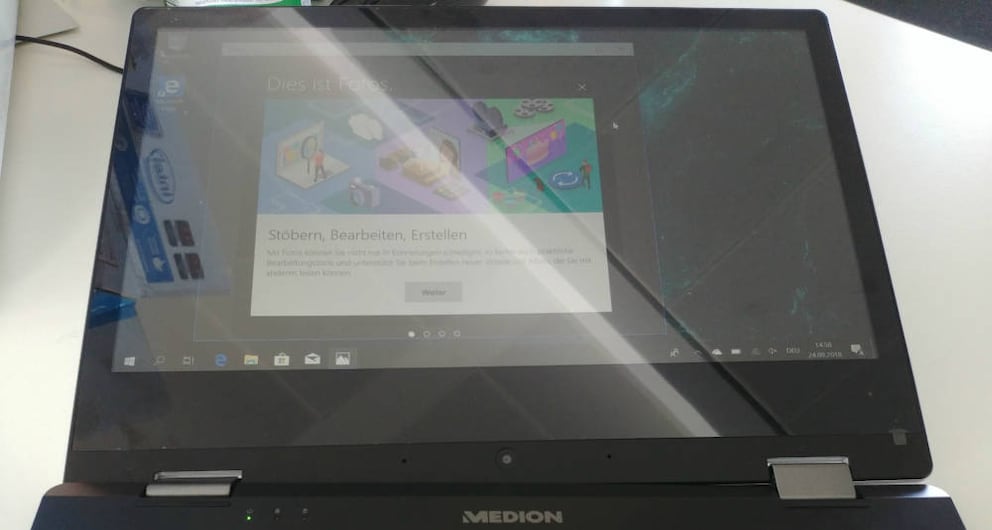
The touchscreen is an LCD panel with a resolution of 1920 x 1080 pixels (Full HD). The resolution is good for a device of this size, but the display does not get very bright, making it difficult to see in sunlight. The viewing angle stability is acceptable for a display without IPS technology.
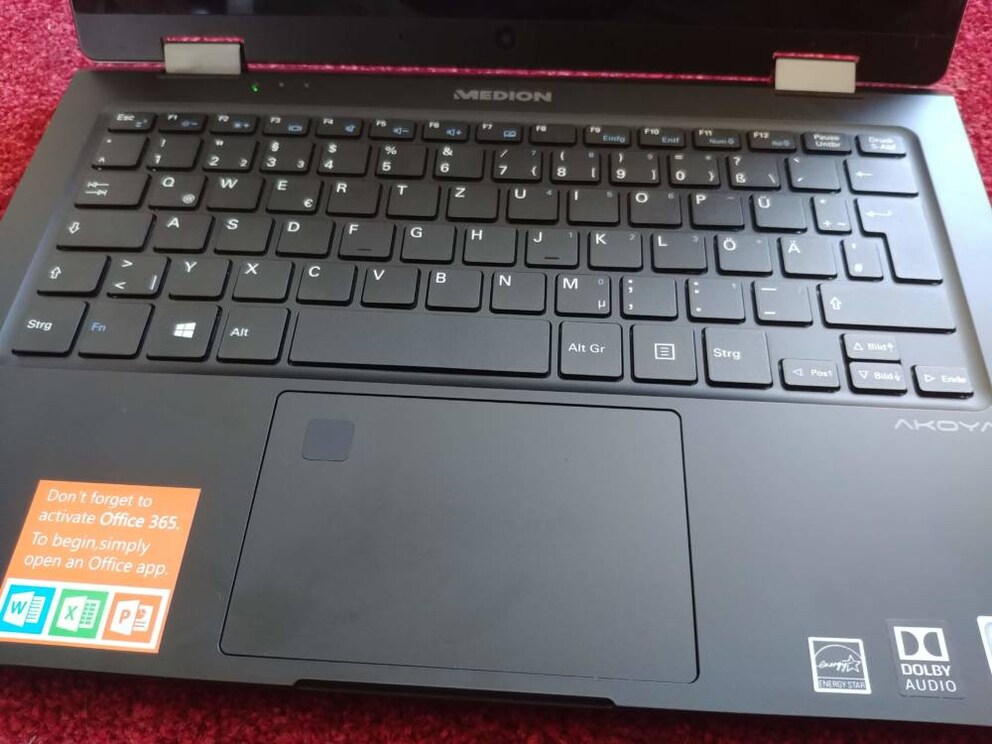
The keyboard, unfortunately, lacks backlighting and has slightly smaller keys than a standard desktop keyboard. This is unavoidable given the small form factor, but heavy typists should be aware of this limitation. Nevertheless, with some adjustment, you can type quickly on it, as the keys have a clearly defined pressure point. However, the middle of the keyboard is not very stable and visibly gives way under light pressure. This makes it difficult to feel the key spacing with your fingers when typing quickly, which can lead to input errors.
Thanks to the aluminum cover on the underside of the device, the base is pleasantly stable and can only be bent slightly with force. You need to be more careful with the screen, as the back is also made of aluminum but offers little resistance to bending by hand. The inside is plastic, which feels high-quality and, apart from the keyboard flex, does not leave a negative impression.
Overall, the build quality of the notebook is just acceptable given its low price, but due to the reflective screen and somewhat flimsy construction in some areas, we give it half a star out of two.

MacBook Air M2 Debuts with New Look and Long-Missed Ports

New Dell Laptop Aims to Rival Apple
Performance
First off: The Intel Pentium Silver N5000 in the Akoya is not a powerhouse. The processor is fast enough to ensure smooth operation. However, when several programs and browser tabs are open, the chip often takes a short break. It is pleasing that Medion uses a 4-gigabyte (GB) RAM. Very cheap Windows tablets often only have 2 GB, which quickly becomes a bottleneck and can slow down the processor. Together, the processor and RAM are fast enough to handle everyday tasks such as office work, movie playback, and internet browsing.
Since the Akoya only has a slow integrated graphics unit from Intel, only older games run on the notebook, such as “Civilization 5,” “GTA San Andreas,” or “Fallout 3.” Even then, the detail settings must be reduced to a minimum. The device performs better with apps from the Microsoft Store, which can usually be downloaded and played easily.
Performance is not necessarily the strength of the Medion Akoya, but as long as you only use it for editing office documents, playing movies, and browsing the internet, as well as occasionally running a small game, the notebook is sufficient. An advantage of the lower performance is that the processor does not require active cooling and therefore does not need a noisy fan. We give it one out of two possible stars in the performance category.
Features
The Medion Akoya has quite extensive features for its price range. Here are the key features summarized:
Specifications
- Intel Pentium Silver N5000 Quad-Core Processor with Intel UHD 605 Graphics
- 11.6-inch touchscreen with Full HD resolution (1920 x 1080 pixels)
- 64 GB flash storage
- 4 GB RAM
- Slot for an M.2 SSD
- Dolby Audio certified stereo speakers
- Bluetooth 5.0
- 38 watt-hour (Wh) battery
- Built-in webcam with HD resolution (1280×720 pixels) and microphone
- Fingerprint sensor
The notebook’s touchscreen is surprisingly responsive and registers all inputs precisely. Windows swipe gestures also work flawlessly here. Thanks to the 360-degree hinge, the screen can be completely folded back, turning the notebook into a tablet. However, an 11.6-inch screen is quite unwieldy for a tablet, and the 1.13 kilograms the device weighs do not make handling any easier. The tent function, which allows the device to be easily set up, is more practical. Similarly, the presentation mode, where the keyboard is folded back and placed face down on a surface, is useful.
A plus point is the integrated fingerprint sensor, which is not a given at this price. The sensor works reliably and quickly, but unfortunately takes up some space on the touchpad surface.
It is also pleasing to see the use of a Bluetooth 5.0 module. Bluetooth 5.0 has almost double the transmission speed of its predecessor and consumes significantly less power. A practical feature is the new dual-audio function, which allows audio to be played over two playback devices simultaneously.
Another small surprise is the removable cover on the underside of the device, under which there is a slot for an SSD in the newer m.2 form factor.
Ports
Medion has focused on quantity when it comes to ports. Here is an overview of all available ports:
- USB 3.1 Type-C, which supports additional functions such as charging and video output via DisplayPort adapter
- USB 3.1 Type-A
- USB 2.0 Type-A
- Mini HDMI output
- Charging port
- 3.5 mm audio combo jack for audio output or microphone input
In times when manufacturers like Apple rely entirely on the small USB-C standard in their laptops, it is refreshing to see classic USB ports in a device. The Akoya has two of them, one of which even supports the USB 3.1 standard. But there is also a modern USB-C port, through which the notebook can even be charged.

What the Akoya has over the several-thousand-euro MacBooks is a slot for a MicroSD card. This can be used to either expand storage or transfer images from a camera, for example.
In terms of features, the Akoya flexes its muscles. The port selection is excellent, and the integration of USB 3.1 is remarkable. Medion could have easily opted for an older Bluetooth version and omitted an SSD slot, but it did not. Therefore, it receives one out of one star in this category.

The new Akoya convertible from Medion offers a lot of features: USB-C, a fingerprint sensor, and an SSD slot are great additions. However, there are drawbacks such as the somewhat dim screen, the mediocre keyboard, and the somewhat flimsy build quality. It is not a full-fledged laptop replacement, but for the price, it is a quite usable tablet with nice extra features.