

September 22, 2026, 9:45 am | Read time: 2 minutes
With macOS 27, Apple is ending support for a well-known backup solution. The AirPort Time Capsule can no longer be used as a target for Time Machine backups. Affected users should start looking for alternatives in a timely manner.
The End of a Long-Tolerated Legacy
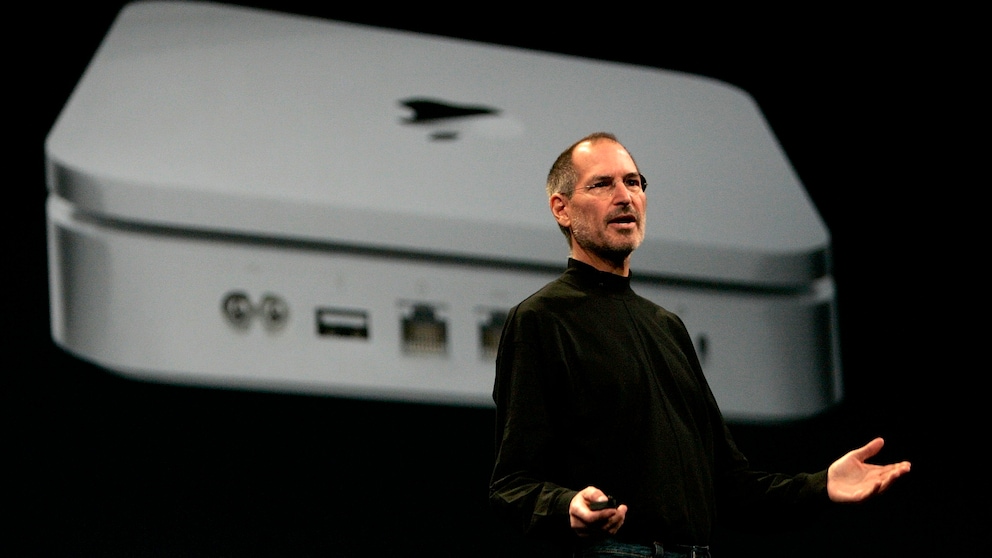
For many Mac users, the AirPort Time Capsule was the easiest way to set up automatic backups on a home network for years. Although the combination of a Wi-Fi router and integrated hard drive was discontinued in 2018, it continued to function as a target for Time Machine backups. With macOS 27, this support is finally ending. Apple is removing support for the outdated Apple Filing Protocol (AFP), which the Time Capsule’s backup function relies on.
The change is not surprising. Since macOS 26 Tahoe, Apple has indicated that AirPort and Time Capsule drives will not be supported in the next operating system generation. With the launch of macOS 27, this announcement is now being implemented. Time Machine itself remains, but it can no longer work with the old AirPort devices.
Also of interest: How to Easily Back Up Data

Apple Limits Support for Numerous Devices

Installing Alternative Operating Systems on a Mac
These Alternatives Apple Recommends to Users
Those who have relied on a Time Capsule will need to adjust their backup strategy. The simplest solution remains an external hard drive connected directly to the Mac via USB or Thunderbolt. Such drives are still fully supported by Time Machine and can be set up without additional configuration.
For users who still prefer wireless backups, modern network storage options are available. NAS systems from manufacturers like Synology or QNAP support Time Machine via the current SMB protocol and largely replace the function of the Time Capsule. Alternatively, another Mac on the home network can be set up as a backup target, provided both devices use a current macOS version.
DIY Solution Instead of Official Support
Existing Time Capsule devices won’t become entirely useless. There are already projects in developer circles aiming to retrofit the hardware with modern SMB support. This could theoretically allow backups to continue under macOS 27. However, Apple is not involved in these projects and offers no support for them.
For most users, switching to current storage solutions is likely the more sensible choice. While the Time Capsule can still be used as a router or network storage, it will ultimately lose its primary function.