


May 16, 2023, 12:42 pm | Read time: 3 minutes
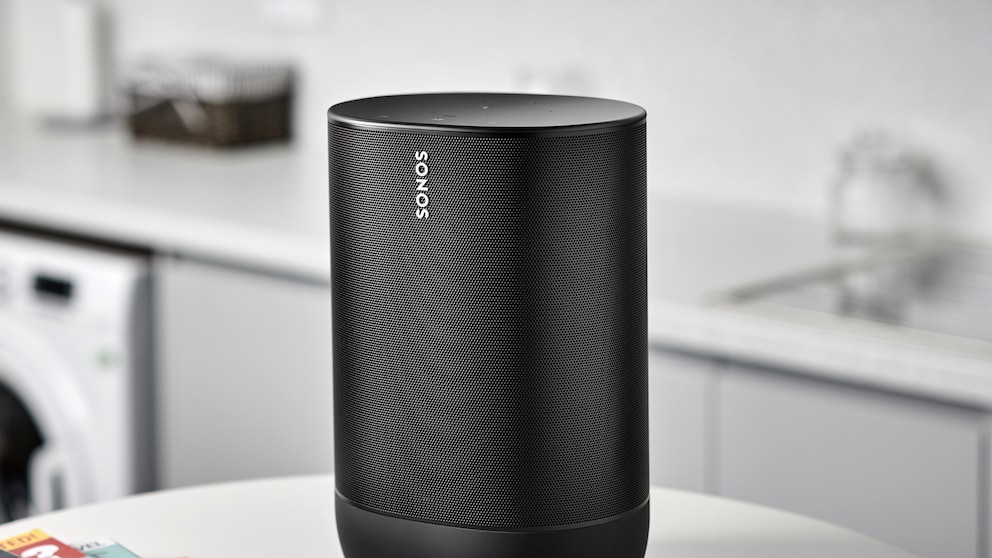
For a long time, Android users had the option to quickly and easily play their own music from their smartphones on Sonos speakers. But now the company is removing this feature without replacement.
Sonos WiFi speakers offer a variety of options for music playback. One advantage over the competition was the ability to play files stored on the smartphone through the “On this Device” menu in the Sonos app. However, this option is now being removed. TECHBOOK explains what this means for Android users.
Sonos App for Android Loses Function
Sonos announced the changes in an inconspicuous update on its support page. Those now looking for the help article on playing local music will instead find the following notice: “As of May 23, 2023, it is no longer possible to play audio files directly on Sonos through the ‘On this Device’ menu in the Sonos app for Android.” To circumvent the loss of this feature, the help page offers a number of alternatives–though these involve significant additional effort.
Sonos justifies the decision in its support forum as follows: “With the release of newer versions of mobile operating systems, the way information is exchanged between devices can sometimes change, and this feature is no longer compatible with newer versions of the Android operating system.”
TECHBOOK has asked Sonos for an explanation and inquired what users can do if they cannot use any of the following alternatives. We will update this article accordingly once we receive a response.
Sonos Brings Back Popular Features to the App

Sonos’ Affordable Beam Soundbar: A 5-Point Test
What Alternatives Do Android Users Have with Sonos Now?
To play music stored on the smartphone in the future, Android users essentially have only two options. If you have a Sonos speaker with Bluetooth capability, you can connect the smartphone to it and play your tracks that way. However, only four models currently support Bluetooth: Era 100, Era 300, Move, and Roam.
A second option is playback via an aux cable. Sonos Play:5, Connect, Connect:Amp, Amp, as well as Era 100 and Era 300 (only with an adapter) have a corresponding audio input. This allows the smartphone to be directly connected to the speaker, provided it has a headphone jack. Otherwise, the connection is only possible via an adapter.
The other alternatives only work if users store their music somewhere other than the smartphone. Sonos recommends using streaming services that allow you to upload your own music. This is possible with YouTube Music, Apple Music, Deezer, and Plex. If the music is stored in the cloud, the services can then be added to the Sonos app. This allows streaming of your own tracks over the speakers. However, a subscription is usually required to fully use these services.
A final option is to store your own music on a NAS drive. Many internet routers–such as the Fritzbox–allow the use of a hard drive or USB stick as Network Attached Storage (NAS). Alternatively, there are complete NAS systems, which are generally quite expensive. The Sonos app can recognize NAS drives and play music stored there directly.
Also of interest: The 5 Best New Features in Android 14
Are iPhone Users Affected Too?
iPhone users have not been able to play locally stored music directly through the Sonos app for several years. Unlike Android users, however, this hardly poses a limitation, as almost all of the company’s speakers support Apple’s AirPlay standard. This allows music stored on the iPhone to be easily played on the playback devices.
For Android, this option does not exist, as Sonos products do not feature Google’s AirPlay counterpart, Chromecast. Without this function, there is no alternative to stream local music to the speaker.