



September 18, 2026, 2:55 pm | Read time: 3 minutes
With iOS 27, Apple has significantly cleaned up the iPhone operating system. Software remnants have been removed, processes streamlined, and performance optimized. However, this otherwise stable update comes with at least one nasty bug that freezes the iPhone to the point of being unusable. The problem: The device can no longer be restarted easily.
iPhone no longer responds
The bug was first reported by “9to5Mac.” A combination of two common swipe gestures on the home screen puts the iPhone under iOS 27 into a so-called softlock. This means that certain system components no longer respond, while others function as usual.
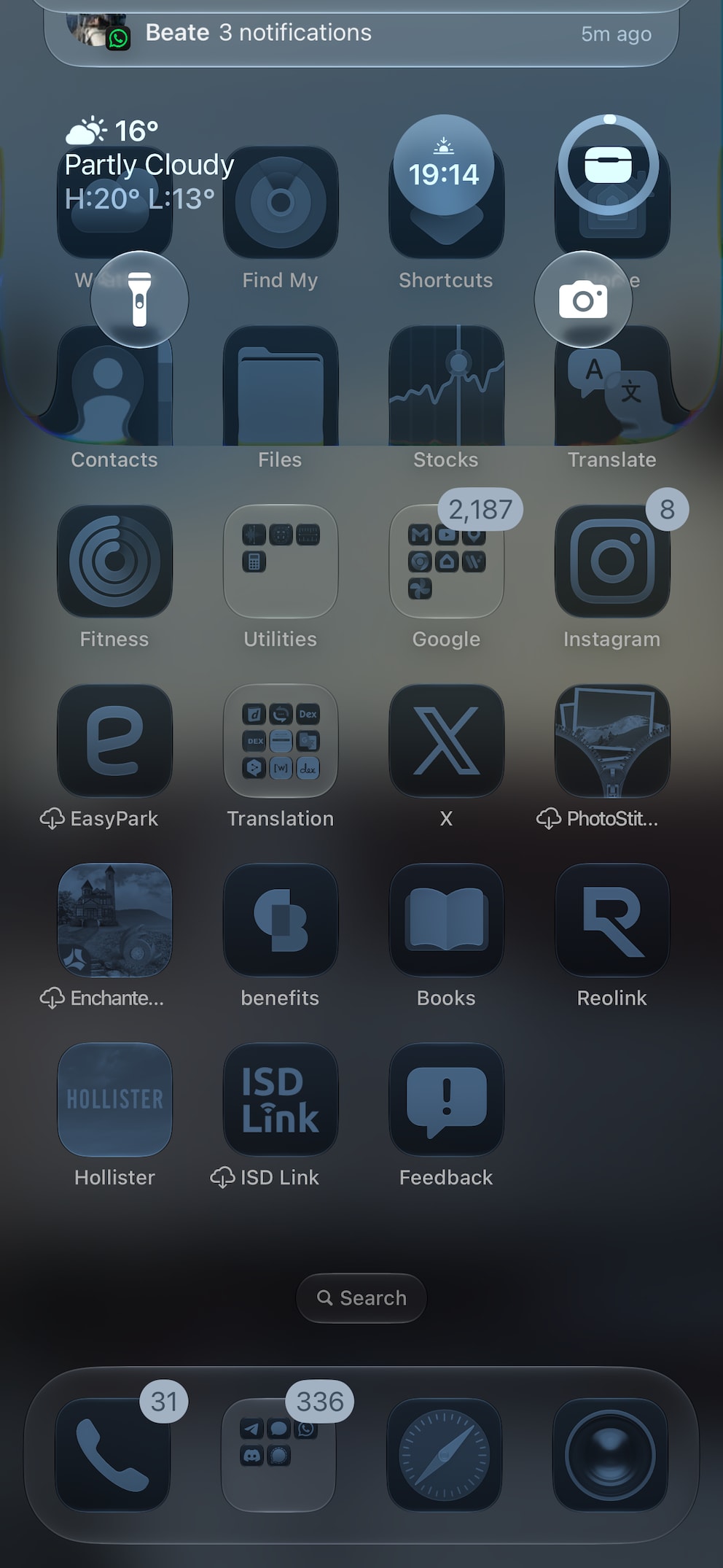
The trigger for the freeze is as curious as it is simple to initiate. On the home screen, you must swipe from the top left edge of the display to call up the notification center and then, just before it fully appears, swipe from the top right to open the control center. This causes the notification center to get stuck at the top of the display.
In this case, the softlock mainly affects the home screen–you can’t scroll left or right to another page. However, apps start as usual, and even the camera and wallet continue to work. On social media, this softlock is now increasingly appearing as a harmless prank to play on unsuspecting iPhone users.

18 iOS Features You Should Know

What You Can Do If Your Android Smartphone Crashes
Only a forced restart solves the problem
TECHBOOK was able to replicate the softlock and found a way to bring the iPhone back. The classic restart method–holding the side button and the volume up button–does not solve the problem. The slider to turn off the iPhone cannot be moved to the right due to the frozen interface.
In this case, users must force restart the iPhone, which only works with a specific button sequence:
- Quickly press the volume up button
- Quickly press the volume down button
- Hold the side button
- Release the side button once the Apple logo appears
After the restart, the iPhone with iOS 27 should function as usual again.
Also of interest: These two features of iOS 27 are not ready at launch
Softlock bug not fixed in subsequent update
Those hoping for a quick software solution to avoid annoying freeze pranks will unfortunately be disappointed for now. Even after updating to the first developer beta of iOS 27.2, the bug persists, as TECHBOOK tested on an iPhone 17 Pro.