


September 30, 2025, 1:13 pm | Read time: 3 minutes
Since mid-September, iOS 26 has been available for compatible iPhones–and it’s been troubling many users with issues such as Bluetooth, network, and camera problems. Shortly after the release, Apple began developing several follow-up updates. The first of these has now been released as iOS 26.0.1.
As our colleagues from COMPUTER BILD have reported, users are increasingly complaining on social media about Wi-Fi outages. These seem to be related to Apple’s new N1 chip in the iPhone 17, 17 Pro, and Air. However, some users who install iOS 26 on an older iPhone model also find they cannot connect to the cellular network. For a camera issue in the iPhone Air, which was first noticed by CNN, Apple has even promised a quick fix.
iOS 26.0.1 Fixes a Series of Bugs
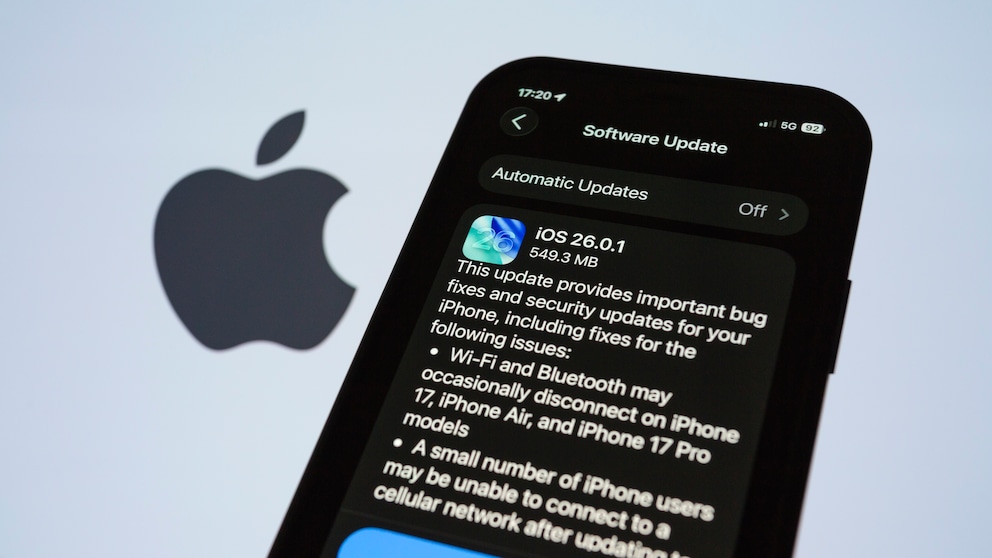
As is typical for an “X.X.1” update, iOS 26.0.1 contains no new features, only bug fixes. The update can be installed on compatible iPhones under Settings > General > Software Update. The release notes provide insight into the issues the update addresses:
- “Sometimes, Wi-Fi and Bluetooth connections are dropped on iPhone 17, iPhone Air, and iPhone 17 Pro models.
- A small number of iPhone users may be unable to connect to a cellular network after updating to iOS 26.
- Photos taken under certain lighting conditions with iPhone 17, iPhone Air, and iPhone 17 Pro models may contain unexpected artifacts.
- App icons may appear blank after adding a custom tint.
- VoiceOver may be disabled for some users after updating to iOS 26.”
Additionally, iOS 26.0.1 includes an important security patch for a vulnerability in Apple’s FontParser. This system component is responsible for analyzing font files such as TrueType or OpenType fonts and making them available to the operating system. Due to an “out-of-bounds write” error in FontParser, hackers could write data outside the intended memory area. With a maliciously crafted font, it was possible to unexpectedly terminate apps or corrupt memory. Apple discovered the vulnerability (CVE-2025-43400) itself and resolved it with an additional memory area check.
Should You Install the iOS 26.0.1 Update Right Away?
Those not specifically affected by one of the issues listed above may wonder if installing the current update is really necessary. TECHBOOK generally advises updating, especially when vulnerabilities are addressed. Although iOS 26.0.1 contains only a single security patch, it is all the more important as it resolves a major memory issue.
Also of interest: iOS 26.1 is coming soon! What’s in the update?
Aside from that, smaller “X.X.1” updates rarely cause problems themselves but only fix existing ones. Therefore, installing the iOS 26.0.1 update, which is only a few hundred megabytes in size, is advisable.
The update is available for iPhone 11 and newer. iPadOS 26.0.1 with the same security content is also now available for iPad Pro 11-inch 1st generation and newer, iPad Pro 12.9-inch 3rd generation and newer, iPad Air 3rd generation and newer, iPad 8th generation and newer, and iPad mini 5th generation and newer.