

July 7, 2026, 1:35 pm | Read time: 2 minutes
Google is adjusting the rules for Android backups. In the future, significantly more backup data will occupy space in the Google account–a change that users with limited cloud storage should particularly keep an eye on.
More Backup Data Now Counts Toward Google Storage
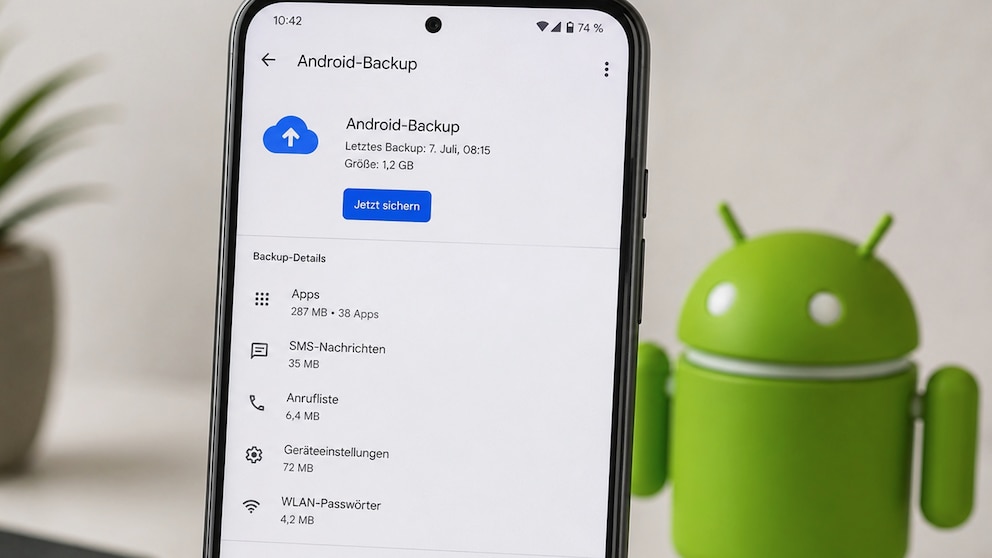
Google has introduced an important change for Android backups. Since July 7, 2026, all data secured via the Android backup function will count against the available storage space of the Google account. This was pointed out by the U.S. portal “9to5Google.”
Affected are app data, SMS messages, call logs, and device settings. Previously, content from Google Photos such as images and videos, as well as certain MMS data, primarily occupied cloud storage. The new rule applies to both the free 15-gigabyte storage and paid Google One subscriptions.

Important WhatsApp Feature to Become Paid for Some Users!

Android Backups Can Be More Precisely Controlled in the Future
The Transition Is Gradual
Google is initially activating the new storage rule for users setting up Android backups anew. Existing accounts will be gradually transitioned over the coming months. Therefore, the change will not be visible on all Android devices simultaneously.
According to Google, the additional storage requirement averages around 40 megabytes per backup, which is relatively minor. In everyday use, this is unlikely to be significant for many users. However, those who have nearly exhausted their free storage quota might notice the impact sooner. Once the available storage is full, backups, Gmail, or Google Photos may be restricted.
Also of interest: Android 17 causes issues with touch controls
More Control Over Backup Scope
The new rule may also explain why Google has recently worked on more detailed control of Android backups. In the future, users can more precisely determine which apps are allowed to back up their data to the cloud. This allows for reducing storage needs without having to completely disable the backup function.
On Pixel smartphones, the new options can be accessed via Settings > Google Services > Backup > Backup Details. In the “More Device Data” section, “App Data” can then be managed. Alternatively, the corresponding menu can also be opened by searching for “Backup” in the settings. When the feature will be available on smartphones from other manufacturers depends on the respective model and its software status.