

July 26, 2022, 3:52 pm | Read time: 8 minutes
The best multimedia solutions for cars are called Apple CarPlay and Google Android Auto, as they allow you to access your smartphone and use many practical apps with the familiar interface. TECHBOOK explains how it works and what you need for it.
Despite many innovations, cars still belong to the older, somewhat slower-paced tech world. In contrast, smartphones, with their constant internet access and short development cycles, are part of the digital revolution. However, smartphone giants Apple and Google have developed a simple and practical solution to connect even old cars with their smartphone systems, thus bringing them into the digital age.
Unlike a regular Bluetooth connection between a car and a smartphone, the new interfaces allow not only making calls and listening to music but also accessing some smartphone apps. This way, you theoretically have your familiar smartphone user interface available in any car. TECHBOOK explains how this works with Apple CarPlay and Android Auto.
Overview
Apple CarPlay
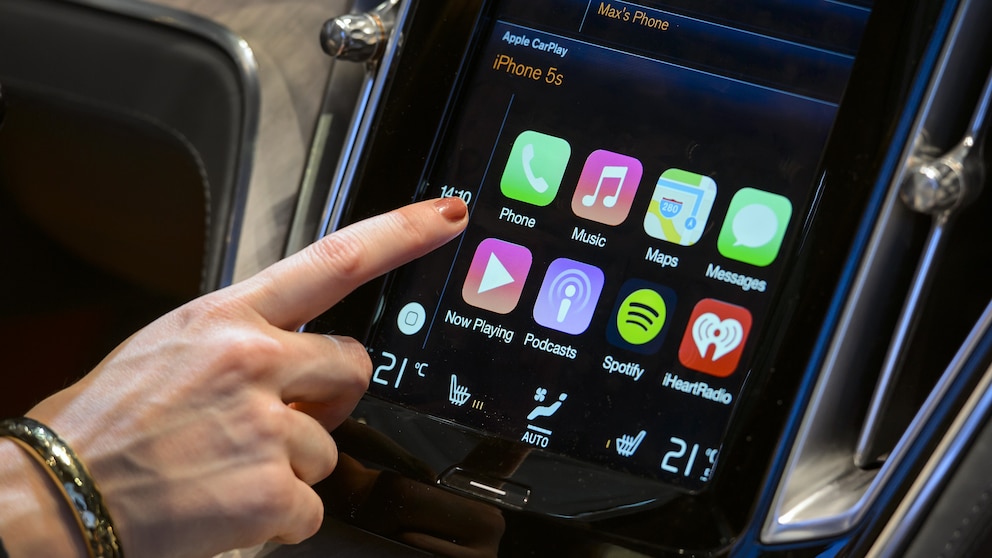
With Apple CarPlay, you can access music, navigation, messages, and emails via voice command or control buttons in the car, as well as touch input on the built-in screen. Newer vehicles on the market since 2021 can even be unlocked and started via iPhone using Apple CarPlay. According to Apple, there are currently over 600 car models that support CarPlay, including major brands like Audi, BMW, Ford, Mercedes, and Renault. You can also find a video with a brief overview from our reporters here:
How do I connect to CarPlay?
You’ll need at least an iPhone 5 with one of the latest iOS versions installed. Additionally, the vehicle must be CarPlay compatible and have a display that can show the apps. Then, you just need a USB cable with a Lightning connector to establish a connection to the car. Conveniently, the iPhone charges at the same time.
There is also Wireless CarPlay now. The iPhone connects to the vehicle via Wi-Fi and Bluetooth. While this is convenient without a bothersome cable, you should always keep an eye on the battery. This type of connection only makes sense if you have a newer iPhone, as these typically support wireless charging and have longer-lasting, less-used batteries.
How much does CarPlay cost?
Apple CarPlay is free on the iPhone itself. However, the situation is different for cars. Retrofitting costs around 200 euros with many car manufacturers. If it’s available from the factory, some manufacturers charge up to 400 euros extra. Unfortunately, some only offer CarPlay in conjunction with their own navigation systems, which can become quite expensive and unnecessary. With CarPlay, you can access Apple Maps, among other things.
At BMW, for example, using CarPlay costs 300 euros. At least, after harsh criticism, the fee is now only due once. Before this change, customers slipped into a subscription model after three years of use, which cost an additional 110 euros annually.
What features does CarPlay offer?
Although CarPlay doesn’t grant access to all apps, it includes at least the most important ones needed while driving: music apps such as Spotify, Apple Music, and Amazon Music, messaging apps like iMessage and WhatsApp, and the navigation app Apple Maps. Car manufacturers also offer various apps that run on the system.
The most convenient operation is via voice command. You can compose messages, have them read aloud, enter destinations, play music, and make phone calls easily. You can also unlock and even start your car with CarPlay. If a friend borrows the car, you can share the digital car key for a specific period.
The operation and displays are minimalist and clearly structured to avoid distractions while driving. This way, you also have the familiar iPhone look on the car display.
Disadvantages of CarPlay
As is often the case with Apple, CarPlay is an exclusive platform that Apple expands very cautiously. Not all apps are available, although Apple has improved with popular applications like WhatsApp and Google Maps.

While Siri has improved significantly, it is still not on the level of Google Assistant. Additionally, CarPlay only works with iPhones. It’s also important to note that music streaming and navigation use the mobile data plan’s volume. Depending on your usage, you should have enough data available.
Google Android Auto
If you have an Android smartphone, you should look for Android Auto support when buying a car. This is Google’s counterpart to Apple’s CarPlay.
In principle, it works very similarly to Apple’s interface. According to Google, there are now over 500 car models that support the system. After some initial difficulties due to safety standards, premium manufacturers like BMW and Porsche have also agreed to integrate Android Auto.
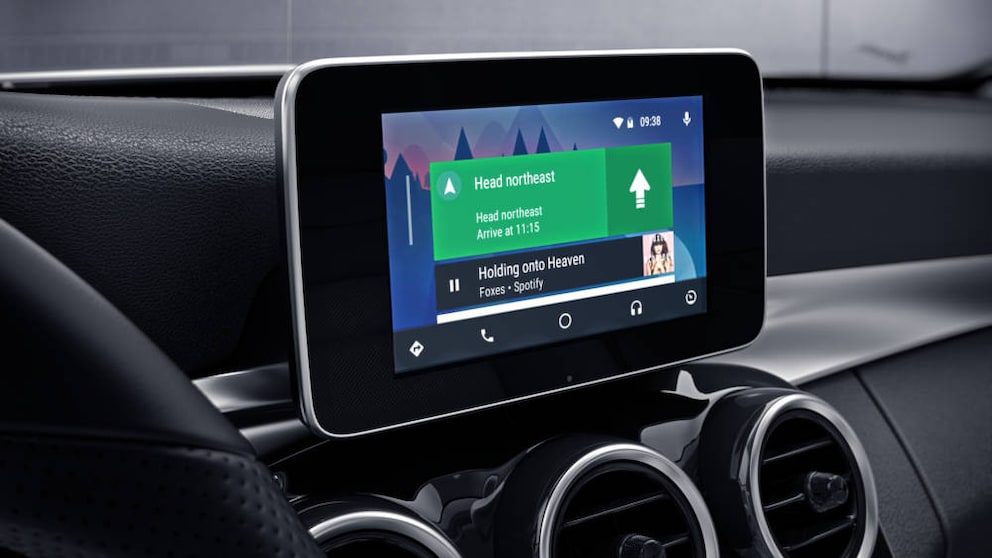
Photo: Mercedes
How do I connect to Android Auto?
You’ll need at least a smartphone with the Android 8.0 Oreo operating system. The system is not usable with Android Go. The connection to the car is also made via USB cable or via Wi-Fi from Android 9.0.
Compared to CarPlay, Android Auto offers a significant advantage: you can use the system even if the car doesn’t support it. You only need a suitable smartphone holder and can use your device as a display replacement with all the functions of Android Auto. However, the battery drains quickly if you don’t have a charging option in the interior.
How much does Android Auto cost?
Most manufacturers also charge an extra fee and offer Android Auto alongside Apple CarPlay. This often involves a surcharge of a few hundred euros, which can exceed 1,000 euros if the interface is only offered in conjunction with a high-end multimedia system. Prices are typically around 300 euros for a new vehicle and 200 euros if Android Auto is retrofitted.
What features does Android Auto offer?
Android Auto also offers limited access to smartphone apps, which is in the interest of safety. Music apps, messenger apps, and Google Maps are the main focus. However, the selection is slightly larger than Apple’s, as Google is generally more open to third-party solutions.
An advantage over Apple is the Google Assistant, which works a bit more reliably with voice input than Apple’s Siri. Messages can also be sent or read aloud via voice input. Both offer the possibility of a digital car key.
Also interesting: Why you should wrap your car key in aluminum foil
Disadvantages of Android Auto
Although the Android Auto platform is somewhat more extensive than CarPlay, it still offers only a limited range of apps. But that’s not a big deal, as both systems from Apple and Google aim to enhance safety and not distract too much from driving.
The system’s reliability is also not as high as CarPlay’s. This is due to the confusing smartphone market with countless devices and Android versions. Those using a particularly new and powerful smartphone with the latest Android operating system will have the best user experience.
And here, too, it’s important to keep an eye on data usage, as internet services use the smartphone’s mobile data plan.
Conclusion: Apple CarPlay and Android Auto
Both systems offer similar functions. The sometimes brazen surcharge from car manufacturers only partially justifies the useful but not absolutely necessary apps. If you’re mainly interested in a navigation device, you can safely do without the services–in this case, a conventional device or smartphone navigation without direct connection to the car will suffice. However, if you often use your phone on the go, you can benefit from the systems, as calls, music apps, etc., can then be controlled via the car.
In terms of functionality, the providers don’t differ much, so it mainly depends on which smartphone you use. There is now a wide range of compatibility with car brands, although Apple CarPlay has a slight edge. However, the voice assistant works better with Android Auto.
Also interesting: Android vs. iOS–which operating system is better?

Nintendo Music Comes to Android Auto and Apple CarPlay

Kia EV3 Tech Check: What the Digital Cockpit Can Really Do
Retrofitting CarPlay and Android Auto
There are now various devices on the accessory market that have integrated CarPlay and Android Auto. So you don’t have to buy a new car right away, but can also bring your old vehicle up to the latest multimedia standard and connect it to your smartphone.
There are various systems from Alpine, JVC, Kenwood, Pioneer, and Sony that can be optimally installed in the standardized car radio slot in the center console. They come in sizes 1-DIN (small) and 2-DIN (double format). The price range starts at a few hundred euros and goes well over 1,000 euros. This way, you have free choice and are not tied to the car manufacturer’s devices.