


November 26, 2026, 7:04 am | Read time: 10 minutes
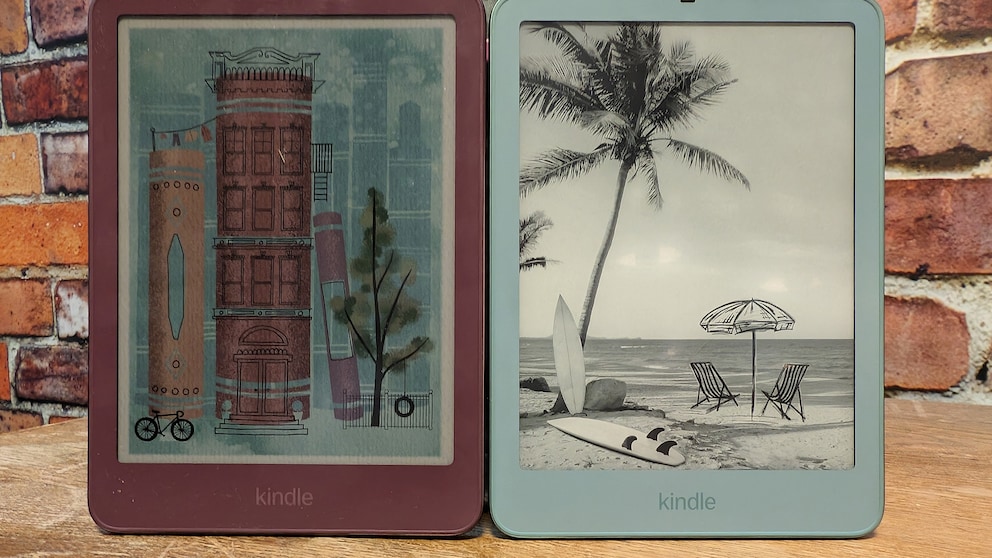
With the current Kindle Paperwhite and Kindle Colorsoft, Amazon presents two e-book readers that, at first glance, have a lot in common. Both feature a seven-inch E-Ink display, are water-resistant, and rely on touch operation. The key difference lies in the screen: While the Paperwhite continues to focus on black and white, the Colorsoft can display 4,096 colors.
Color initially sounds like a clear advancement. However, when reading, the situation is more complicated. The Colorsoft costs significantly more, has a shorter battery life, and displays colored content at only 150 pixels per inch instead of 300. The Paperwhite, on the other hand, seems more conventional but delivers a convincing performance in its core discipline: reading text with minimal distractions. How both models perform in everyday use is shown in the TECHBOOK test.
Overview
- Paperwhite and Colorsoft look remarkably similar
- Easy setup and immediate reading
- Operation remains simple, but real buttons are missing
- Kindle Paperwhite and Colorsoft take different paths with the display
- Colorsoft brings color to the bookshelf
- Amazon has improved the Colorsoft display
- Black and white also have the advantage with the battery
- 16 GB goes surprisingly far
- The paths finally diverge on price
- The most important technical data
- Kindle Paperwhite pros and cons
- Kindle Colorsoft pros and cons
- Conclusion: Kindle Paperwhite or Colorsoft?
Paperwhite and Colorsoft look remarkably similar
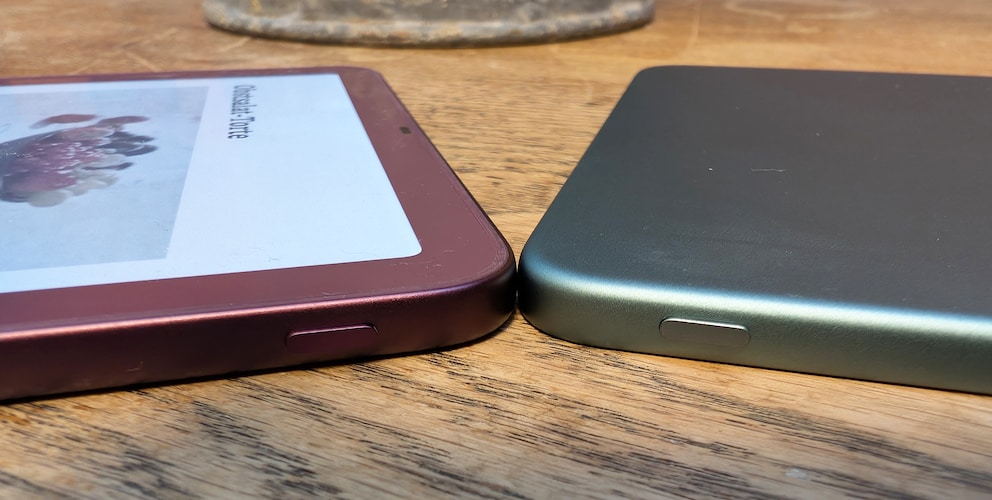
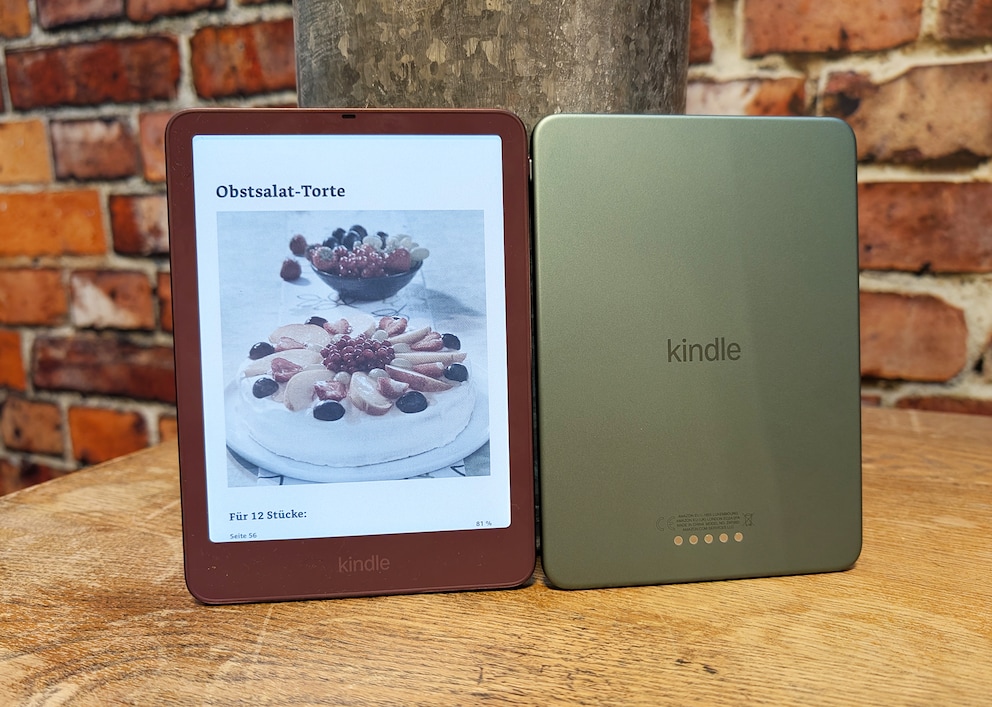
Amazon has visually revamped the current Kindle generation. Both the Kindle Paperwhite and the Colorsoft have displays that are flush with the casing. The devices have also become thinner and lighter. In the Signature Editions, Amazon uses aluminum instead of plastic, giving them a more elegant and high-quality appearance.
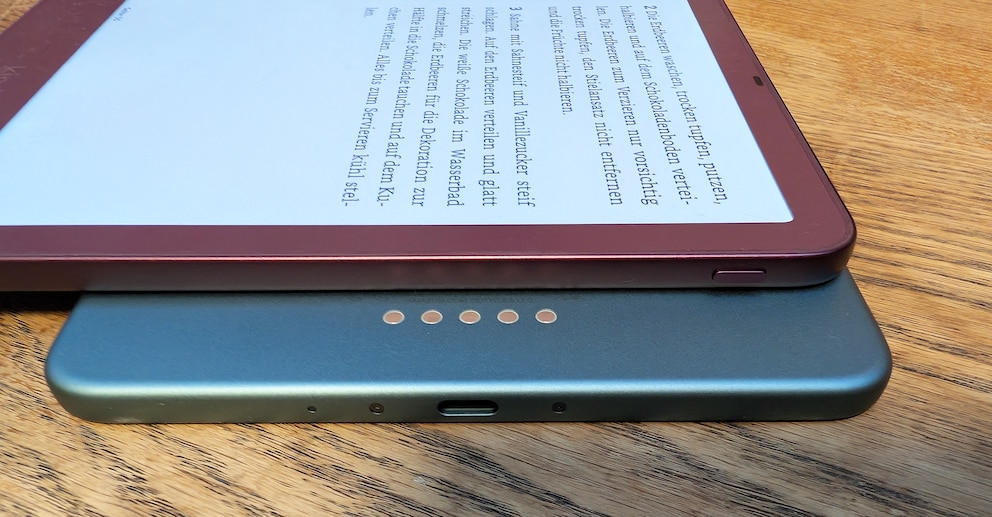
A small but practical change in everyday use concerns the power button. It is now located at the top right. In previous generations, it was on the bottom edge, where it was not only harder to reach but could also be accidentally pressed.
Paperwhite and Colorsoft are water-resistant according to IPX8. A spilled glass or use by the pool is not immediately a disaster. Those who mainly read on the go or on vacation will find both models to be robust companions.
Also interesting: New Kindle aims to solve annoying problem
Easy setup and immediate reading
There is little difference between the Kindle Paperwhite and Colorsoft in terms of setup. After selecting the language and Wi-Fi, the connection to the Amazon account follows. Previously purchased Kindle books are then available through the library. This is especially convenient when switching from an older Kindle. Books and reading progress are not tied to a single reader. Kindle Unlimited also integrates seamlessly into the system.
Personal EPUB files can be transferred via “Send to Kindle.” Audible audiobooks are also supported, but a Bluetooth headphone or speaker is required for playback. There is no built-in speaker.
The convenient ecosystem is also one of its biggest limitations. Direct support for the German Onleihe is missing, as is Adobe DRM. Readers who source their e-books from various places or frequently use digital libraries should consider more open alternatives.
Operation remains simple, but real buttons are missing
The Kindle interface is clear enough for reading but is closely tailored to Amazon’s services. Compared to competing systems like Kobo, customization options are more limited.
Both e-readers are operated solely via the touchscreen: Tapping or swiping turns the page, and additional functions are accessible through the interface. There are still no dedicated page-turn buttons directly on the reader. This has become almost a fundamental Kindle decision, but it doesn’t please everyone. When reading in bed or with just one hand, physical buttons can be more comfortable than a touch gesture.
The Signature Editions become more interesting for this reason. They not only offer 32 instead of 16 GB of storage and automatic front light adjustment but also support double-tapping to turn pages. New accessories for page-turning are also available. However, the Kindle cover with page-turn function and buttons is reserved for the Signature models. With a price of 80 euros, the new covers are not a bargain.
Kindle Paperwhite and Colorsoft take different paths with the display
After all the similarities, the screen determines which device is more interesting.
The current Kindle Paperwhite features a seven-inch black-and-white panel with 300 ppi. Amazon uses an oxide TFT backplane, promising particularly high contrast.
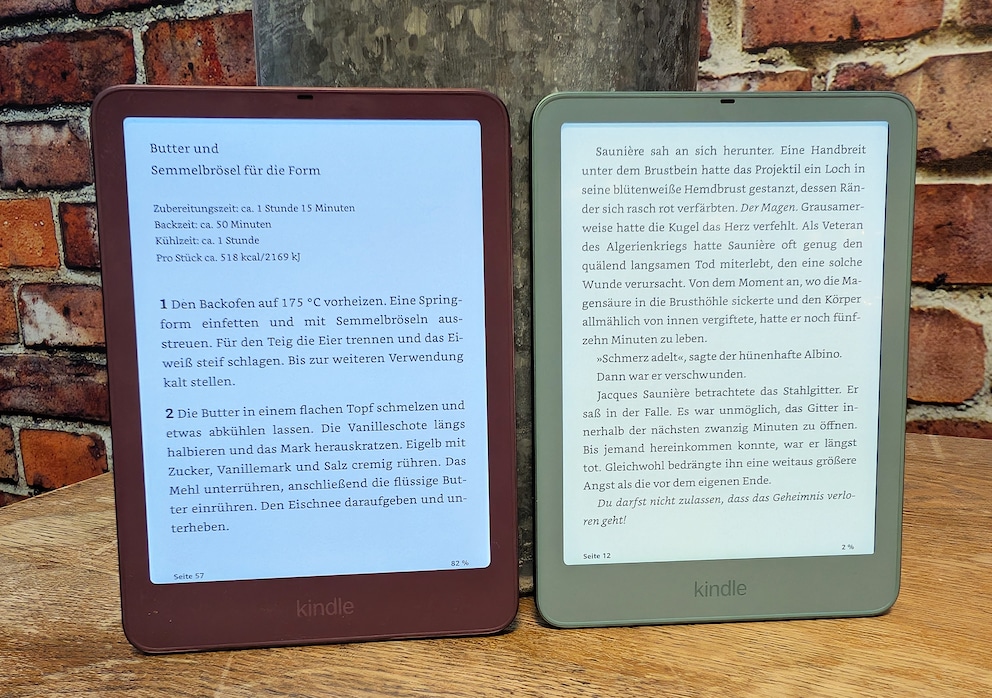
On the data sheet, this sounds less spectacular than it actually is when reading. After all, 300 ppi was already available in older Paperwhite models. However, the current model particularly stands out with its richer blacks. Text stands out more clearly from the background. Small letters, illustrations, and other fine elements also benefit from the higher contrast. This is particularly convincing for novels. Black and white is not a missing feature here but a specialization for the actual purpose.
Even outdoors, E-Ink shows its strength. Unlike smartphones and tablets, the display does not become unusable in sunlight. For the evening, the color temperature of the integrated lighting can be adjusted.
Colorsoft brings color to the bookshelf
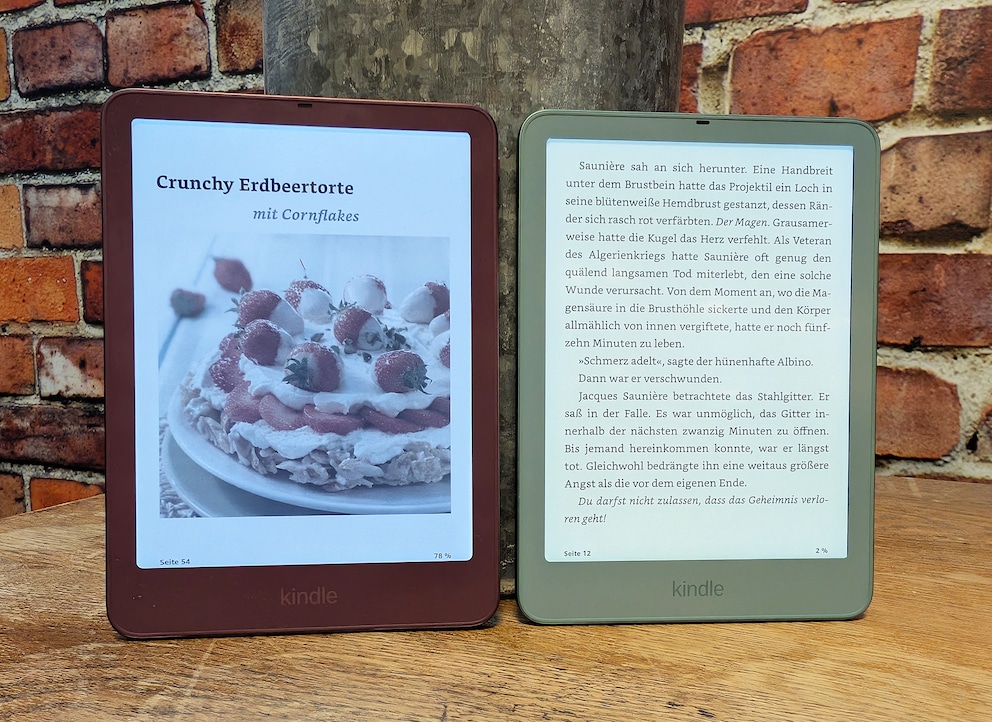
The Colorsoft also has a seven-inch E-Ink display and achieves 300 ppi for black-and-white content. However, when color comes into play, the resolution drops to 150 ppi. It can display 4,096 colors.
The result should not be confused with a tablet. The colors appear more subdued and less saturated than on an LCD or OLED panel. It rather gives the impression of a printed or watercolor-colored illustration. This has its own charm. Book covers appear more vibrant, colored markings become clearer, and graphics benefit. Especially for comics and graphic novels, color provides an immediately understandable added value.
However, those who read several hundred pages of a novel will hardly benefit from this. Once the first page of the actual text is reached, a red or blue book cover has practically no significance. This makes the Colorsoft a much more specialized product than the Paperwhite.
Amazon has improved the Colorsoft display
Color E-Ink presents another challenge. The additional color layer can affect the clarity of the actual black-and-white display. In earlier Colorsoft models, the display could therefore appear slightly less clean or grainier than on a classic black-and-white reader.
In the current generation, Amazon has addressed this issue. Micro-deflectors in the light guide are intended to reduce stray light and enable more even illumination. An additional optical coating is also supposed to improve clarity.
The improvements do not change the fundamental principle: Those who read almost exclusively text do not need the additional color layer. The Paperwhite remains the more consistent solution for this purpose. However, those who read comics, illustrated non-fiction books, travel guides, or cookbooks will find something in the Colorsoft that the Paperwhite simply cannot offer.
Black and white also have the advantage with the battery
The difference between the models is also evident in battery life. Amazon claims up to 12 weeks for the Kindle Paperwhite. According to the manufacturer, the Colorsoft lasts up to eight weeks. Eight weeks is a very good value in itself. Only the direct comparison makes it clear that a compromise is necessary for color display.
For both models, the actual endurance depends heavily on how bright the lighting is set, how much is read, and how intensively Wi-Fi is used. The major practical advantage over a tablet remains for both: The reader does not need to be charged every few days. When it does need charging, the devices offer a USB-C port.
16 GB goes surprisingly far
The standard versions each come with 16 GB of storage, while the Signature Editions offer 32 GB. For regular e-books, 16 GB is already plenty. Thousands of books fit on such a reader. Additional storage becomes more relevant for comics, heavily illustrated titles, and audiobooks. Therefore, the 32 GB configuration makes more sense for the Colorsoft than for a Paperwhite, which is mainly filled with novels. A memory card cannot be added to either device.
The paths finally diverge on price
Up to this point, personal preferences can be debated. The price difference is more tangible.
The Kindle Paperwhite starts at around 210 euros in Germany with 16 GB of storage. The Signature Edition with 32 GB is about 260 euros. This is significantly more than previous generations. The predecessor started at a much lower price. This means the Paperwhite is increasingly moving away from its earlier role as a relatively affordable e-book reader.
With the Kindle Colorsoft, e-reading becomes definitively expensive. The standard version with 16 GB costs around 300 euros, and the Signature Edition is about 330 euros. This means the surcharge compared to the regular Paperwhite is about 90 euros.
This is particularly relevant because the Kindle Colorsoft is not better in every aspect than the Paperwhite. It offers color but has a shorter battery life and only 150 ppi for colored content. There is also competition. Manufacturers like Kobo offer color e-readers that are sometimes more attractively priced.
The most important technical data
Kindle Paperwhite pros and cons
Pros
- high-contrast 300-ppi display
- very good text display
- excellent readability outdoors
- adjustable warm light
- up to 12 weeks of battery life
- IPX8 water resistance
- thin and lightweight casing
- particularly suitable for novels and text-heavy books
Cons
- significantly more expensive than previous generations
- no physical page-turn buttons on the device
- closed Amazon ecosystem
- no direct Onleihe support
- non-expandable storage
- limited reason to upgrade for owners of a recent Paperwhite

Amazon Kindle Colorsoft: Pros and Cons of the Color eReader

Amazon Kindle Colorsoft (2025) Review – With Color, but No Frills
Kindle Colorsoft pros and cons
Pros
- color E-Ink with 4,096 colors
- 300 ppi for black-and-white content
- particularly interesting for comics and illustrated books
- colored covers, graphics, and markings
- improved display technology
- IPX8 water resistance
- long battery life despite color display
Cons
- high price
- color content only at 150 ppi
- colors less vibrant than LCD or OLED
- shorter battery life than the Paperwhite
- less value for pure novel readers
- no physical page-turn buttons
- closed Kindle ecosystem
- cheaper color e-readers from other manufacturers available
Also interesting: Attention Kindle users! Amazon is cutting features
Conclusion: Kindle Paperwhite or Colorsoft?
In the end, the Kindle Colorsoft, despite its higher price, is not simply the better Paperwhite. Rather, both devices pursue different priorities.
The Kindle Paperwhite is the better all-rounder and the more sensible choice for most readers. Its display focuses on what matters when reading novels and other text-heavy books: high contrast, sharp text, and distraction-free display. Additionally, it offers a longer battery life of up to 12 weeks. The current generation is particularly interesting for users of an older Kindle. However, those who already own a relatively recent Paperwhite should carefully consider whether the improvements justify a new purchase.
The target audience for the Kindle Colorsoft is smaller but more clearly defined. Those who regularly read comics, graphic novels, travel guides, cookbooks, or other heavily illustrated content will find real added value in color. Covers, graphics, and colored markings simply make more sense on a color reader. For pure novels, however, the Colorsoft is harder to justify. Around 90 euros more, shorter maximum battery life, and a color resolution of 150 ppi are significant compromises for a feature that often sees little use after turning the book cover.
This makes the purchase recommendation quite clear: Those who mainly read novels and other text-heavy books should opt for the Paperwhite. Those who actually need color when reading should choose the Colorsoft. The higher price of the Colorsoft does not buy the fundamentally better Kindle experience. It pays for a very specific additional capability. And only those who regularly use it will get a corresponding value in return.