



June 30, 2026, 1:38 pm | Read time: 3 minutes
Since the launch of the messenger in 2009, a phone number has been required to use WhatsApp. This not only makes changing phone numbers unnecessarily complicated but also poses a privacy risk. Now, the service is expanding its test run to include the option to reserve the desired username in advance.
Usernames to Make WhatsApp Safer
Since August 2024, WhatsApp has been testing the use of a unique username that is linked to the account instead of a phone number. The advantage of a username over a phone number is clear. Anyone with the right number can contact a person on WhatsApp without their consent. Additionally, all contacts in the app can access and share your phone number.
The username is intended to eliminate these issues. Users gain control over who can contact them on WhatsApp. Besides a unique name, you can also set a key. Even if someone knows the name, they need this key to start a chat.

WhatsApp Replaces Phone Numbers With Usernames

WhatsApp to Introduce Usernames Soon
How to Reserve Your Username
To keep your phone number private, users must select a username. To ensure a smooth transition, the messenger now allows you to reserve your preferred name in advance.
WhatsApp informs users of this option with a new notification in the chat overview:
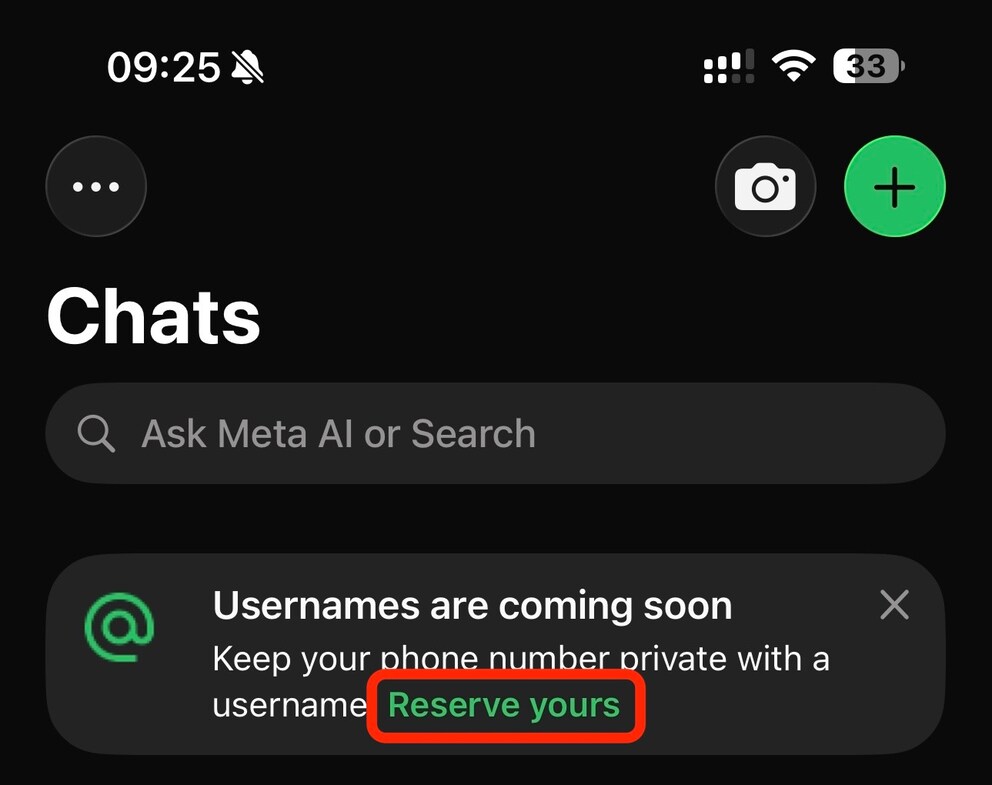
The link directly starts the reservation process. If the notification doesn’t appear or suddenly disappears, you can also start it directly through the settings.
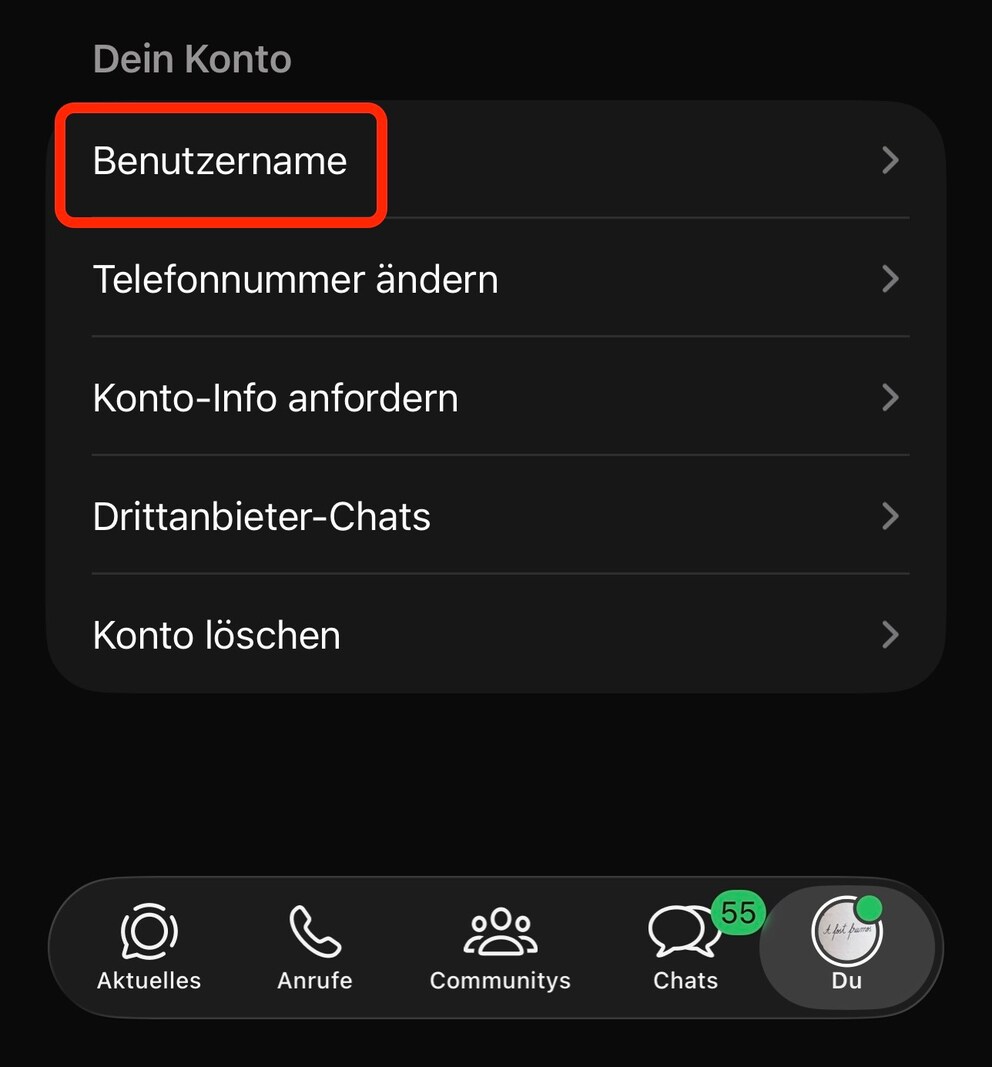
1. Open WhatsApp settings, select “Account,” and click on the new option “Username.”
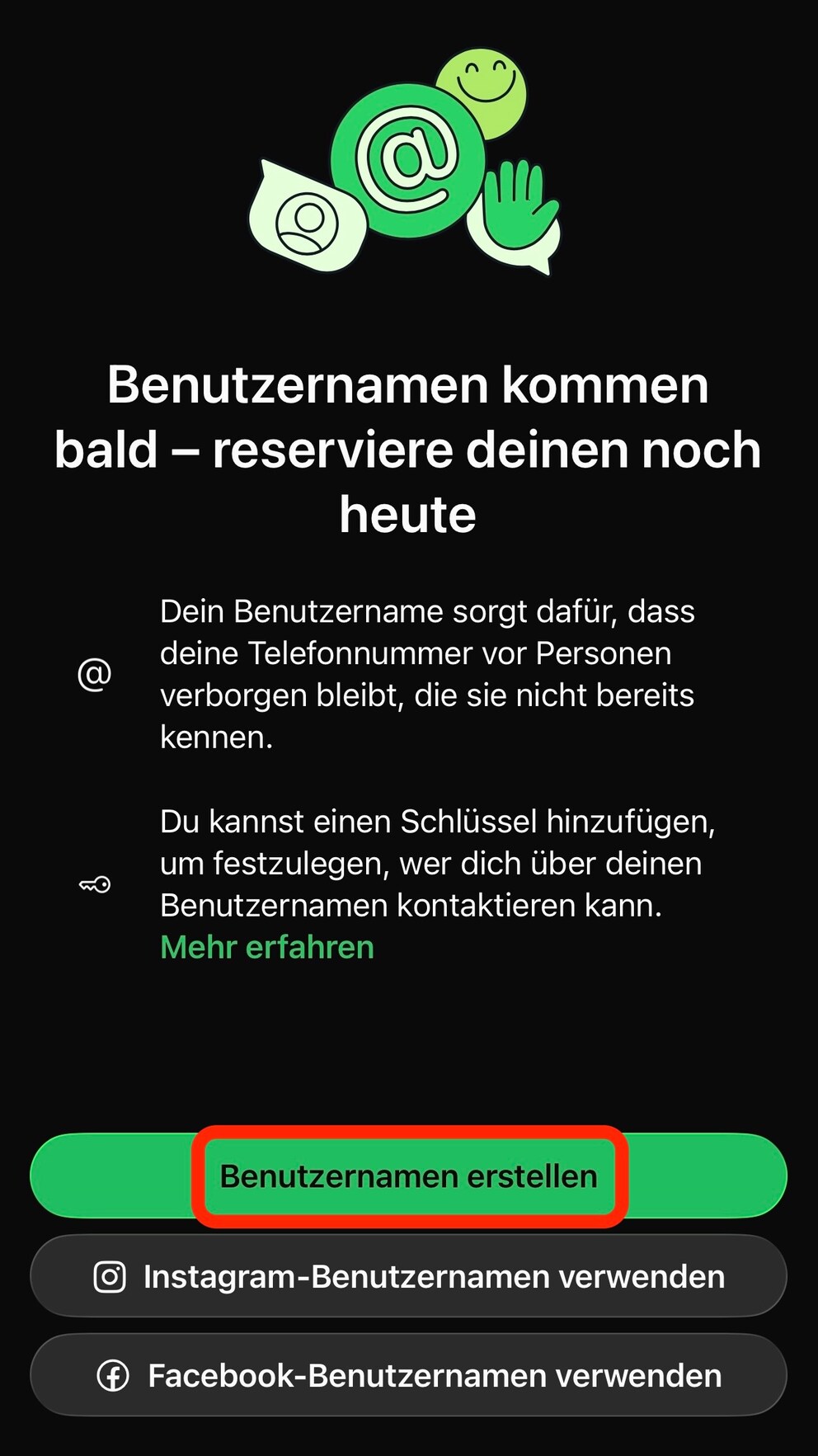
2. On the information page, you now have the option to create a new username. Alternatively, you can directly select your Instagram or Facebook username. We choose “Create Username.”
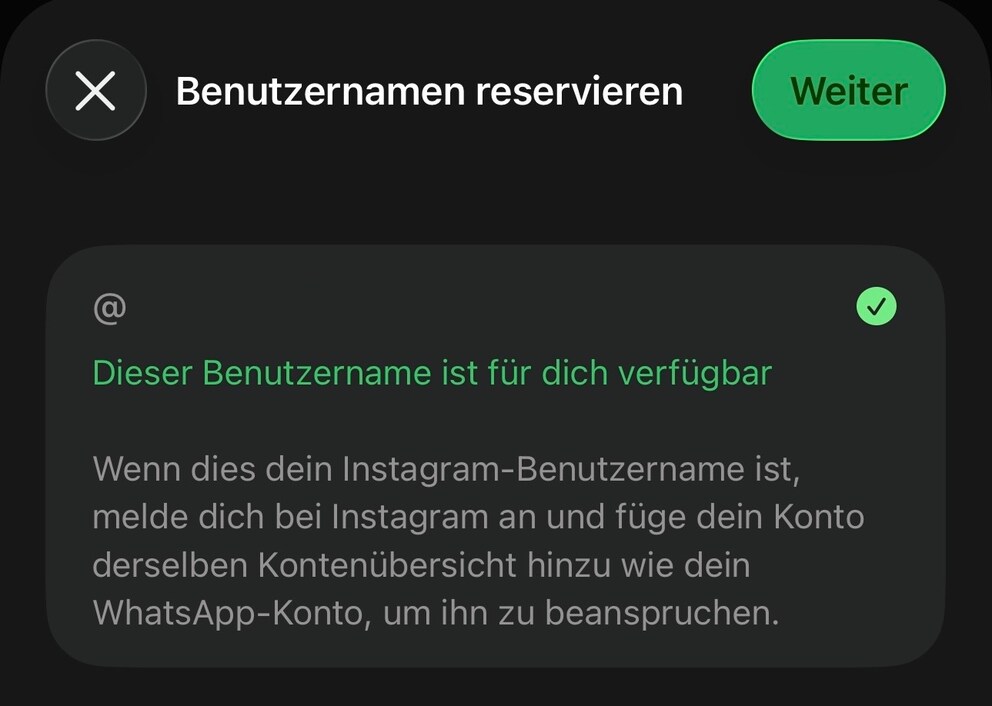
3. In the next step, you can check if your preferred name is still available. Simply enter it, and WhatsApp checks automatically. Then click “Next” to proceed to the next window.
4. Meta now wants to consolidate all accounts–Instagram, Facebook, and WhatsApp–into one overview. However, you don’t have to allow this and can cancel the consolidation at any time.
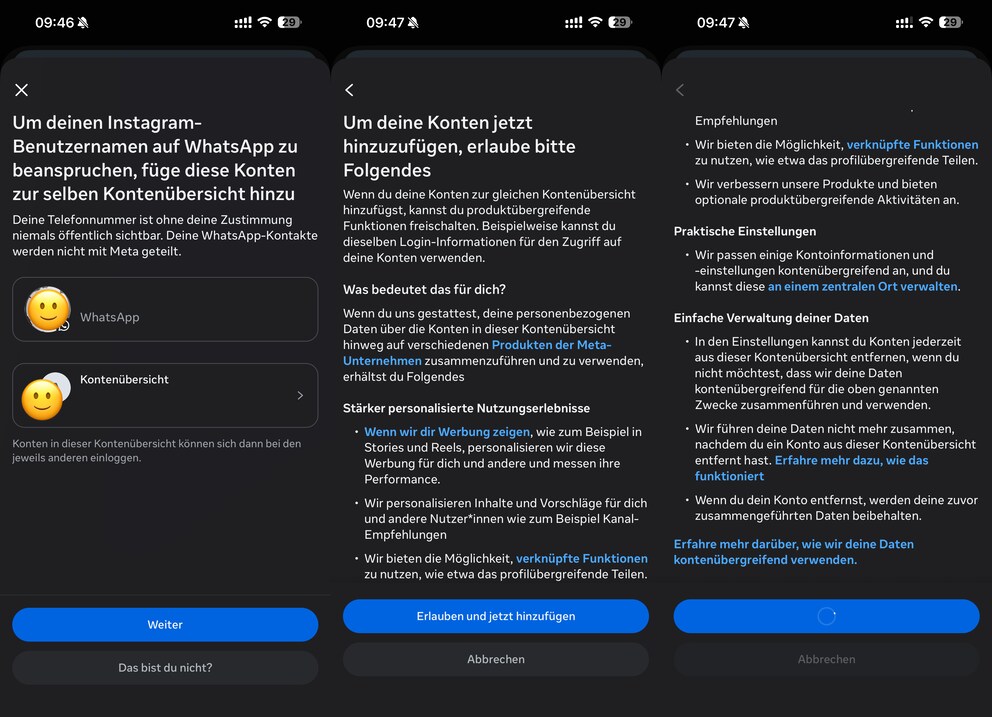
5. Regardless of what you choose, the reservation is complete and can be closed with a click on “Next.”

Fairness in Choosing WhatsApp Usernames
By allowing advance reservations, WhatsApp aims to ensure fairness when launching the new feature. Due to beta tests and multiple app versions in circulation, users are rarely on the same page regarding new features. Without the option to reserve, some users would have early access and could claim popular usernames.
The actual introduction of usernames in WhatsApp is planned to be implemented gradually and country-based over the coming months. Users will receive a notification when it’s time.