


September 19, 2023, 9:26 am | Read time: 4 minutes
It’s quite rare for Apple to update its AirPods. However, the company has now rolled out a major update that aims to bring new features to older models as well. TECHBOOK has the details.
The AirPods are now available in various generations and versions. Especially with the current AirPods Pro 2, Apple has integrated many of its new features that other models do not offer. This includes volume control via swipe gestures directly on the earbuds. Apple plans to expand the range of features even further with a major update. But older generations won’t be left out.
Overview
New Features Apple Brings to AirPods via Update
The current AirPods update accompanies the rollout of iOS 17, which has been available for download since September 18. Thanks to the new firmware, the parallel connection of AirPods to multiple Apple devices is expected to work more reliably, and switching between devices will become easier. However, this feature remains exclusive to Apple devices, as AirPods do not support Bluetooth multipoint.
In addition to optimizing parallel connections, the update brings four major new features to the AirPods Pro 2. This includes a new microphone control that allows the microphone to be turned on and off during a call. This can be particularly useful if you need to discuss something with another person during a call without the person on the phone noticing.

Apple is providing the microphone control not only for the AirPods Pro 2 but also for the first generation of its Pro series, as well as for the third-generation AirPods and the over-ear headphones AirPods Max. While it can be activated on the small earbuds by pressing the earbud stem, the microphone control on the over-ear headphones is managed via the Digital Crown, the side dial.
Also interesting: Why You Shouldn’t Ignore Updates

Huge AirPods Update Brings Numerous New Features

New AirPods Model Finally Gets Pro Features
Exclusive New Features for AirPods Pro 2
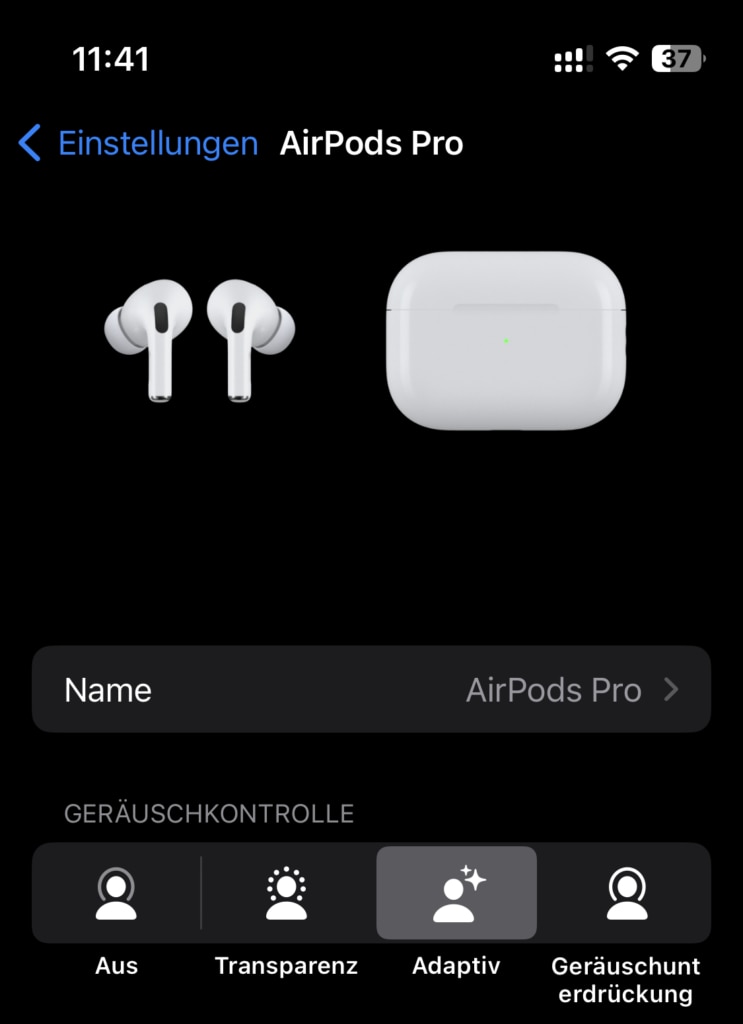
The remaining three of the four new features that Apple is rolling out with the AirPods update are exclusive to the second Pro generation (with Lightning and USB-C charging case). These include adaptive audio, personalized volume, and conversation detection.
Adaptive Audio:
- After the update, the AirPods Pro 2 can analyze ambient noise to determine the optimal mode for music playback. This can either be the transparency mode, where the wearer can still perceive outside noises, or Active Noise Cancelling (ANC), which filters out all external sounds.
Personalized Volume:
- Here, the AirPods Pro 2 utilize machine learning. They learn the user’s listening habits and create a perfectly adjusted personal volume. With the update, Apple promises even better quality during music playback through the AirPods.
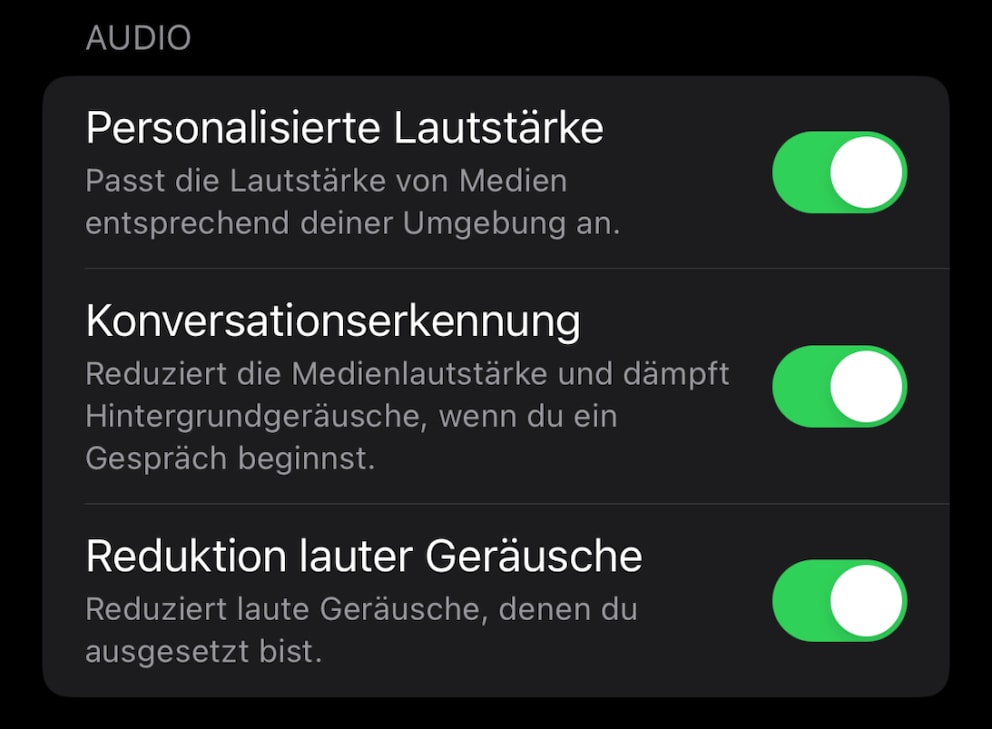
Conversation Detection:
- This is a completely new feature that Apple is bringing to the AirPods Pro 2 with the update. When activated, the headphones recognize when the user is being spoken to while listening to music. They then deactivate the ANC mode, switch to transparency mode, and reduce the volume so the wearer can respond to the conversation without removing the earbuds.
How the Update Comes to AirPods
Apple has already begun rolling out the AirPods update, but it may take some time to reach all devices. The download and installation occur automatically. Users do not receive a notification about an available update, nor can they postpone or manually install it. To ensure the installation takes place, the AirPods should be charging and within Bluetooth range of a compatible Apple device.
Since Apple does not offer an Android app for its AirPods, the headphones can only be updated through a connection with other Apple devices. Users can book an appointment at the Apple Store to have the installation done there.