


June 21, 2024, 1:24 pm | Read time: 5 minutes
The iPhone’s camera app has gained more features over the years. However, video enthusiasts still miss many professional features that are only available through third-party apps. Apple’s new Final Cut Camera now bridges the gap with the competition.
In May, during the iPad event, Apple announced a new version of the video editor Final Cut Pro for the iPad Pro. Along with the update, a completely new camera app for the iPhone was set to be released. It is now available for download in the App Store; TECHBOOK has tested it.
For Video Direction or as a Standalone App
In a press release, the launch of the new Final Cut Pro app and the Final Cut Camera was announced. According to Apple, what makes the app special are the “intuitive professional controls for the entire video production.” Primarily, Final Cut Camera is intended for setting up “live multicam sessions” in conjunction with an iPad. Up to four iPhones can send various camera settings via live transmission to Final Cut Pro on an iPad Pro. This simplifies video direction with multiple cameras—a scenario that previously required expensive and cumbersome equipment.
But Final Cut Camera is not just a simple tool for live recording transmission. The app offers a range of professional video features that the standard camera app on the iPhone lacks. The best part: All owners of a reasonably current iPhone can use Final Cut Camera as a standalone app for free. Connecting to an iPad Pro is not necessary.
Read also: The 8 Best Hidden Features in iOS 18

TECHBOOK Editor: “With the new Apple apps, the iPad Pro finally becomes a laptop replacement.”

iPhone 18 Pro Becomes a Professional Camera
What Final Cut Camera Can Do for the iPhone
Unlike the standard camera app for the iPhone, Final Cut Camera bundles all settings directly within the app itself. That’s a good thing, as there are plenty of them. Here’s an overview in the video:
In the top toolbar, you can set the recording codec, dynamic range (HDR/SDR), resolution, and frame rate. From here, integrating the iPhone into a multicam setup is also possible. Additionally, users can access camera options here—more on that later. Directly below the top toolbar are displays for remaining recording time and audio levels.
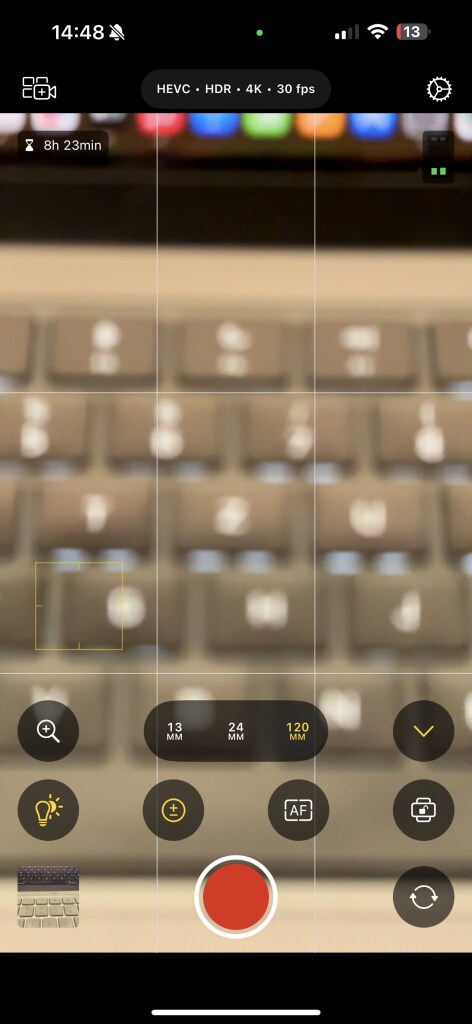
The app interface itself is quite similar to the standard camera app. However, the buttons for individual functions are significantly larger. Directly above the record button are the focal length options—provided the iPhone has more than one camera. To the left is the zoom function, which fundamentally differs from the standard camera on the iPhone. Like the professional “Blackmagic Cam” app for the iPhone, this feature allows for a much slower, more precise zoom for cinema-worthy shots.
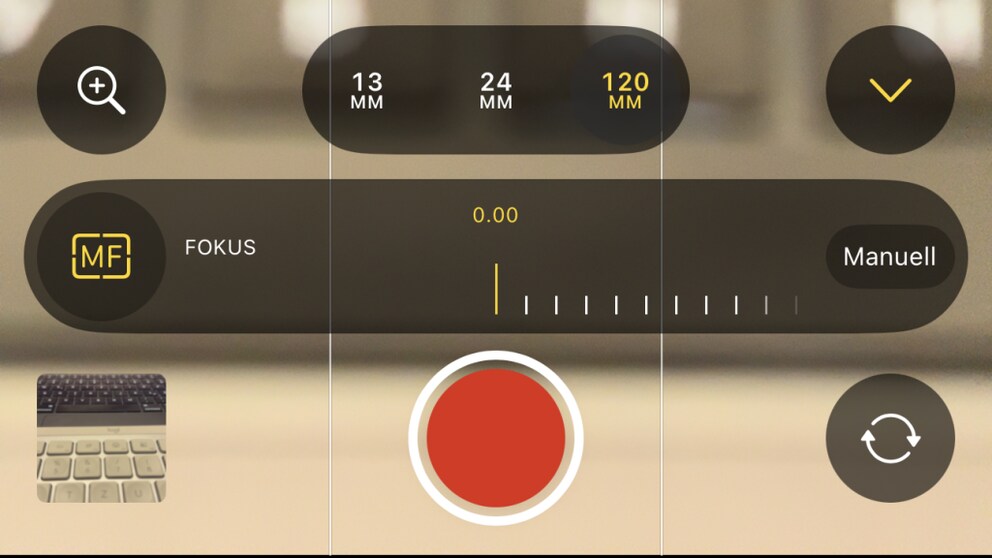
By clicking the upward arrow next to the focal length selection, you gain access to additional tools:
- White Balance: Automatic; set manually via slider or choose a preset (such as “Daylight” or “Shade”).
- Exposure: Automatic; set manually via slider or directly adjust shutter speed and ISO value.
- Focus: Automatic or manually focus via slider.
- Camera Orientation: Automatic, left, right, or portrait
In-Depth Settings for Professional Shots
While options available directly through the camera interface, like precise zoom and manual focus, already exceed the capabilities of the standard camera, Final Cut Camera offers even more advanced features in the settings.
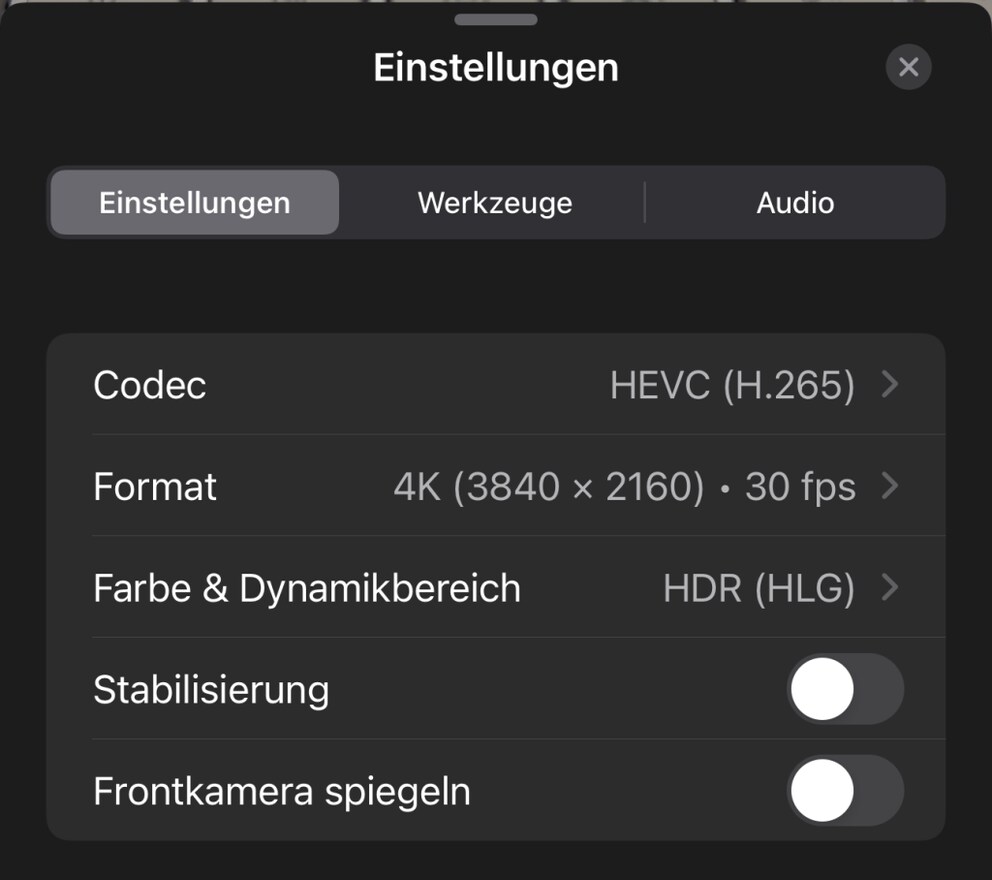
Users can disable the electronic stabilization of the iPhone camera here. The normal camera app crops part of the image to increase the stability of the recordings. This can be deactivated in Final Cut Camera—for instance, if the iPhone is mounted on a tripod.
Professional Tools Only for Current iPhone Pro Models
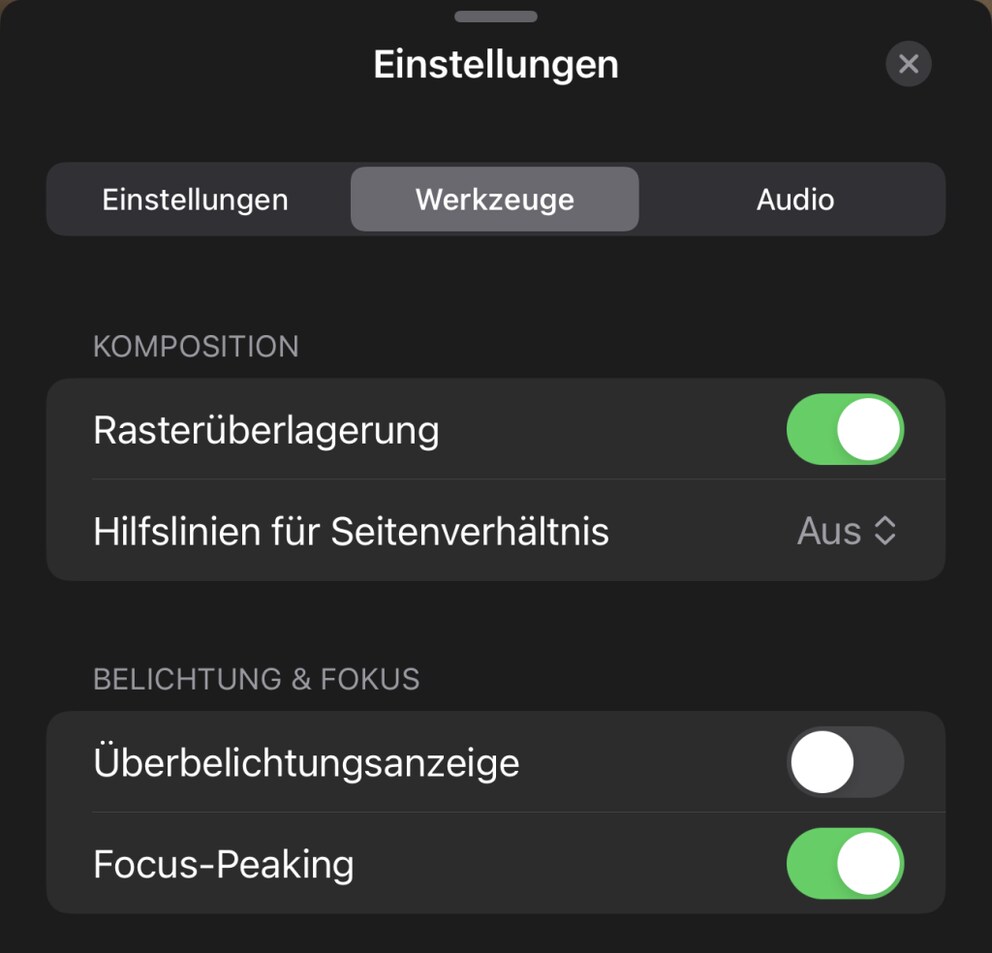
The most important features, however, are found in the “Tools” column in the settings. Here, you have the option to overlay a grid on the camera viewfinder. Not just for the classic 16:9 recording, but also with guidelines for square and 4:3 shots. It becomes truly professional with exposure and focus. You can enable an overexposure indicator here. So-called zebra indicators appear in the camera viewfinder when one or more areas are overexposed. Additionally, the focus peaking setting is available—a feature practically indispensable for manual focus. Focus peaking marks all objects in focus with a green outline, ensuring that a shot is not unintentionally blurry.

I’ve Been Waiting for This App
When Apple announced an update for Final Cut Pro during the unveiling of the new iPad Pro, I didn’t expect Final Cut Camera to be such a game changer. I film a lot with my iPhone and have had to rely on apps like Blackmagic Cam for audio levels, precise zoom, and focus peaking.
All of this is now available in Final Cut Camera. The advantage: As a first-party app, it can directly access all iPhone functions, providing a more seamless experience. However, I wish Apple would add a few more features—such as audio formats, a histogram, and lens correction.
Zebra indicators and focus peaking only work on iPhones with the Apple A13 Bionic chip or newer. This excludes iPhone Xs/Xs Max and Xr. ProRes codec and log color coding are only enabled for iPhone 15 Pro and 15 Pro Max. All other features are available on any iPhone running iOS 17.4 or newer.