


July 29, 2024, 4:50 pm | Read time: 18 minutes
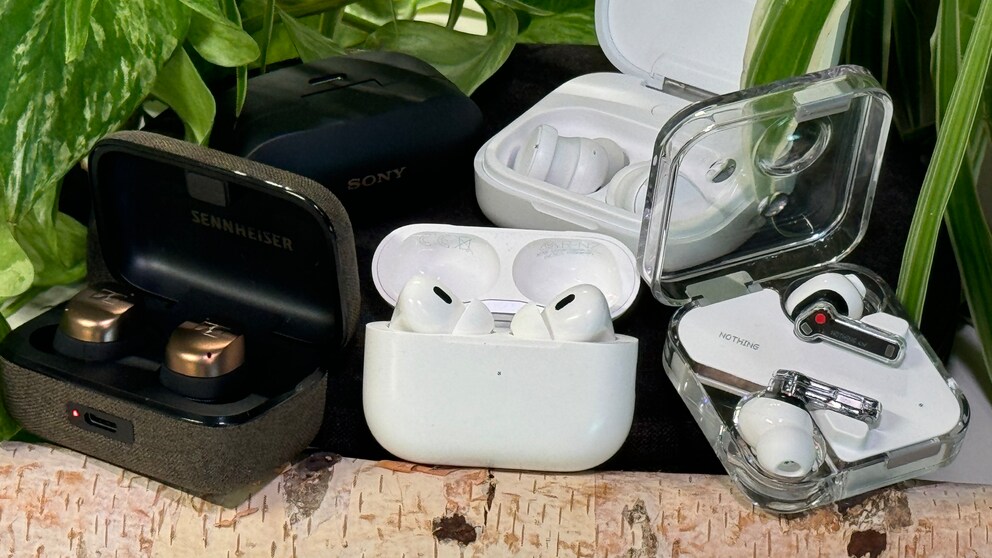
The market for in-ear headphones with active noise canceling (ANC) offers an almost unlimited selection. TECHBOOK tested five current models in a comprehensive comparison.
Our test includes both flagship headphones and more affordable mid-range alternatives in the in-ear format. We evaluated sound, ANC performance, features, as well as haptics and operation–with the first two criteria each accounting for 30 percent and the last two for 20 percent of the final score.
We awarded between 0 and 5 points for each test category and calculated the TECHBOOK score considering the weighting.
Overview
AirPods Pro 2nd Generation
Specifications
Haptics and Operation
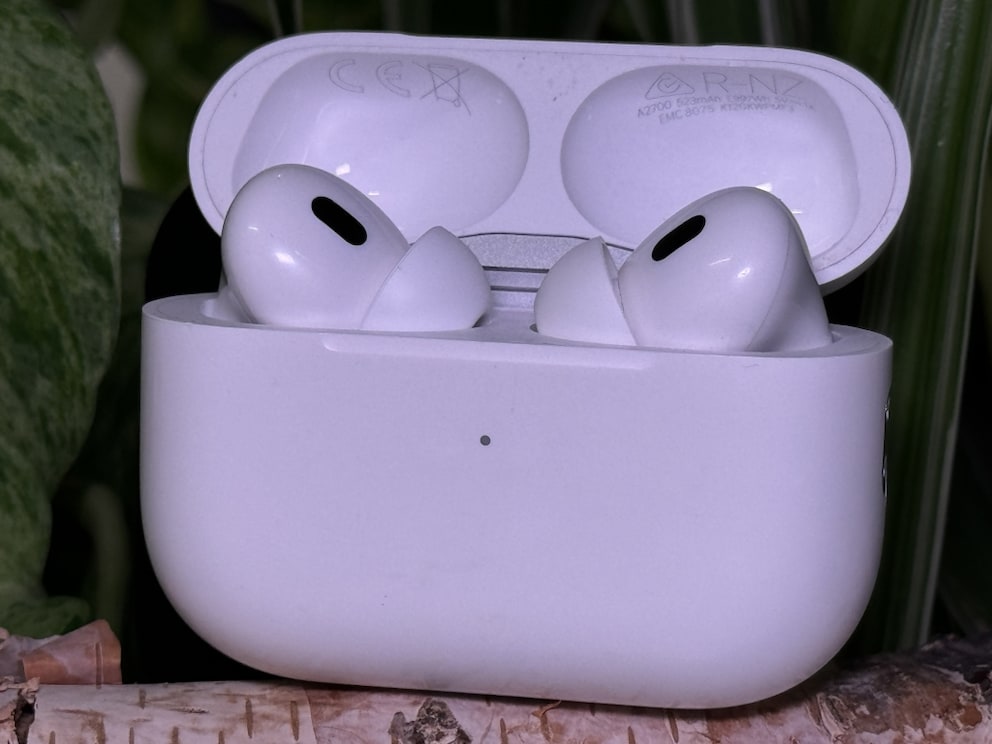
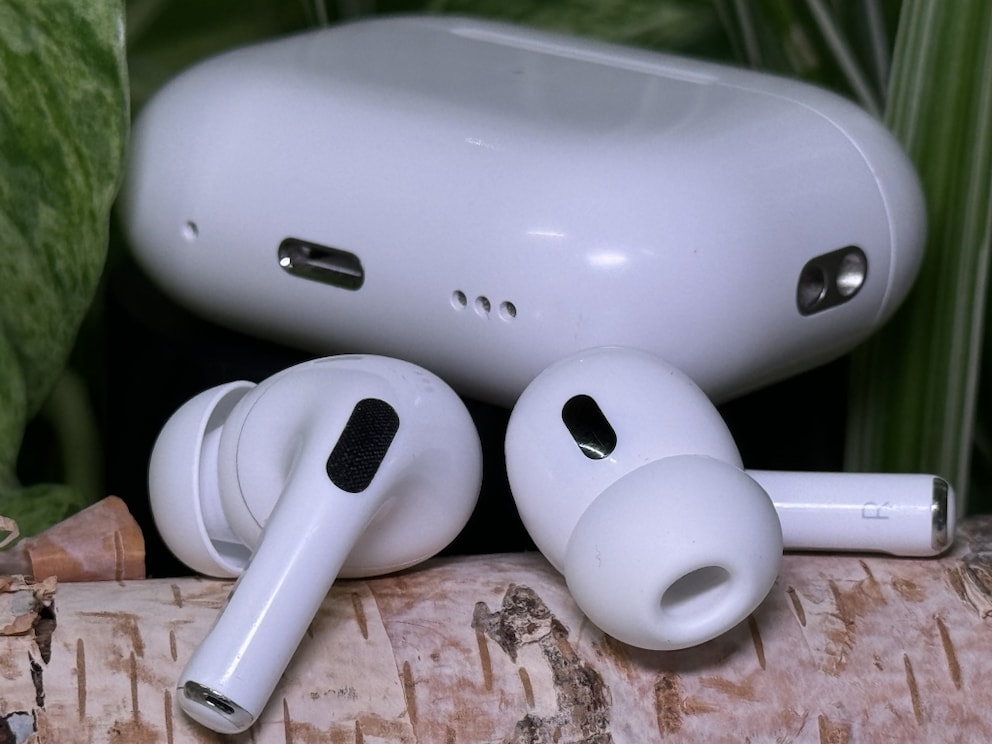
The 2nd generation of Apple AirPods Pro looks almost identical to the previous model. The headphones are quickly recognizable by the charging case, as Apple has added a lanyard holder and a speaker for system sounds and easy location. Of all the devices tested, the AirPods Pro 2nd Generation remain the most compact headphones–both in terms of the case and the earbuds themselves. Apple also uses special silicone tips that are inserted rather than slipped over. Combined with the light weight of just 5.3 grams, the headphones sit comfortably in the ear and are hardly noticeable.
The silicone tips come in four sizes (XS to L) and allow for a custom fit to the ear. Control is via “pinching” the pressure-sensitive sensors on the stem of the earbuds. Even the volume can be adjusted this way–practical. Setup and connection with Apple devices are extremely easy and seamless thanks to the H2 chip.
Rating: 5 out of 5 points
Sound
Sound quality is one of the areas Apple has significantly improved over the previous generation. The AirPods Pro 2 sound excellent and can now compete with rivals from Sony and Bose. They deliver a clear, balanced sound with powerful bass, detailed mids, and clear highs. Apple’s adaptive EQ technology automatically adjusts the sound to the shape of the ear, ensuring an optimal listening experience. In conjunction with compatible iPhones (7 or newer), the headphones also offer 3D audio with head tracking, providing spatial sound for a cinematic experience.
Rating: 4 out of 5 points
Active Noise Cancelling
Another area where the AirPods Pro 2nd Generation differ significantly from their predecessors is ANC performance. While ambient noise was still quite noticeable in the 1st Generation, the 2nd Generation almost completely blocks it out. The active noise canceling is particularly effective at suppressing higher-frequency sounds like voices. Apple can now easily compete with the previous market leader, Sony.
New in the 2nd Generation is adaptive noise control, which automatically regulates volume and dynamically switches between ANC and transparency mode. When you start speaking while wearing the headphones, the AirPods Pro automatically switch to transparency mode to allow for conversation. The transparency mode remains the best in its class. Switching between ANC and transparency is easy and quick via the pressure-sensitive sensors on the stem. Ambient sounds are reproduced so clearly and noise-free in transparency mode that it almost feels like you’re not wearing headphones. New in the 2nd Generation is the ability to dynamically lower sudden loud noises–like a passing emergency vehicle–to protect your hearing.
I’ve worn the AirPods Pro 2nd Generation at loud events to listen to music while still protecting my ears.
Rating: 4.5 out of 5 points
Features
The AirPods Pro 2 are compatible with MagSafe and Qi, allowing for wireless charging. Charging with an Apple Watch charger is also possible. The 2nd Generation with the USB-C case now also charges via USB-C, as the name suggests. Both the headphones and the case are IP54 water- and dust-resistant, making them suitable for wearing in the rain or during sports. Speaking of the case: Apple’s U1 chip is integrated here, also found in AirTag trackers. If lost, the AirPods can be quickly located via the “Find My” network.
The headphones have built-in sensors for wear detection and automatically pause playback when removed. Otherwise, the AirPods Pro 2nd Generation are packed with features, but only in conjunction with an iPhone. These include optimized charging to protect the batteries and the fit test for the silicone tips. Seamless integration into the Apple ecosystem also allows for quick switching between different Apple devices–although switching is not 100 percent reliable in practice.
Rating: 4 out of 5 points
Also read: The 13 best over-ear headphones with noise canceling in the test
Nothing Ear 3rd Generation
Specifications
Haptics and Operation
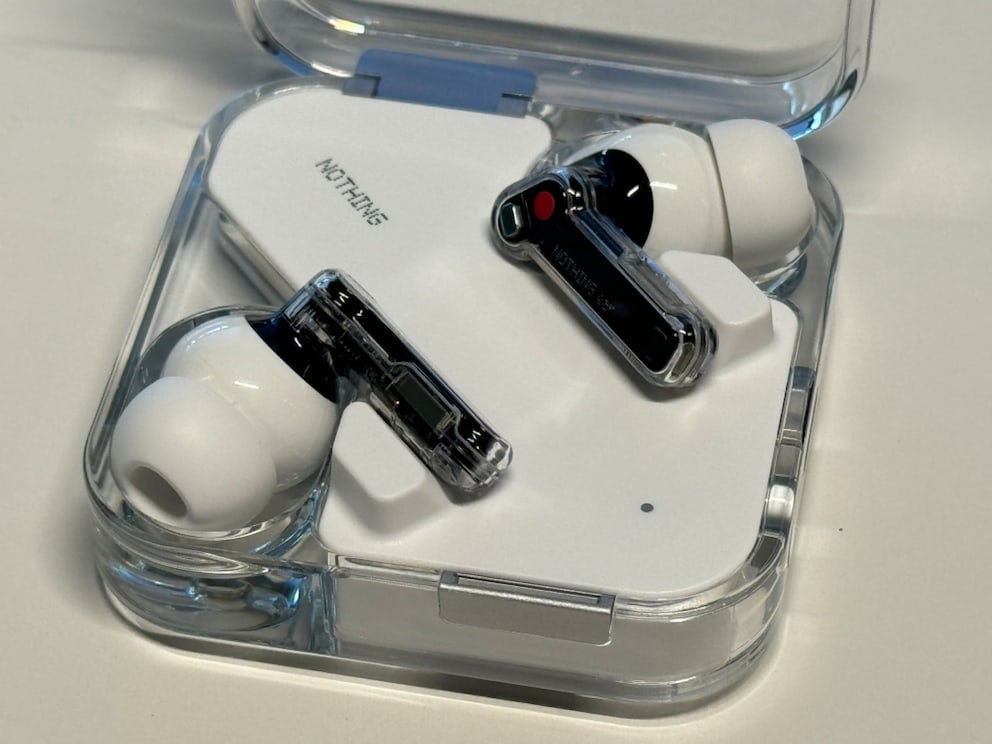
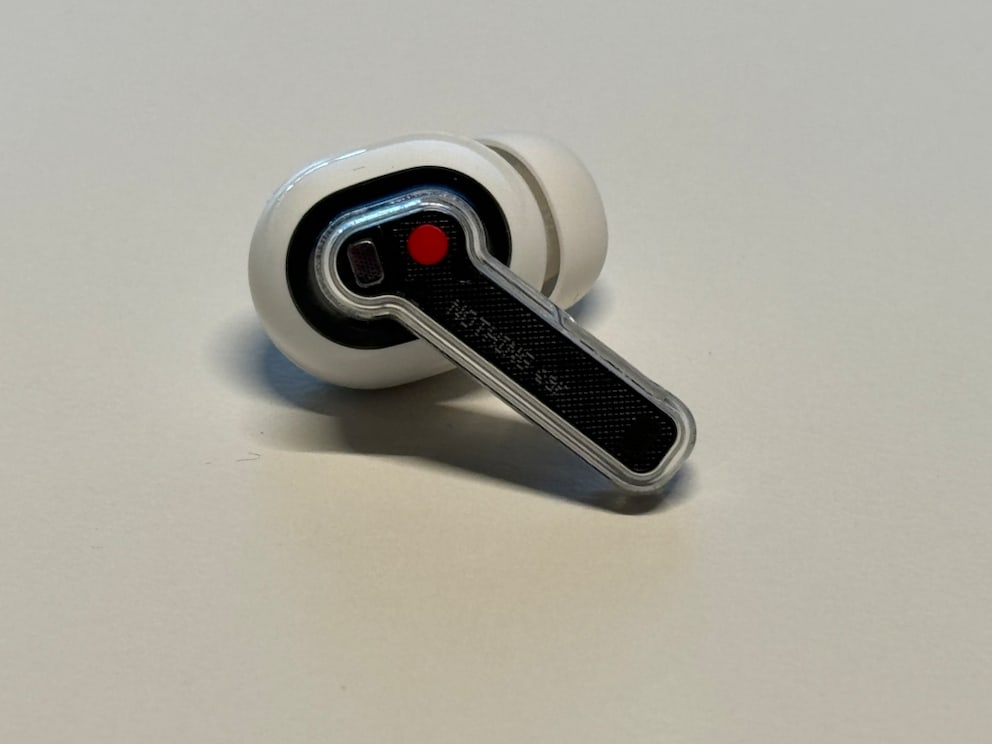
The Nothing Ear comes with the company’s typical transparent design, which looks modern but also reminiscent of the clear electronics from the ’90s. The earbuds are lightweight (4.62 grams) and ergonomically shaped, allowing for a comfortable fit in the ear.
Nothing took inspiration from Apple for the controls and also uses pressure-sensitive sensors. Playback, calls, and volume can be controlled via “pinch” gestures. Connection with devices is quick and easy, supported by a user-friendly app that offers additional customization options.
The case is also transparent and feels high-quality in hand. However, the lid has a bit too much play–which could be due to the case opening in the middle. The lid is therefore larger than other models.
Rating: 3.5 out of 5 points
Sound
The sound quality of the Nothing Ear is surprisingly good given the relatively low price. Nothing uses new 11-millimeter drivers with ceramic membranes, which deliver a good frequency response in the test. However, there are compromises in detail and soundstage. This is where the difference to higher-priced models is most noticeable.
The Ear is primarily tuned for bass but still has clear mids and precise highs. Those who prefer a more balanced sound can set up their own profiles via the excellent built-in equalizer.
Rating: 3.5 out of 5 points
Active Noise Cancelling
The active noise canceling (ANC) of the Nothing Ear can noticeably reduce ambient noise. Unlike competitors from Sony and Apple, however, the headphones cannot completely silence the environment. The Nothing Ear effectively covers low-frequency noises but cannot block out things like traffic and office noise. The human-voiced cues when switching between ANC and transparency are also a bit unusual.
The transparency mode allows external sounds to pass through when needed–for example, for a conversation or to better perceive the surroundings. However, the headphones have a bit too much noise, making it hard to forget they’re in your ears.
Rating: 3 out of 5 points
Features
Nothing equips the Ear with numerous useful features available through the app. The app shines with its powerful equalizer, giving users full control over the headphones’ sound profile. Eight different frequency bands can be freely adjusted. Users also have control over the Q factor, allowing them to set the filter bandwidth. The Nothing Ear offers real-time bass enhancement, adjustable in five levels via the app.
Despite the lower price, users don’t have to miss out on features like wear detection, dual connection, and a low-lag mode for gaming. The app also allows users to create a personal sound profile for their hearing. A fit test for the silicone tips is also available in the app, although it almost always failed for me despite numerous attempts.
The Nothing Ear has an IP54 rating for dust and splash protection. The case even has an IP55 rating, providing better protection against sweat and rain. The case can be charged via USB-C or wirelessly.
Rating: 4.5 out of 5 points
Jabra Elite 10 Gen 2
Specifications
The review of the Jabra Elite 10 Gen 2 in video:
Haptics and Operation
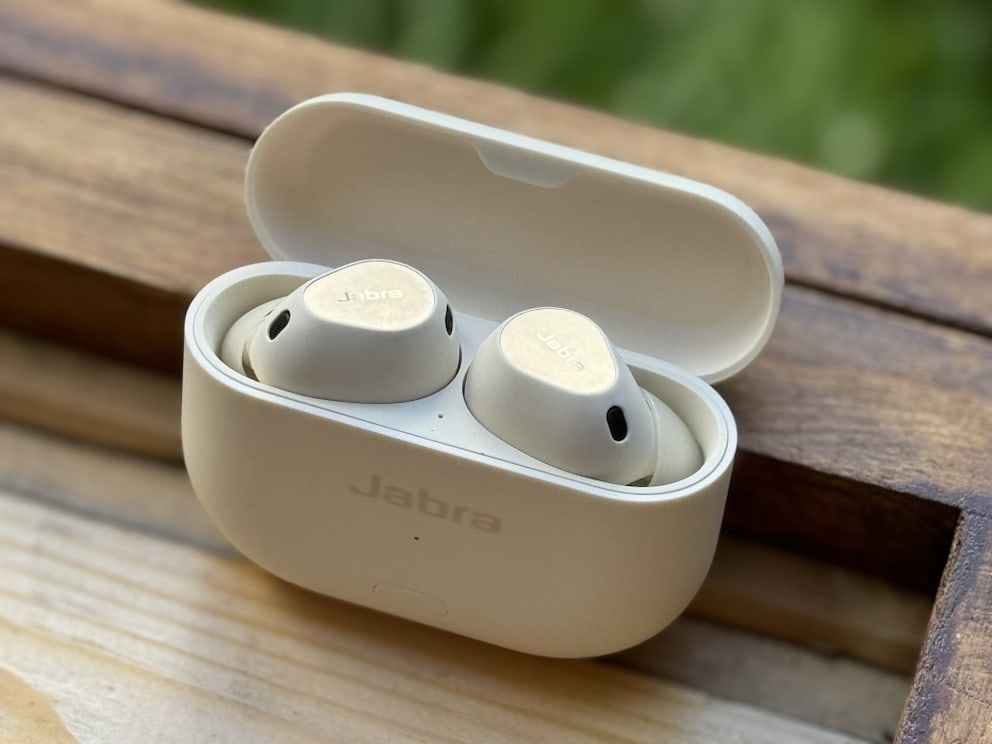
Jabra has gained a lot of experience over the years in designing earbuds. Although the company is withdrawing from the consumer market, it has once again put all its know-how into the Jabra Elite 10 Gen 2. This is evident in the headphones: they are excellently crafted, and everything feels high-quality and stable.
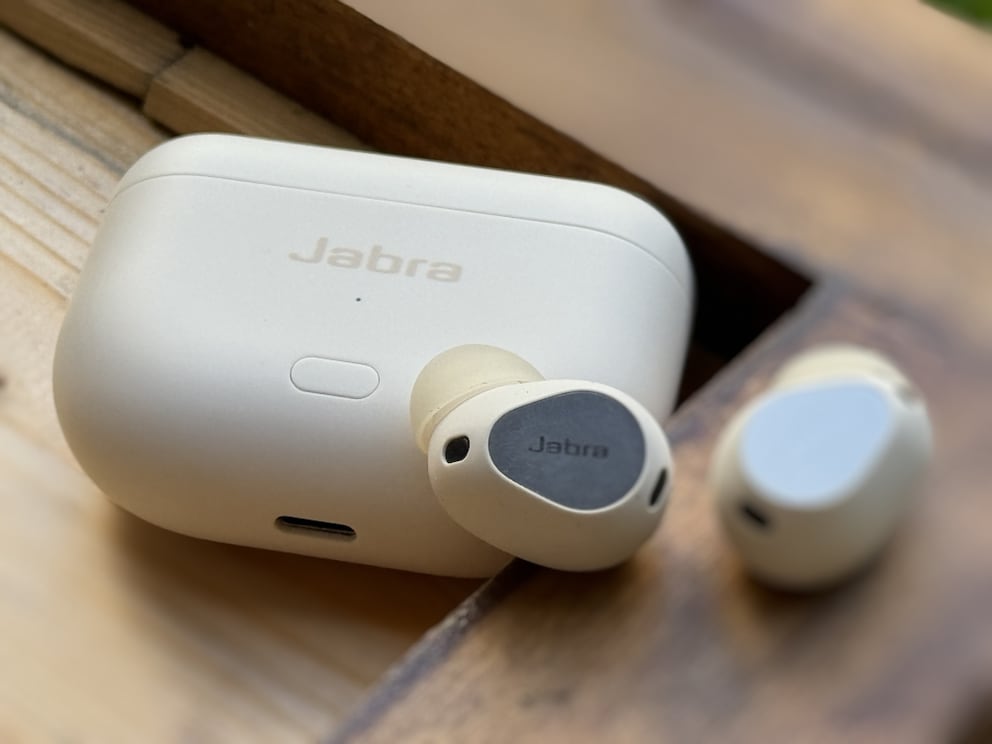
Unlike the first generation of the Elite 10, Jabra has added a button to the front of the case to simplify Bluetooth connection. The rest of the operation is still done via the physically clickable surface on the outside–a rarity in in-ear models. Accidental touches are a thing of the past. Users can customize the controls via the app, with almost no limits to their imagination. Different control schemes can be set for music and media, incoming calls, and active calls. This works in three stages–single, double, and triple clicks–and independently for both earbuds. The only drawback: there is no way to change the volume via the button.
Rating: 4.5 out of 5 points
Sound
The sound of the Elite 10 Gen 2 also shows that Jabra is an experienced manufacturer. The headphones deliver clear mids and highs and have a good soundstage and separation. They support Dolby Spatial Audio with head tracking and are one of the few earbud models where I actually use the feature.
Out of the box, the headphones have a fairly flat frequency curve with a decent bass response. Those who want more bass have a boost option or can adjust the equalizer themselves. A hallmark of good headphones: more bass does not make the rest sound muffled. Personally, I like the Energize preset, which highlights bass and treble in the famous “U” curve for a lively sound.
Rating: 4.5 out of 5 points
Active Noise Cancelling
Bose, Sony, and Apple are known for market-leading ANC. But with the Elite 10 Gen 2, Jabra has eliminated one of the biggest weaknesses of the first generation and made truly strong active noise canceling available. Even shrill noises can be effectively filtered out by the headphones. In an office environment, keyboard clatter and voices are only faintly perceptible. Low frequencies are well filtered anyway–although passive isolation is relatively weak in comparison.
The transparency mode, which Jabra calls HearThrough, is generally usable–the noise is barely audible and can be reduced–but otherwise suffers from the somewhat unnatural reproduction of one’s own voice. This is a problem with many headphones with transparency options: you hear yourself distantly, just as if you were speaking through the headphones from the outside.
Rating: 4 out of 5 points
Features
Jabra has pulled out all the stops with the Elite 10 Gen 2 and integrated just about every feature imaginable into the Sound+ app. And that’s aside from the fact that the app is excellently organized–with a home page with selectable widgets and a separate settings page. In addition to the already mentioned features–sound control, spatial audio, and equalizer–there is also a soundscape option on the home page. Here, users can create their own mixes of nature sounds and other noises.
In the settings, a whole range of additional functions is available. Here, in addition to control, even the name of the headset and the announcement language can be set. There is also a reduction of wind noise on board. There is also integration for Spotify Tap, various voice assistants, and Apple’s Find My network. This allows the earbuds to be tracked via the Find My app if lost. A nice extra in the app: the quick start guide and user manual are directly accessible via the settings.
If all that weren’t enough, there’s another feature that sets the Elite 10 Gen 2 apart. With the included USB-C to 3.5mm jack cable, the charging case can be used as a transmitter for an older audio device that doesn’t support Bluetooth. Do you have an old iPod? Just connect the case and enjoy music through the earbuds–brilliant!
Rating: 5 out of 5 points
Fairphone Fairbuds 2nd Generation
Specifications
Haptics and Operation
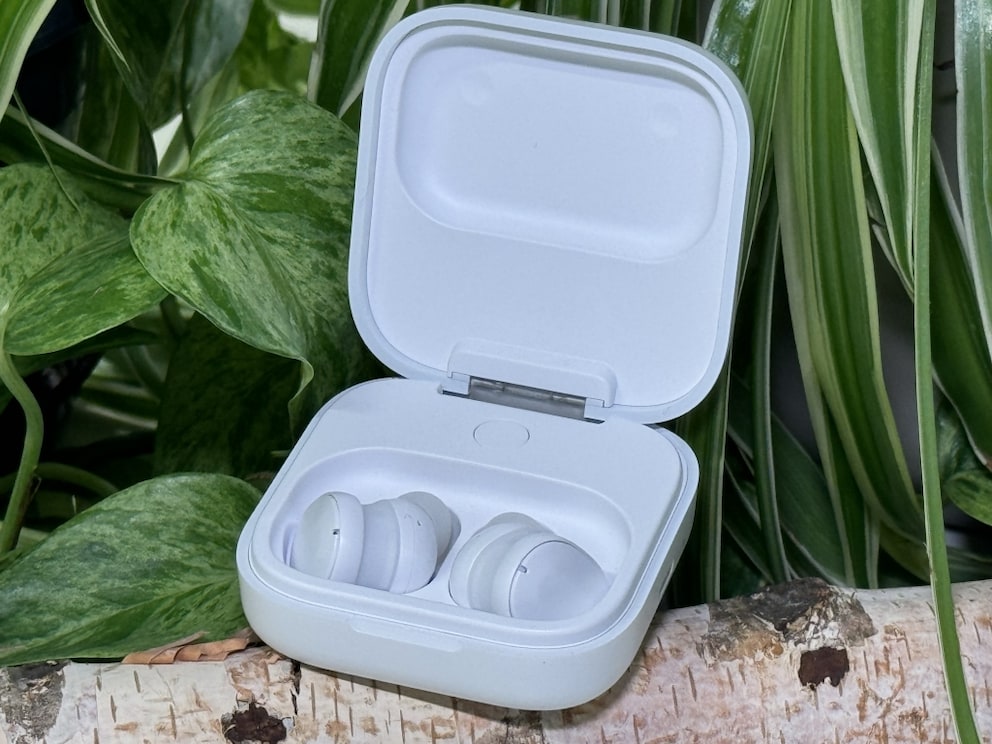
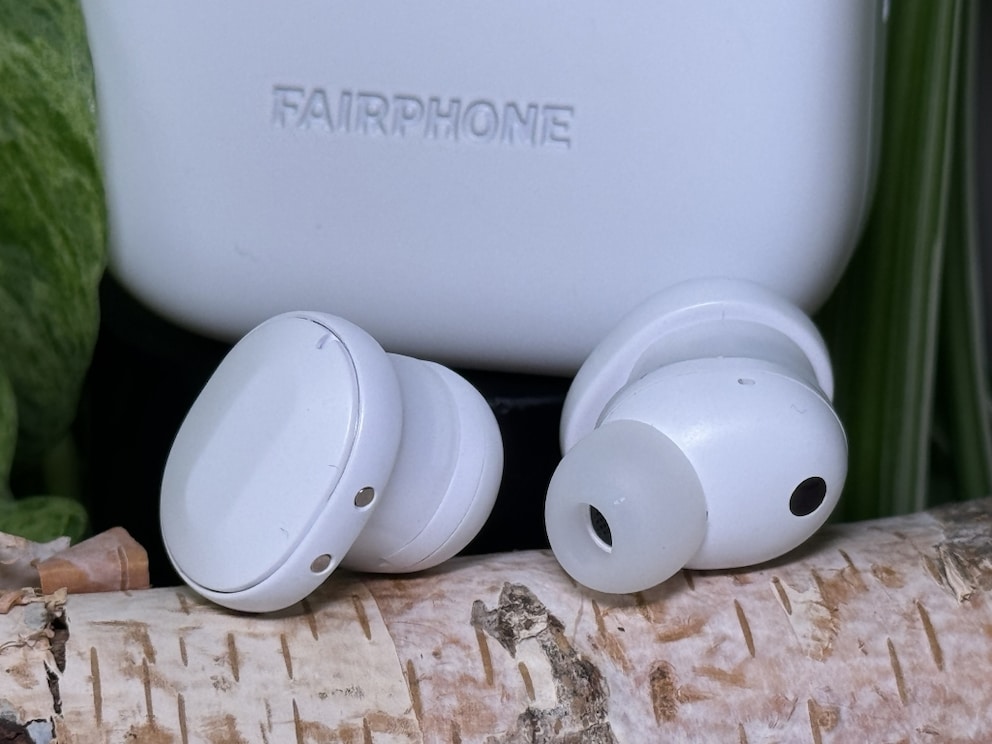
The Fairbuds focus on sustainability–design and size must therefore take a back seat. Compared to the other earbuds in our test, the Fairbuds are almost bulky. The case is easily twice the size of the AirPods Pro 2nd Generation. The reason for this is the replaceable battery, which is secured with just one Philips screw. The in-ear headphones themselves also protrude unusually far from the ears–a result of the easily accessible battery compartment inside. At least you have good access to the large touch surfaces for controlling playback and calls.
Rating: 3.5 out of 5 points
Sound
The sound quality of the Fairbuds can best be described as “solid.” The sound is quite clear, and the bass frequencies are distinctly emphasized. Overall, however, the sound image appears rather flat and lackluster. At least the equalizer in the app allows for some compensation.
The Fairbuds also exhibit a phenomenon that many ANC headphone manufacturers have now managed to overcome. When ANC is turned off, the earbuds suddenly sound completely different and–frankly–significantly worse. The bass is muffled, and the soundstage collapses further. There is usually no reason to use the Fairbuds without ANC, which is why we rate the sound quality as adequate.
Rating: 3 out of 5 points
Active Noise Cancelling
The ANC of the Fairbuds is not really capable of effectively canceling ambient noise. The effect is best compared to a veil that covers the surroundings and dampens the noises somewhat. Things like low-frequency machine hum can be filtered out by the ANC, but almost everything penetrates at higher frequencies. It cannot be compared to the virtual bubble you live in with models from Sony and Apple. The Fairbuds also cannot compete with other mid-range models like the Nothing Ear.
The headphones also offer a transparency mode that can be activated via the touch surfaces. Although external sounds come through, they are accompanied by audible noise.
Rating: 2.5 out of 5 points
Features
The Fairphone Fairbuds offer a good selection of features. The app-integrated equalizer is easy to use and offers a range of presets. Wear detection is also on board, as is Bluetooth multipoint. The earbuds themselves are IP54 dust and splash resistant, but the case has no rating.
The Fairbuds stand out from the competition with their excellent repairability. Conventional earbuds are anything but sustainable: when the battery is dead, they are destined for the landfill. Fairphone has designed the headphones from the ground up so that not only the battery in the case but also in the individual earbuds is replaceable. Apart from a screwdriver, no tools are needed. The repair manual is directly accessible via the app.
For those looking for sustainable earbuds and value fair production conditions, the Fairbuds offer a viable alternative to conventional models.
Rating: 4.5 out of 5 points
Nothing Ear and Ear (a) Review – Which Headphones Are Right for You

Powerbeats Pro 2 from Apple — Features, Pros and Cons, Rating
Sony WF-1000XM5
Specifications
Haptics and Operation
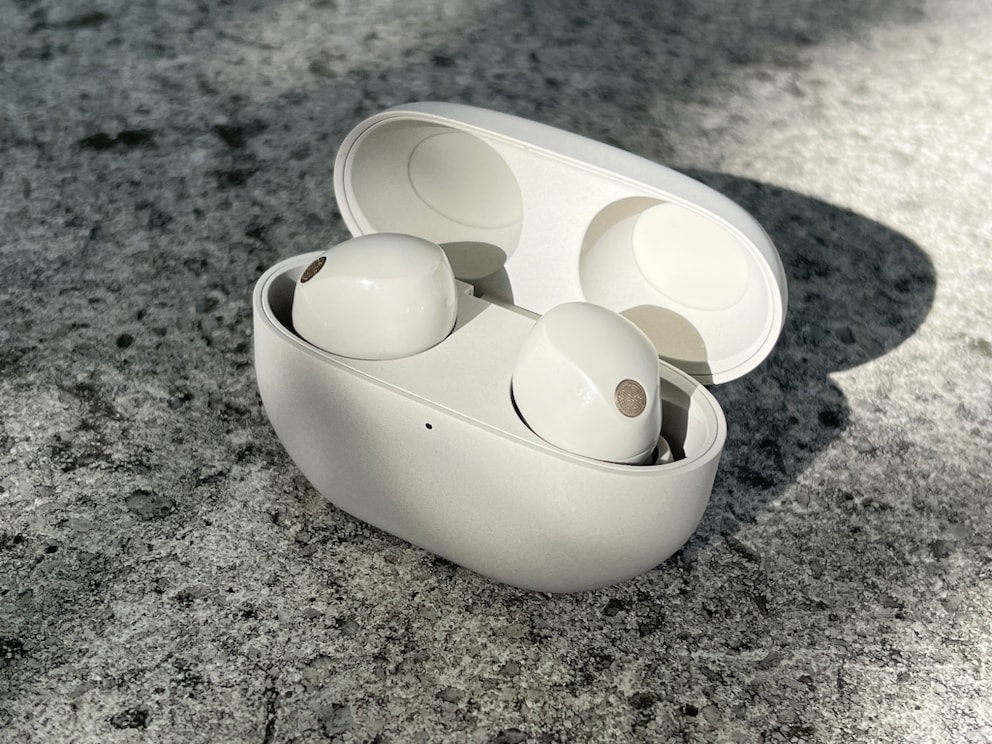
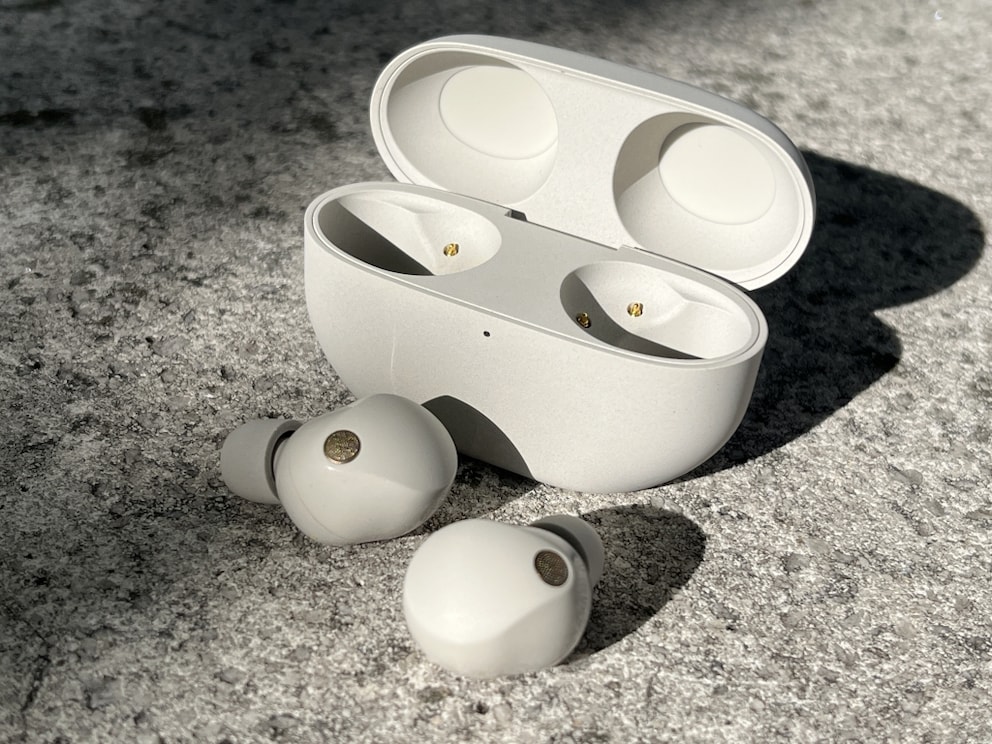
The Sony WF-1000XM5 is compact and ergonomically designed, ensuring a comfortable fit in the ear. The build quality is high, and the headphones feel very dense and solid. Compared to their predecessors, the XM5 is significantly more compact. Sony itself claims a 25 percent reduction. Many users with small ears had problems with the predecessors. Not only can prolonged use be painful, but the seal for effective ANC is also compromised. Although I don’t have this problem, I did notice the significantly lower weight, which is especially noticeable during extended wear.
For the WF-1000XM5, Sony again uses memory foam tips–and I’m still torn. While the tips can provide a better seal, they get dirty quickly, are harder to clean, and show signs of wear after a short time. Additionally, Sony does not offer an easy way to repurchase the tips–this could be improved.
At least the tips now have a small mesh in the opening. This prevents earwax from getting into the earbuds themselves. With the XM4 and many other models, dirt can get into the opening and affect sound quality. We know this very practical feature from the AirPods Pro and think more manufacturers should implement it.
Operation is via touch surfaces on the headphones, which can be used to control volume, playback, and calls. While this is acceptable, it is significantly less intuitive than other earbuds. Sony offers the option to tap four times to activate a function–no, thank you.
Rating: 3.5 out of 5 points
Sound
The WF-1000XM5 remains among the best-sounding earbuds on the market. Sony delivers a clear and balanced sound that reproduces both deep bass and clear highs excellently. The sound is so detailed that individual instruments can be heard clearly and distinctly. Support for high-resolution audio formats further enhances sound fidelity, especially when compatible music sources are used.
Rating: 4.5 out of 5 points
Active Noise Cancelling
The ANC of the WF-1000XM5 is top-notch and does not need to hide from the competition from Apple. Background noise is practically completely eliminated, which is especially noticeable in loud environments like public transport or the office. Compared to its predecessors, Sony has added additional microphones and a new ANC chip. In practice, the noise canceling is thus even more effective than in the already excellent predecessors.
Sony offers adaptive noise control that adjusts dynamically based on what the wearer is doing. The transparency mode, which selectively lets ambient sounds through, also works flawlessly. The mode is better than its predecessors but still not quite on the level of the AirPods Pro 2nd Generation.
Rating: 4.5 out of 5 points
Features
The Sony WF-1000XM5 is equipped with numerous features that enhance comfort and functionality. They come with support for Bluetooth multipoint out of the box–a feature Sony only added to the predecessors via an update.
Like their predecessors, the headphones can deliver better high-resolution sound than the AirPods Pro 2nd Generation thanks to Sony’s LDAC audio format. However, this feature comes at the expense of battery life and transmission stability. The XM5 also supports 360 Reality Audio with head tracking in apps like YouTube and Netflix. Head tracking also works for accepting and rejecting calls. Nodding accepts the call, while shaking your head rejects it. However, this only works on compatible smartphones and from Android 13 onwards. iPhones still only support 360 Reality Audio without head tracking.
Sony’s “Headphones Connect” app is packed with all sorts of features. In addition to the equalizer and fit test, Speak-to-Chat can also be enabled here. This automatically switches the headphones to transparency mode when you start talking. The app also allows for noise canceling optimization. You can scan your ears with the camera, allowing the app to create a personal profile. It can even adjust the noise canceling air pressure.
Rating: 4.5 out of 5 points
Sennheiser Momentum True Wireless 4
Specifications
Haptics and Operation
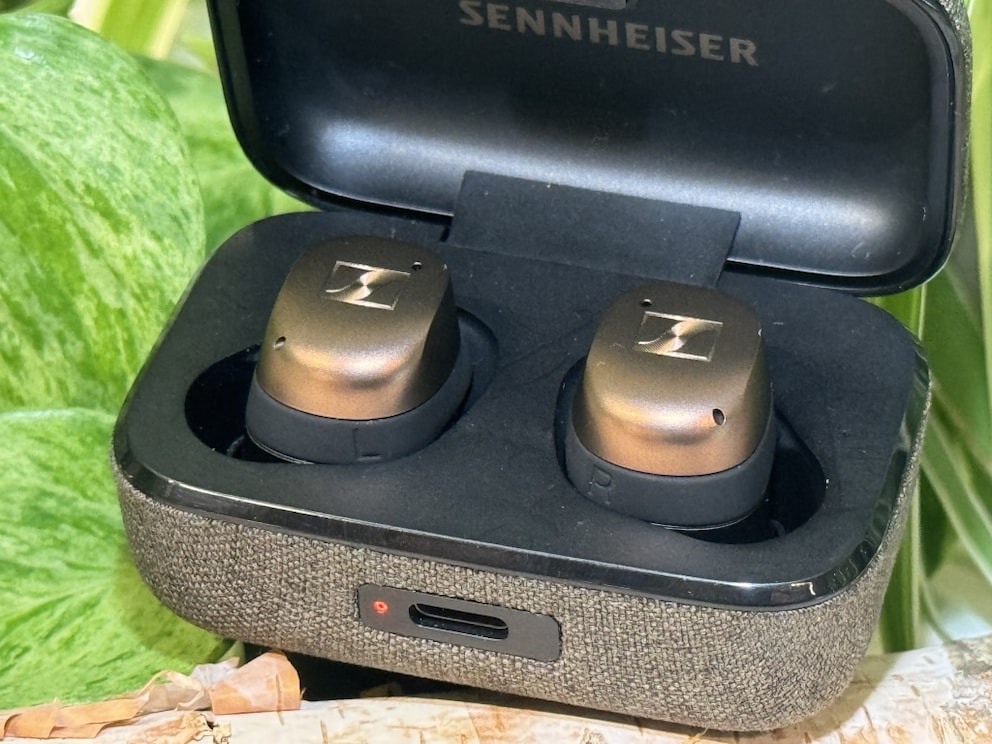
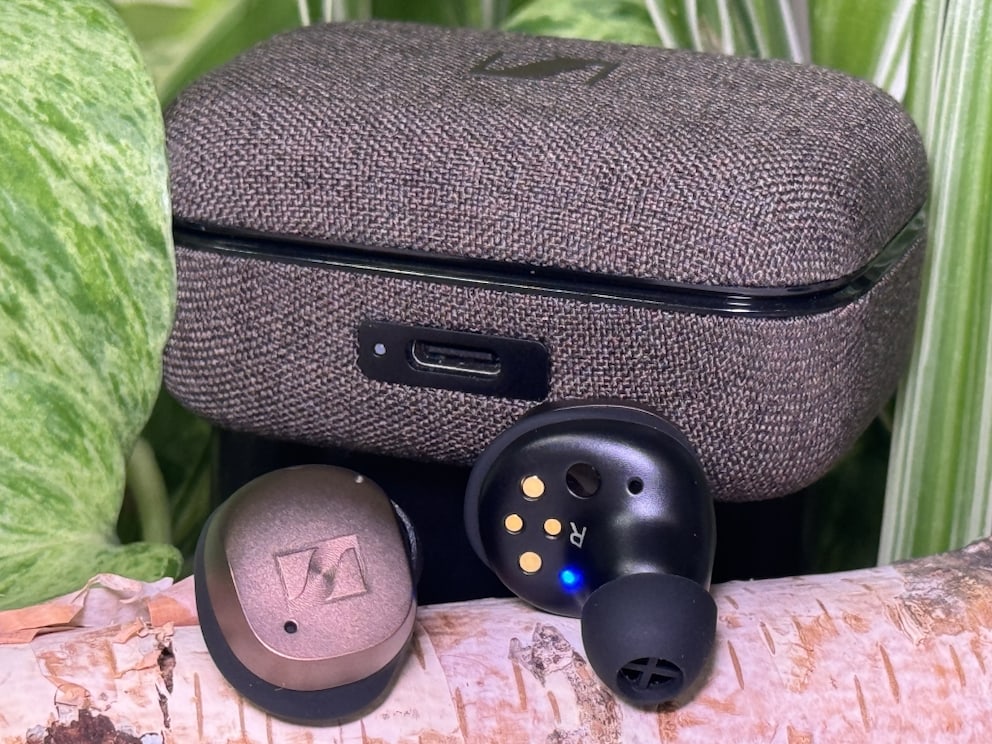
Sennheiser doesn’t experiment with design. Both the fabric-covered case and the earbuds themselves look practically identical to their predecessors. This gives them a touch of elegance over their competitors and makes them stand out visually from the mass of plastic cases from other manufacturers. Unfortunately, the same cannot be said for the silicone tips–they almost seem a bit cheap, especially compared to models from Sony and Apple with integrated dirt filters.
Control is still via touch surfaces on the earbuds. Up to four different functions can be set independently for both sides. I can only emphasize here that I personally find the controls on the AirPods Pro and Nothing Ear more successful and intuitive. Who wants to tap more than twice on headphones that press directly into the ear?
Rating: 4 out of 5 points
Sound
No other model in our comparison offers such high sound quality as the Sennheiser Momentum True Wireless 4. They provide crystal-clear, detailed sound with deep bass, natural mids, and pronounced highs.
The separation is phenomenal, and the soundstage is possibly the best in this device class. In no other model we tested can voices and instruments be distinguished and located as clearly as in the Momentum True Wireless 4. A triumph of audio engineering!
Rating: 5 out of 5 points
Active Noise Cancelling
While sound quality is the focus of the Momentum True Wireless 4, the headphones also offer competent ANC. It may not quite match the market leaders, but it effectively eliminates low-frequency noises. The environment still penetrates somewhat, so the effect of absolute silence does not quite set in. However, the earbuds are suitable for distraction-free work in the office and shutting out annoying city noises.
The transparency mode allows external sounds to pass through on request, but Sennheiser goes a step further. Users can set the strength of the transparency effect themselves and find a level where the typical noise is no longer audible.
Rating: 3.5 out of 5 points
Features
The Sennheiser Momentum True Wireless 4 comes with many practical features, mainly available in conjunction with the app. In addition to the equalizer, the fit test and the option for optimized charging can be found there. If the app is too cluttered, individual functions can be hidden from the home page. But the functionality goes much deeper. The audio resolution can be set from standard to lossless (via aptX Lossless). Those who want to save battery can turn on the ECO mode. Unfortunately, some features are only available after registering with a Sennheiser account–including personal sound zones and personalized sound.
The earbuds themselves are IP54 dust and splash resistant–the case, however, is not. At least it supports wireless charging in addition to USB-C charging.
Rating: 4 out of 5 points