


January 27, 2023, 11:05 am | Read time: 3 minutes
Amazon’s digital voice assistant is called Alexa. We explain how to properly set up the Amazon Echo, Echo Dot, and others so that the voice service can be fully utilized.
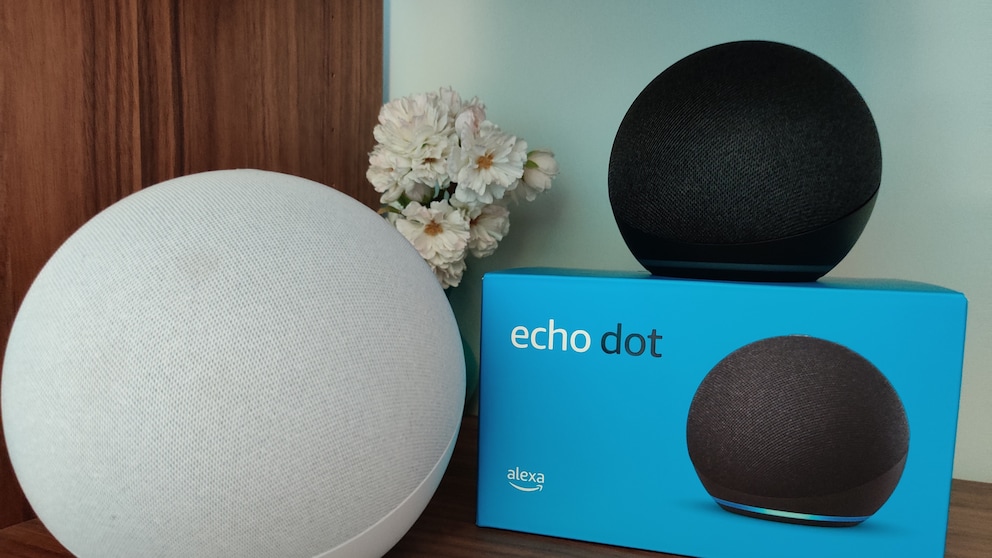
Amazon now offers a fairly wide range of its smart speakers—from the large Echo and Echo Studio to the smaller Echo Dot and models with displays like the Echo Show. All of them have the Amazon Alexa voice assistant integrated. To play music and communicate with Alexa, users must set up the Amazon Echo correctly. TECHBOOK explains how it works.
Overview
Requirements for Setting Up the Amazon Echo
The manufacturer makes it very easy for users to set up the Amazon Echo or Echo Dot. Essentially, everything works through the Alexa app. However, some important steps should still be noted.
To fully set up Alexa, you don’t need much:
- Amazon Echo (or an alternative Alexa-compatible speaker; for example, from Medion or Sonos)
- Wi-Fi with a sufficient signal on site
- Amazon app or website (the app is free; for those who don’t want or can’t use it, there’s the website)
- Amazon account

How to Connect Fritzbox with Amazon Alexa

Amazon Echo Studio (2025) Review–New Look, Better Sound
Set Up Amazon Echo with App
In the video, we explain the step-by-step setup of the Amazon Echo.
- First, the Alexa app must be downloaded to your phone. It is available for free for Android and iOS. Then, prepare the Amazon Echo for setup.
- Connect the Amazon Echo to the power outlet and place the device as freely as possible in the room. Ensure there is enough distance from insulating furniture and at least 15 centimeters from the wall.
- Open the Alexa app and go to the “More” menu at the bottom. At the top, the “Add Device” option will appear. Click on it and then select the appropriate device. Users will then be guided step-by-step through the further setup of the Amazon Echo.
- Turn on the Amazon Echo and make sure the Wi-Fi is active. The glowing ring on the top should change from blue to orange. If this doesn’t happen automatically after turning it on, press the action button for about five seconds to activate the setup mode indicated by the orange ring.
- The app searches for the new model and displays it in a list. Select the appropriate Echo device.
- Now users just need to connect their Amazon Echo to the internet. To do this, select the appropriate network from the list and enter the access data.
The Amazon Echo is now set up and ready to use. In the app, users have additional options to optimize the device. For example, they can change its name, create stereo pairs, activate Drop-In, or set an alternative wake word.
Tip: If the connection doesn’t work, it often helps to briefly remove the power cable to force a restart of the device. Additionally, restarting the Wi-Fi or resetting the device to factory settings can help in this case.
Also interesting: What the Ring Colors Mean on Amazon Alexa
Set Up Amazon Echo Without App
Of course, you can also set up and control Alexa without the smartphone app. In this case, the setup is done via the Alexa website from Amazon. After successful setup, you can also install skills and change settings this way.
- Open the corresponding website: amazon.de
- Log in to your Amazon account and go to settings.
- Under the “Devices” tab, you will find the compatible products detected nearby, just like in the app. Select your device; a connection will be established automatically.