

July 22, 2022, 1:04 pm | Read time: 3 minutes
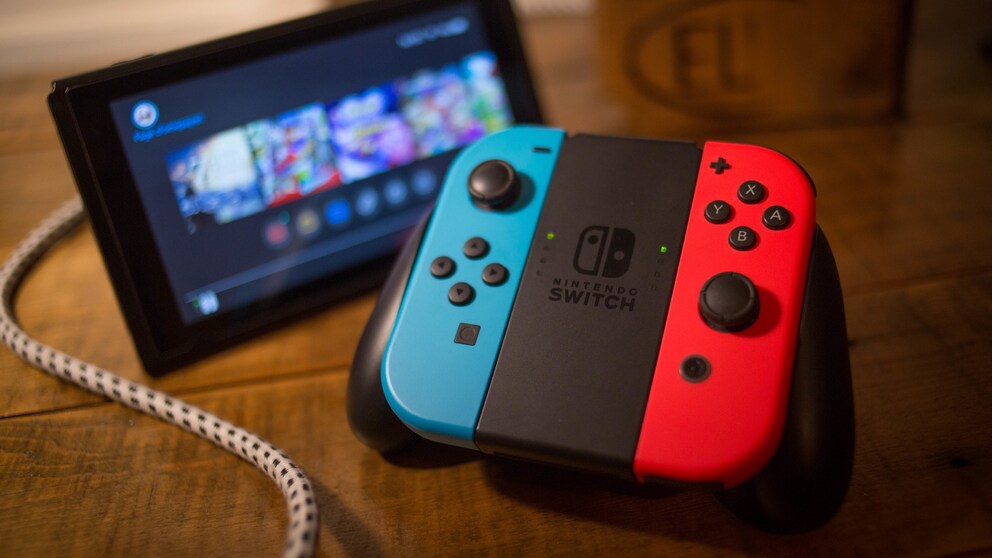
The Nintendo Switch is one of the most popular consoles on the market, partly due to its flexibility. However, to fully utilize it, a stable internet speed is necessary.
Nintendo Switch users have various options when playing. They can switch between the stationary and handheld modes, and they can either purchase physical games or download them from the Nintendo eShop. For the latter option, a stable internet speed is needed not only for downloading but also for playing. TECHBOOK shows how you can ensure and improve this if necessary.
Preparations for Stable Internet on the Nintendo Switch
Even though some improvements were made with the OLED version, the Nintendo Switch is still not known for its good Wi-Fi reception. Therefore, you can take some precautions from the start to keep the internet connection stable.
For instance, make sure the console is not too far from the Wi-Fi router. Users often report problems at a distance of at least five meters. However, do not place the Nintendo Switch directly next to it, as this can lead to interference with other Wi-Fi signals. Potential sources of interference such as glass, mirrors, or devices that emit signals like a microwave should also not be nearby.
Also, ensure that you have a sufficiently powerful internet connection. Although the Nintendo Switch does not require as much power as a PS5, cloud gaming still relies on a certain transfer rate. A download speed of about 50 Mbps is recommended.
Also interesting: How much internet speed do I really need?

Tips to Fix Common Wi-Fi Issues with the Fritzbox
Nintendo Switch 2 Receives Many Improvements via Update
Nintendo Switch with Poor Wi-Fi Connection–What to Do?
If you frequently experience lag while playing because the internet is not running smoothly, you can also opt for a wired router connection with the Nintendo Switch. To do this, connect a LAN adapter to the back of the Nintendo Switch dock. However, with this option, you can only play in TV mode. With a USB LAN adapter, this is also possible with the Lite version without a dock. In this case, it is best to use licensed accessories.
Alternatively, you can switch to a different frequency band on your router. For example, AVM Fritzboxes offer an analysis option in the internal interface to identify less used frequencies. You can then change the Wi-Fi channel through your router settings.
Also interesting: Poor Wi-Fi? Maybe your neighbor is to blame
Otherwise, if the internet connection is generally poor, it may help to turn off other internet-connected devices while playing. Pending updates on the Nintendo Switch may also slow down the internet speed. So, always keep the console up to date.