


November 30, 2023, 9:36 am | Read time: 6 minutes
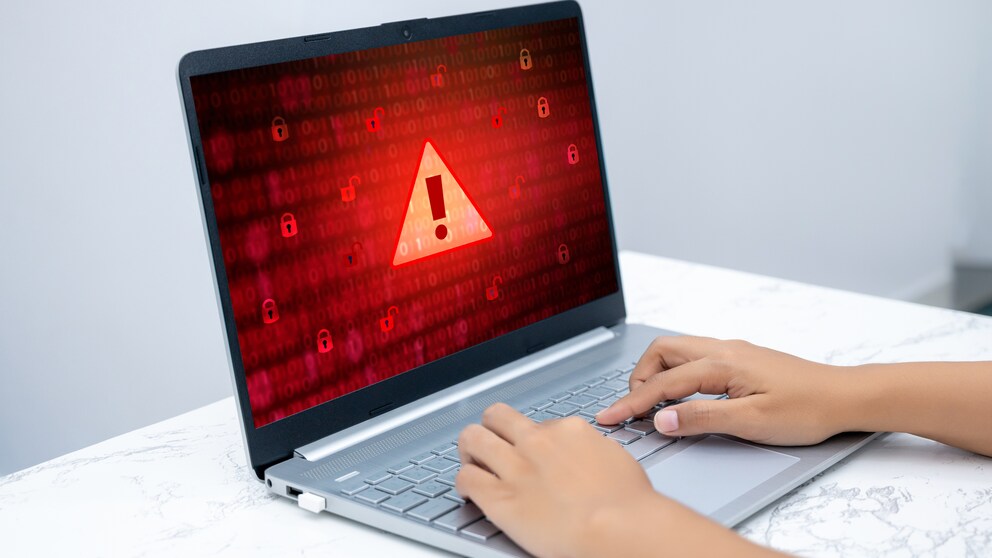
Phishing emails are not only annoying, but they can also cause consumers to lose a lot of money in the worst-case scenario. TECHBOOK regularly warns about new scams. However, phishing emails can be detected with a simple trick.
They supposedly come from banks, online shops, or streaming services and try to get users to give up their sensitive data for various reasons–so-called phishing emails. If users fall for them, data such as names, addresses, and phone numbers, as well as login credentials or account and credit card information, end up in the hands of fraudsters. In case of doubt, this means enormous damage. Therefore, anyone who suddenly receives an email from a provider or service should always be cautious. TECHBOOK editor-in-chief Rita Deutschbein reveals what features to look out for and how to reliably recognize phishing emails.
Overview
Common Phishing Tricks
Fraudsters frequently use the names of banks such as DKB, ING, Sparkasse, Volksbank, Commerzbank, etc., for their scams because they see a chance for quick money. To obtain as comprehensive data sets as possible, they pretend in their phishing emails that account holders need to act quickly due to a special situation. For example, false debits may have been recorded, requiring users to authenticate with their login data and confirm or reject the payment to avoid additional costs or account suspension. A debit may also have failed due to an error, supposedly requiring confirmation after logging in.
Common scenarios also include changes or adjustments at the banks themselves–such as an app update, new terms of use, or verifying the currency of customer data sets. All are linked with a URL or QR code through which recipients are supposed to log in for more information.
No matter how the phishing email is worded, it always describes a precarious situation that requires quick action. Recipients are usually given only a short time to respond, which is intended to create pressure.
Read also: New Phone Scam Uses AI Voice
Phishing Emails Often Seem Legitimate
There is still a belief that phishing emails are easy to recognize because they are written in poor German, full of errors, or not particularly well-designed. But that’s not the case. The fraudsters are clever and create emails that look deceptively real and give the impression they come from the named sender, such as a bank or streaming service. Often, even the sender’s address seems legitimate, and in some cases, recipients are even addressed by name. How can that be?
When a portal is hacked, large amounts of data fall into the hands of fraudsters, who often resell it. So it is quite possible that someone knows your name, email address, or even the platforms you use. The fraudsters then create phishing emails at random, hoping that the chosen sender is a service or provider actually used by the recipient. This can result in you receiving an email that appears to be from your bank, addressing you by name. This feigns legitimacy. If this email is then created in the appropriate layout and shows the corresponding logo, many users are quickly convinced and click on embedded links without hesitation. The trap snaps shut.
The links usually lead to deceptively real websites that prompt you to enter login data. But even if you become skeptical at this step and leave the website without entering any information, you are not safe. Often, clicking the link installs a Trojan in the background, allowing fraudsters to spy on users for days and weeks afterward.
Read also: “Increased Risk Potential”! Court Criticizes Security of Popular TAN Procedure

LKA and Consumer Protection Warn Against These Online Scams

Where does the term phishing actually come from?
Recognize Phishing Emails at a Glance with These Tricks
Despite all the fraudsters’ efforts, there are some tricks to relatively easily and reliably recognize phishing emails.
Insider Tip: Dark Mode
As mentioned earlier, fraudsters use the logos and layout of banks, shops, and services to feign authenticity. Signatures are often inserted as well. But in Dark Mode, these copied details in phishing emails can be easily recognized. Fake logos and signatures are outlined in white because they do not have the special formatting of their real counterparts.
Dark Mode, or Dark Mode, can be easily set up on smartphones. It is also available on PCs and laptops–either system-wide or for individual applications like Gmail or Microsoft Outlook.
Check the Email Sender
The sender is often listed as DKB, ING, or Amazon. At first glance, the email seems to come from this company. But simply click on the sender. The full email address will then open. If it does not come from @dkb.de, @ing.de, or @amazon.de, it is most likely fake.
Be Cautious of Links
Your bank will never ask you to click a link in an email. If you are still unsure, check the link before clicking it. You can do this by hovering your mouse over it. A pop-up window–usually opening at the bottom–will show the full link address. It should be clearly attributable to the sender. Be cautious of abbreviations like bit.ly! They often hide fake websites.
Additional Precautions
If you receive an email from a service provider, your bank, or the like, asking you to respond, it always helps to check directly on the website to see if the statement is true. Make sure to use the app or enter the address directly into the browser’s address bar. Avoid accessing the website via a Google search. Even Google results can be manipulated. A top-listed entry might also lead users to a fake website.
DKB spokesperson Hauke Kramm confirmed to us in a conversation: “In search engine fraud, fraudsters mimic the website and even the login mask of banks and position them prominently in various search engines for a certain period.” This way, fraudsters not only gain login data for banking. Some of these websites also contain Trojans that secretly load malware onto the computer as soon as the page is opened.
To protect yourself from potential malware, never download attachments from emails you weren’t explicitly expecting. It’s easy for fraudsters to hide Trojans or malware in them.
Read also: What Happened to the Hotmail Email Service
REMOVED LINKAdditionally, remember:
- No bank will ask for a PIN or TAN via email, phone, or SMS.
- Never enter multiple TANs in succession.
- If in doubt, Google the sender of an email or the sender’s phone number of an SMS. Since fraudsters often use the same scam dozens of times, there will be warnings about it.
- Ensure you have a good spam filter.
- Be skeptical and don’t let yourself be pressured. No provider or bank will freeze an account just like that. Certainly not within a few days.