

November 14, 2025, 5:33 pm | Read time: 3 minutes
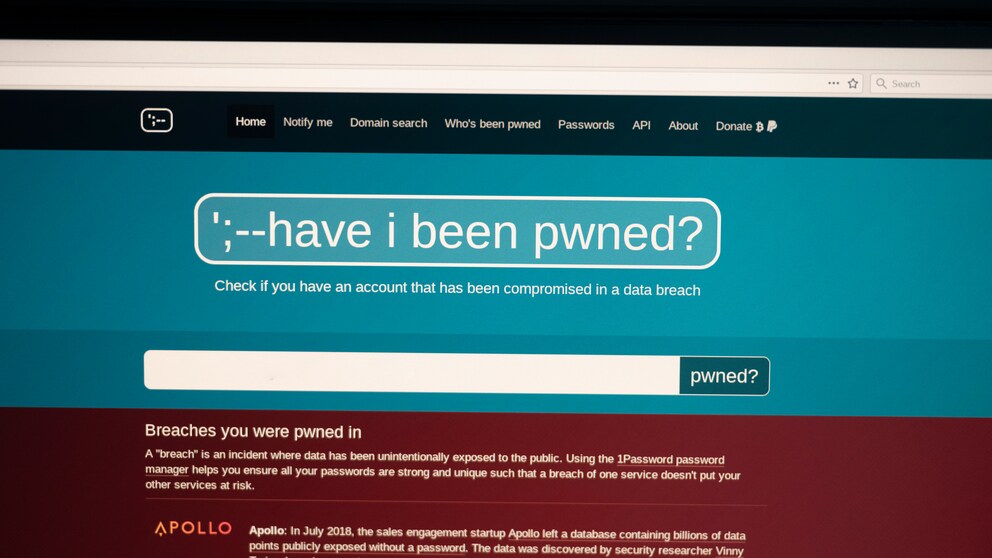
More than a billion new passwords and billions of email addresses are currently circulating freely on the internet–a massive find that has alarmed even experienced IT experts. The database “haveibeenpwned.com” has now taken over the compromised data sets. Those who want to know if their own logins are affected should act now.
The well-known website for hacked login data “haveibeenpwned.com” has expanded its database with a massive new data set. A total of 1.3 billion passwords and 2 billion email addresses have been integrated. This data was found by the IT security company Synthient, which discovered it freely accessible on the internet.
Passwords that users reuse for different accounts are particularly affected–a dangerous mistake. Security experts strongly advise using a unique password for each service.
How the Query Works
If you want to know if your own data is part of a leak, you can enter your email address for free on “haveibeenpwned.com.” The portal will then immediately show if compromised passwords were found for the entered address.
The platform’s name is its program: “Have I been pwned?” (HIBP) roughly means “Have I been hit?” Operator Troy Hunt, an Australian IT security researcher, continuously expands the database with new finds from leaks and hacks.
Get a Second Opinion from the Hasso Plattner Institute
Additionally, it is recommended to use the Identity Leak Checker from the Hasso Plattner Institute (HPI). This free tool also compares entered email addresses with its own extensive database of leaked identity data. Despite possible overlaps, an additional check can provide valuable insights.
If any of the queries reveal that passwords have been compromised, affected individuals should immediately change the compromised password. It is important to choose a strong, unique password for each service. If the same password is used for multiple accounts, attackers could potentially take over all accesses.
Since complex passwords are difficult to remember, the Federal Office for Information Security (BSI) recommends using password managers. Alternatively, users can work with a password cheat sheet–a method recommended by the BSI.

Data Breach with 16 Billion Passwords? What’s Really Behind the Reports

Nearly 16 Million PayPal Login Credentials Surface Online
For More Security: Activate 2FA
For additional security, you should secure online services with two-factor authentication (2FA) where possible. By requiring a second code during login, access to the account is not possible even if the password is stolen.
Also of interest: Federal Office for Security warns of keyboard shortcut trick
Use Passkeys Instead of Passwords
More and more services are already offering passkeys–the successor to traditional passwords. These are cryptographic key pairs that enable passwordless login.
To log in, a private cryptographic key stored with the user is matched with the public key of the service. Authorization is granted via fingerprint or PIN, and you’re securely logged in.
You can store passkeys on FIDO2 security sticks, in operating systems like Android, iOS/MacOS, or Windows, as well as in compatible password managers. Existing password managers that support passkeys allow for the parallel use of both systems–ideal for the transition.