

November 9, 2025, 8:08 am | Read time: 5 minutes
Both hands parallel to each other, perhaps even mastering the ten-finger system, on a rectangular keyboard with letters, numbers, and special characters arranged in rows–that’s how we’re used to typing. But there’s another way. A completely different way! This is proven every year by the developer team responsible for the Gboard keyboard app at Google Japan. TECHBOOK presents the quirkiest of these Google keyboards.
The Quirkiest Keyboards from Google
TECHBOOK has already reported on the craziest keyboards from various manufacturers. And before you dismiss it all as a joke: Unusual keyboard systems often have a very practical background.
Anyone who works a lot at a desk can confirm that using the classic QWERTZ layout is common but not necessarily ergonomic. Often, the driving force behind alternative keyboards is improved ergonomics. Other systems are specifically designed for users with motor impairments. In general, it’s always beneficial to break away from the familiar: The brain benefits from mental flexibility and new thought processes.
Overview
And now quickly forget about practicality. Because the quirkiest keyboards from Google Japan are really meant to do one thing: entertain. Since 2021, they have been released every year around October, almost like a belated April Fool’s joke.
It’s known that many tech events and product announcements traditionally take place in Japan in October. Google Japan uses this opportunity for “playful marketing,” as one user writes on Reddit, “which fits the Japanese culture but also highlights how cumbersome keyboards can be for the Japanese language.” Among fans, the product line has since been nicknamed “October Fool,” a nod to the classic April Fool’s joke. TECHBOOK presents them in the order of their release.
Gboard Yunomi (2021)
The first among Google’s quirkiest keyboards: the Gboard Yunomi, inspired by a Yunomi, a traditional Japanese teacup.
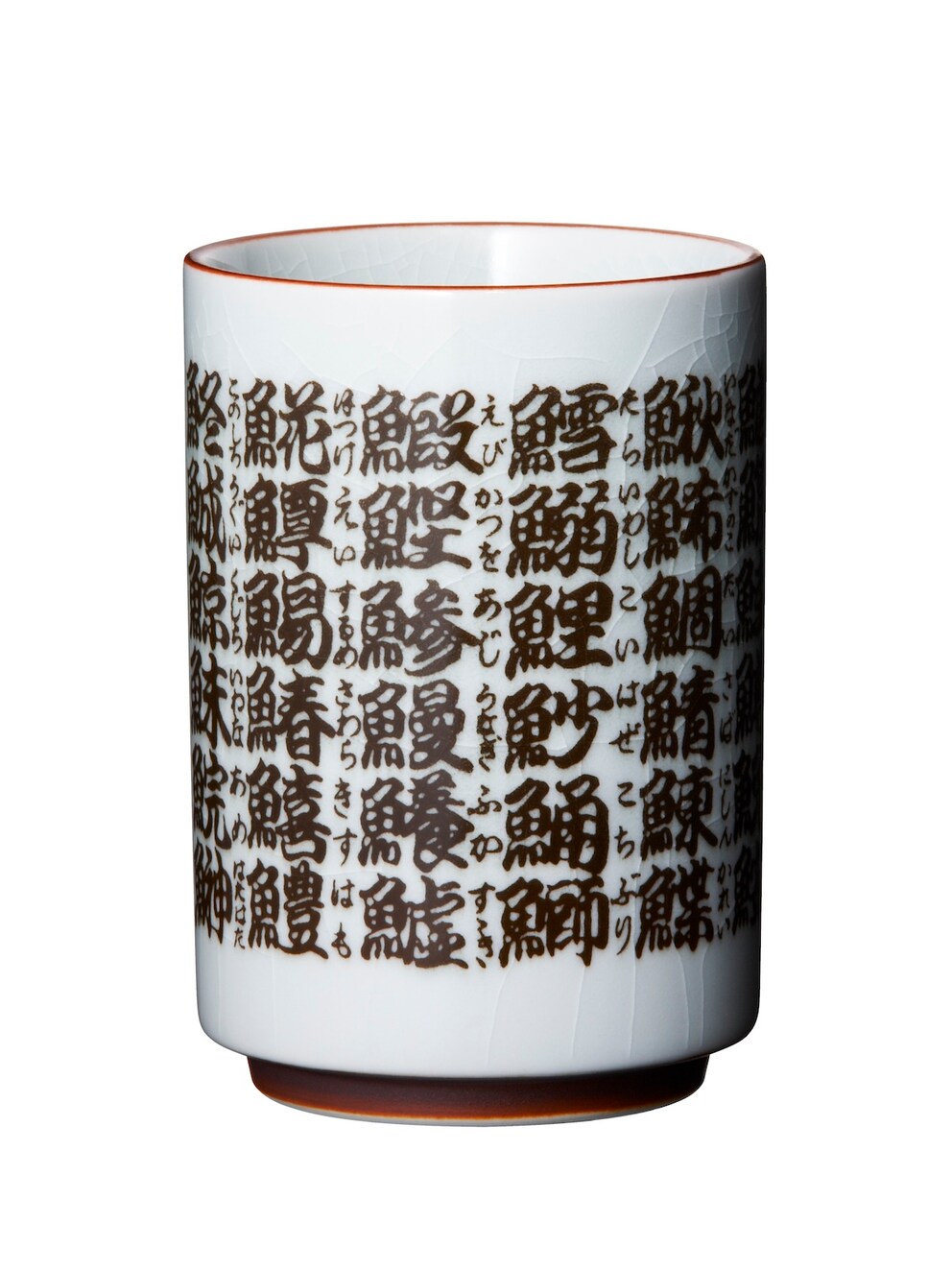
With it, Google Japan’s “April Fool’s in October” tradition began. According to a report by “Gizmodo,” the Gboard was originally supposed to be released in April–but this fell during the peak of the COVID-19 pandemic. Instead, the unusual keyboard was introduced in October, during the Kitano Tea Ceremony, which takes place in Japan every year in this month.
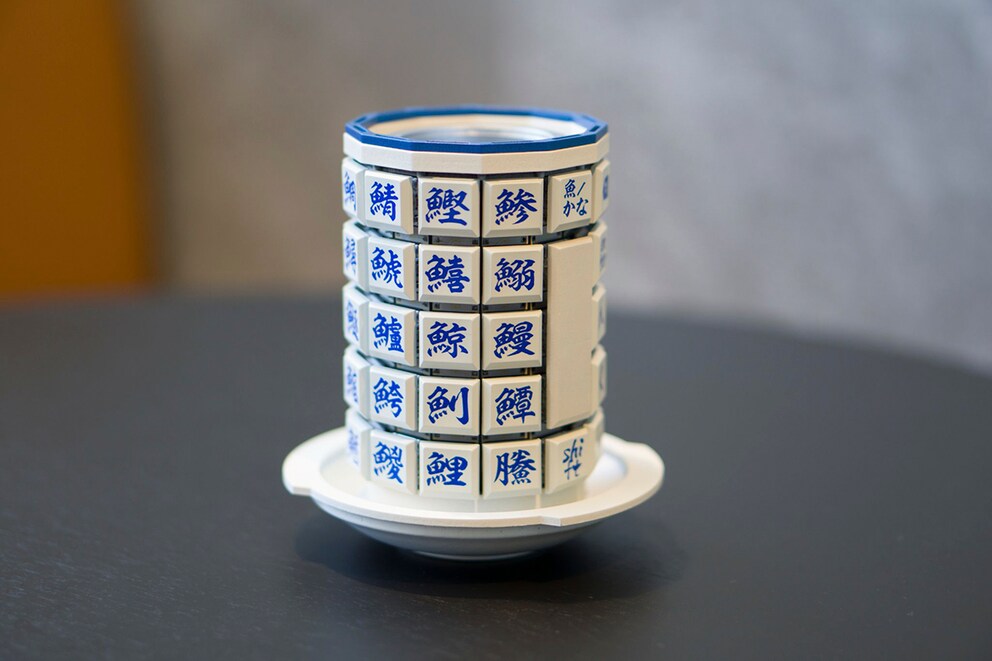
The Gboard Yunomi is cylindrical in shape–you can hold it like a real teacup. It is technically fully functional, even if the application seems completely absurd. Twelve elongated keyboard strips are arranged around the cup, allowing for vertical typing. A beautiful piece of art and truly original–but you can’t buy the Gboard Yunomi. However, Google Japan has published the blueprints, firmware, and instructions on GitHub–and has done so with all its subsequent action keyboards. With a 3D printer and some technical know-how, they can be recreated at home.
Gboard Bar (2022)
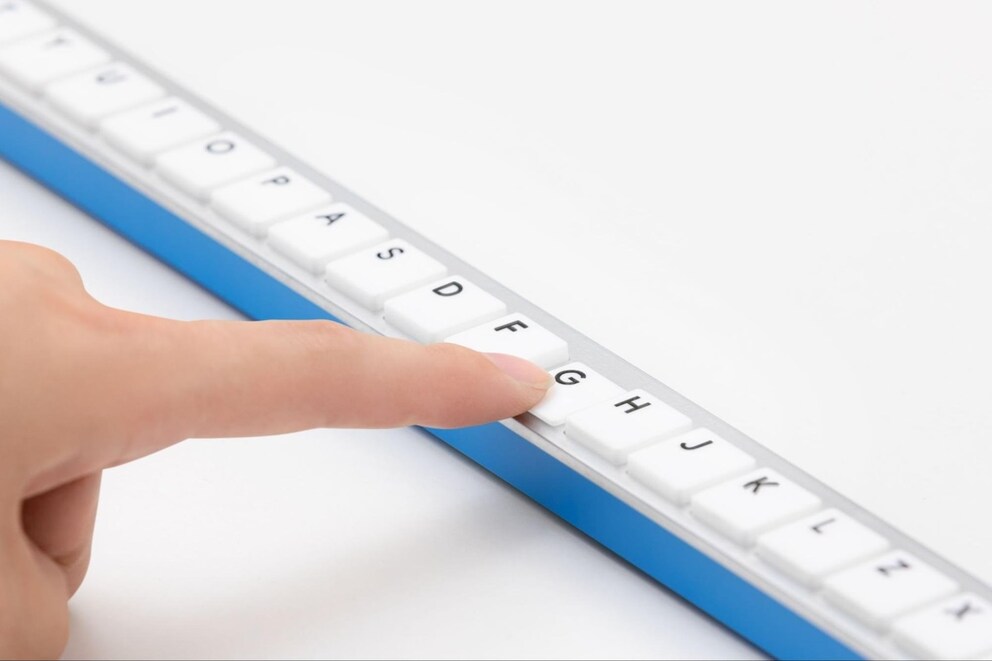
For the next gag keyboard, the Gboard team at Google Japan was apparently inspired by furniture again–this time by a table. The Gboard Bar stretches over an impressive 1.65 meters in length.
To use it, you should forget everything you know about classic typing. The letters are simply arranged from A to Z, side by side, from left to right.

According to Google Japan, this is supposed to help those who have difficulty orienting themselves on conventional keyboards. And besides, the Gboard Bar is so long that two people could easily work on it simultaneously. Shared effort, half the effort? Probably not. But it’s certainly amusing. As with the other projects, blueprints, software, and instructions can be found on GitHub.
Gboard CAPS (2023)
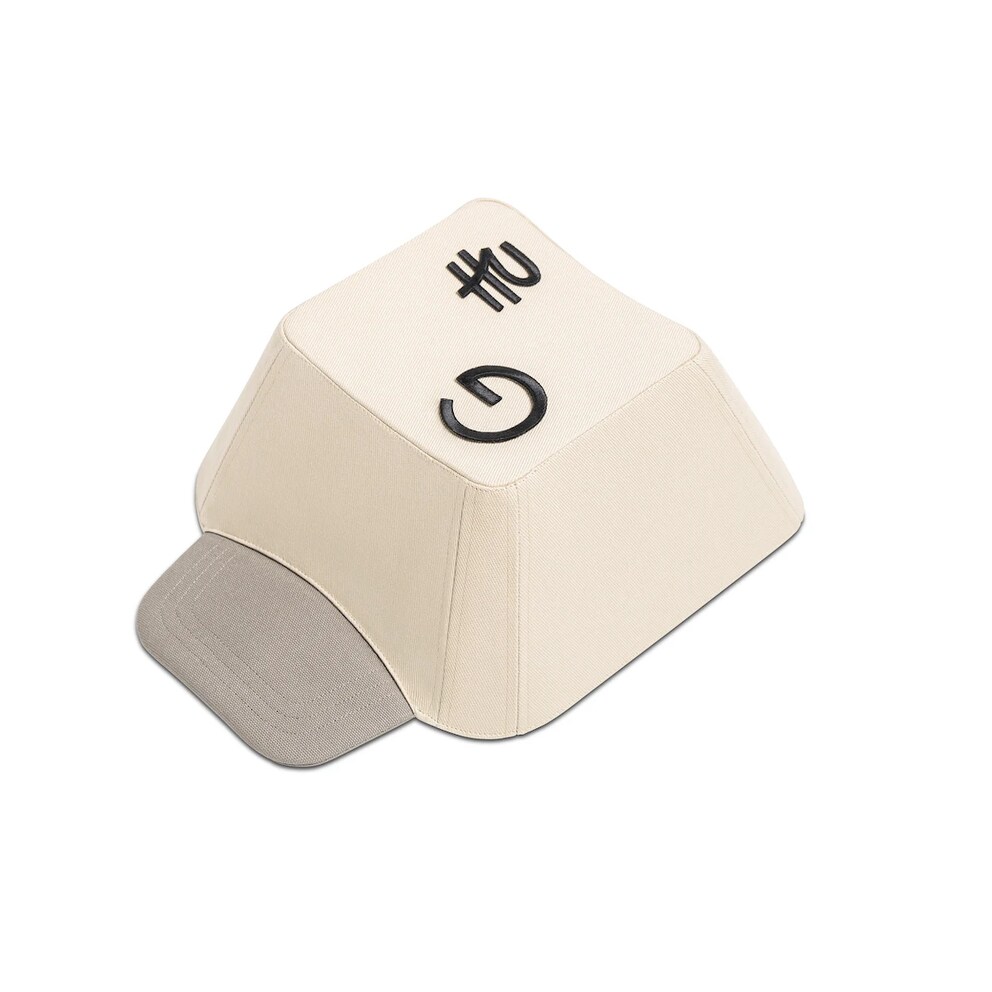
A keyboard to wear–why not? With the Gboard CAPS, your hands are free while you type your thoughts directly from your head. Visually, the unusual device resembles a baseball cap, but it’s equipped with small LED lights and a discreet USB port.
Inside are sensors that detect the wearer’s head movements and translate them into letters. For this unusual keyboard, Google Japan also published the blueprints and software on GitHub.

Typing Made Easier: Google Plans Handy Keyboard Feature

Bizarre! These Absurd Devices Can Run “Doom”
Double-Sided Gboard (2024)
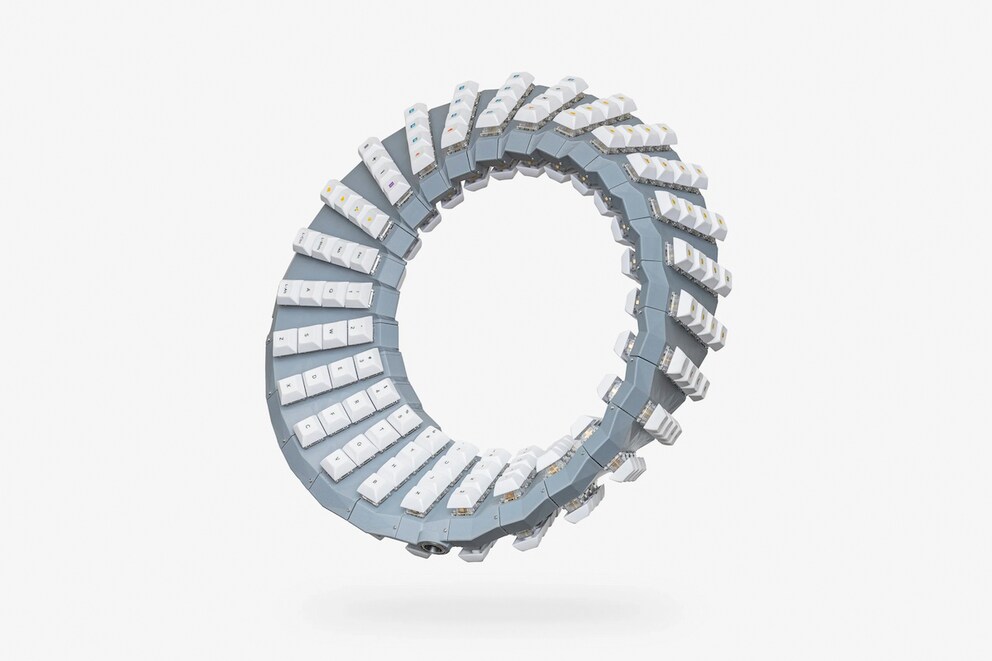
In 2024, it was the experimental Double-Sided Gboard, which–as its name suggests–can be used on both sides without needing to be flipped. The circular keyboard is equipped with keys on both the front and back. Its design is clearly inspired by a Möbius strip. Detailed information here.
Gboard Dial (2025)
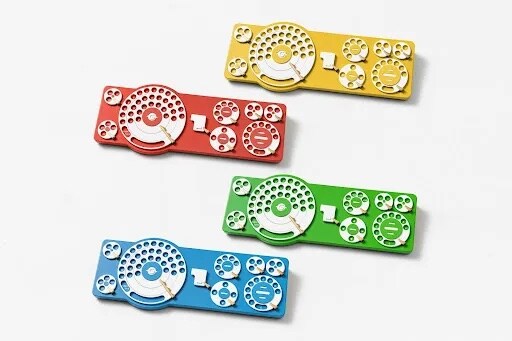
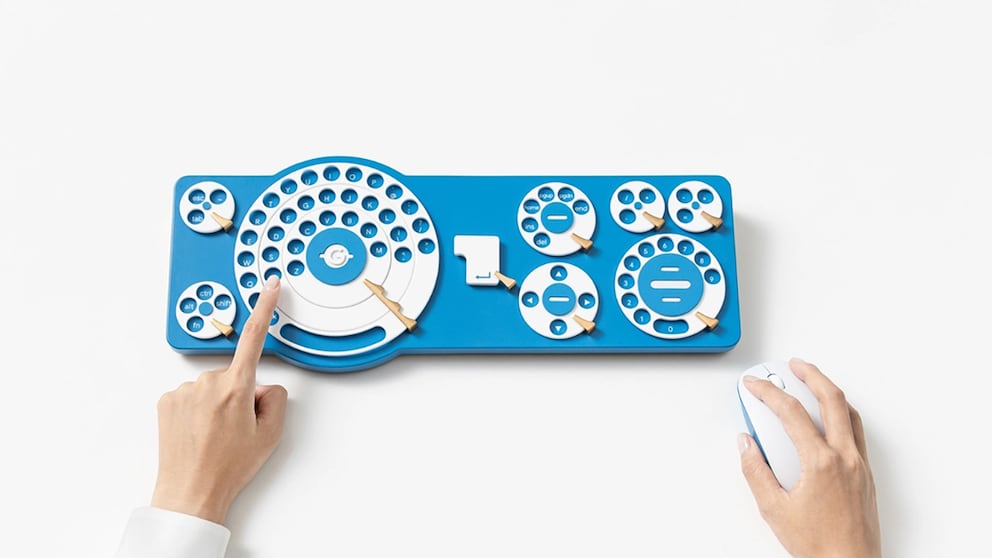
The latest creation is the Gboard Dial, released on October 8, 2025 (see photo above). It is equipped with rotary dials–yes, like old telephones. In a hardly serious product video, members of Google’s Gboard team explain how it is supposed to work–as a mix of a classic PC keyboard and an old rotary phone.
The centerpiece is a large dial, arranged in rings, containing all the letters of a regular keyboard, the space bar, and the caps lock key (special characters and the number pad are distributed on smaller dials). To type a letter, the dial must be turned until the desired letter is in the target hole. Additionally, the Gboard Dial package includes a supposed mouse stand, which, besides its eponymous function, can also be used to end a video call, for example. Here are the necessary details for recreating it on GitHub.