

July 4, 2023, 10:46 am | Read time: 8 minutes
Solid State Disks (SSD) are small turbo storage devices that noticeably speed up your computer. A gadget that no one should be without. We present the best internal SSDs for more speed.
Compared to a conventional hard drive–also known as an HDD (Hard Disk Drive)–SSDs offer shorter boot times, lightning-fast startup of all applications, and barely noticeable load times for PC games. Ready to upgrade? TECHBOOK presents the best internal SSDs with storage capacities ranging from 256 GB to 2 TB.
Table of Contents
What distinguishes SSDs from conventional hard drives (HDDs)?
SSDs and HDDs are fundamentally different in their technology: An HDD contains moving parts–magnetic storage disks rotate, and read/write heads access data on them. An SSD, on the other hand, accesses solid-state memory cells, also known as flash memory, which is also used in modified forms in USB sticks, memory cards, or smartphones. SSDs have no moving parts, which is why they are called “Solid State” Drives. This significantly reduces data access times for SSDs–both for reading and writing. Additionally, SSDs produce no mechanical noise, are more energy-efficient, lighter, and more shock-resistant than HDDs. Switching to an SSD is worthwhile for many reasons.
Read more: What is the difference between HDD and SSD storage?
Capacity
If you use your computer less intensively and only need a faster boot medium for Windows installation, 256 gigabytes of additional storage can already provide a significant speed boost. For those who only have their operating system and simple programs like Microsoft Office installed, this size is sufficient. If you want to store pictures and videos on your PC, you should definitely have 500 GB or, ideally, more storage capacity. For gaming and video editing, you should install an internal SSD with at least one terabyte.
Read and Write Speed
If you want to use your internal SSD for gaming or video editing, you should look for a drive with high read performance when purchasing. An SSD with high write performance is recommended for those who frequently copy large amounts of data to their drive, such as photographers. The speed of an SSD largely depends on the connection type–more on that below.
Form Factor
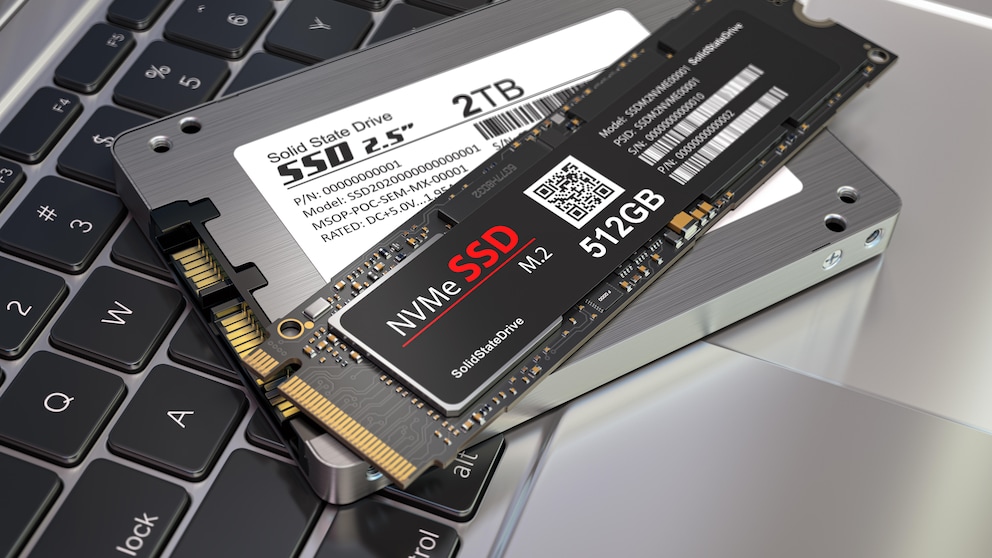
SSDs are available in either 2.5-inch or M.2 formats. The 2.5-inch size corresponds to conventional laptop HDDs and is suitable when there is no slot for an M.2 SSD. 2.5-inch SSDs typically come with a SATA connection, while M.2 models can have both SATA and the even faster NVMe connection.
Connection Type
2.5-inch SSDs with SATA connections are suitable for desktop PCs and laptops that still have a corresponding slot. However, modern laptops often only have space for the more compact M.2 SSD. M.2 slots are now standard on desktop PC motherboards.
It can be confusing that M.2 SSDs can have either a SATA or an NVMe connection. M.2 models with SATA connections have a different, more compact form factor than conventional 2.5-inch SSDs, but the transfer rate is identical due to the same SATA connection.
M.2 SSDs with NVMe connections are significantly faster. These NVMe SSDs have a direct connection to the processor through the PCI Express interface.
Visually, the NVMe and SATA transfer types can be distinguished by the connector on M.2 SSDs. The pins on the connector have different notches, also called “keys.” Typically, NVMe SSDs use the M-Key, and SATA SSDs use the B-Key. However, there are also mixed variants that come with both B and M keys.

Nintendo Switch 2 Requires Special Memory Cards

PS5 Slim — Features, Advantages and Disadvantages, Rating
The Best Internal SSDs in Comparison
After describing the key features, we now present the best models. Below, you’ll find out which SSDs are worthwhile and what they offer.
Samsung SSD 870 EVO 4 TB
The Samsung SSD 870 EVO with 4 TB delivers on the manufacturer’s promises. It is one of the most powerful internal SSDs, capable of reading up to 560 MB per second. The write speed is 530 MB per second, making it a price-performance winner.
Advantages:
- High read and write rates
- Very high capacity
- Good access rates
- Low power consumption
- Excellent price-performance ratio
Disadvantages:
- Often unavailable in smaller capacities like 1 or 2 TB
Transcend SSD230S 256 GB
Fast and affordable: The Transcend SSD230S impresses with its speed, thanks to the 3D NAND memory technology used. The memory cells in this entry-level SSD are stacked vertically for more performance and endurance. A high-quality cache and advanced firmware algorithms boost performance and ensure high reliability.
Advantages:
- Relatively short response time
- Affordable price
- High-quality metal casing
- Five-year warranty
- Free cloning software
Disadvantages:
- Gets relatively hot quickly
Kingston KC600 256 GB
The king among affordable internal SSDs: The Kingston KC600 with a storage capacity of 256 GB is the perfect upgrade for those who want more speed–for starting, loading, and transferring–at a low price. It supports all essential security features and offers efficient data storage.
Advantages:
- Five-year warranty
- Powerful performance
- Free phone support
Disadvantages:
- No migration support
Also read: The 6 Best External Hard Drives for Data Backup
Intenso SSD SATA III Top 256 GB
The Intenso SSD SATA III Top with 256 GB offers a read speed of up to 520 MB per second and a write speed of up to 500 MB per second. This is enough to boot the entire Windows installation in seconds. It requires little power and offers silent operation.
Advantages:
- Shock-resistant
- Silent
- Very energy-efficient
- No heat development
Disadvantages:
- Moderate read and write speed
HP S700 500 GB
The fast and affordable HP S700 stands out for its high read speed and maximum reliability. With its capacity of 500 GB, it can meet medium storage needs. Its only weakness: Compared to other models, this mid-range SSD is quite power-hungry.
Advantages:
- Relatively affordable
- High read speed
- Free phone support
Disadvantages:
- No energy-saving mode
Crucial MX500 500 GB
Starts any operating system in seconds: The relatively affordable Crucial MX500 with its 500 GB storage capacity is built for speed, quality, and security. It proves this with excellent data rates for reading and writing. Additionally, the mid-range SSD scores with its energy efficiency: It consumes up to 45 times less power than a conventional hard drive. Crucial also offers a five-year warranty.
Advantages:
- Strong performance
- Especially energy-efficient
- Five-year warranty
Disadvantages:
- Copy processes sometimes slow
- Other models usually more durable
SanDisk SSD Plus 1 TB
SanDisk has been developing SSDs since 1991. This decades-long experience is reflected in the powerful SanDisk SSD Plus with its 1 TB storage capacity. It impresses not only with its speed but also with its reliability. Another strength of the drive is its immunity to shocks and vibrations. The energy efficiency of the internal SSD is also noteworthy, providing significantly more endurance and battery life, especially in laptops.
Advantages:
- Relatively fast
- Relatively quiet
- Energy-saving
- Three-year warranty
Disadvantages:
- Data cable not included
Learn more about SSDs here: What is the difference between HDD and SSD storage?
Western Digital Black SN850 1 TB
This high-end SSD with 1 TB storage capacity is a true revolution: With its 7000 MB/s read speed, it is currently the fastest SSD drive on the market. This internal SSD not only excites gamers but has also won numerous awards for its other qualities. Its strengths include low latencies, the fourth-generation PCI Express connection, and short boot and load times.
Advantages:
- Currently one of the fastest internal SSDs on the market
- Very high write and read speed
- Five-year warranty
Disadvantages:
- No heat sink
Samsung 970 Evo Plus 2 TB
The Samsung 970 Evo Plus with 2 TB storage capacity is all about speed and high-level performance. The secret to its high read and write transfer rates and program acceleration lies in its numerous and closely packed memory cells, which shorten the switching paths and thus significantly increase speed. It also features smart drive management that keeps an eye on the professional SSD, optimizing and stabilizing its performance.
Advantages:
- High and consistent transfer rate
- Reliable
- 5-year warranty
Disadvantages:
- Relatively high price
Conclusion
Internal SSDs are not necessarily cheap: If you want extra speed and are considering at least one terabyte of additional storage, you often have to spend well over 100 euros. There are also cheaper models, such as the price-performance winner from Samsung, which offers 1 TB for around 70 euros. Depending on how you use your computer or laptop, 256 or 512 GB of additional storage may be sufficient–for less intensive games and office work, for example. Mid-range SSDs like those from HP are available in this segment for just under 40 euros.