

November 13, 2026, 1:51 pm | Read time: 3 minutes
Want to turn any GIF into an animated WhatsApp sticker in just a few seconds? TECHBOOK tried out a trick currently circulating online on an iPhone and discovered a crucial difference.
GIFs are short animations made up of several individual frames, usually played in a loop. In messengers and social networks, they often serve as quick reactions. WhatsApp stickers work similarly but can be stored in the messenger’s sticker selection for later use.
This trick, which is gaining attention on X, connects these two formats. A summary circulating there suggests that you only need to copy the “video link” of a GIF and paste it into WhatsApp to create an animated sticker. However, a Community Note limits this representation. TECHBOOK tested what actually works.
How to Turn a GIF into a WhatsApp Sticker
In the TECHBOOK test on an iPhone, the trick worked, but with a different process. First, a GIF was sent in a WhatsApp chat as usual. Then, the sent GIF could be copied by long-pressing and reinserted into the message field.
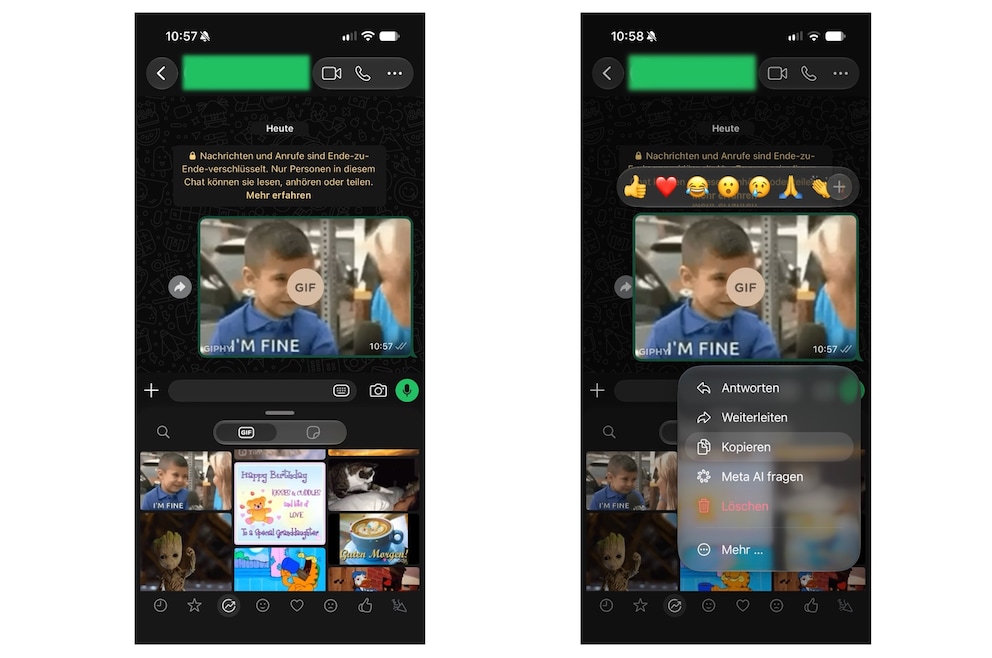
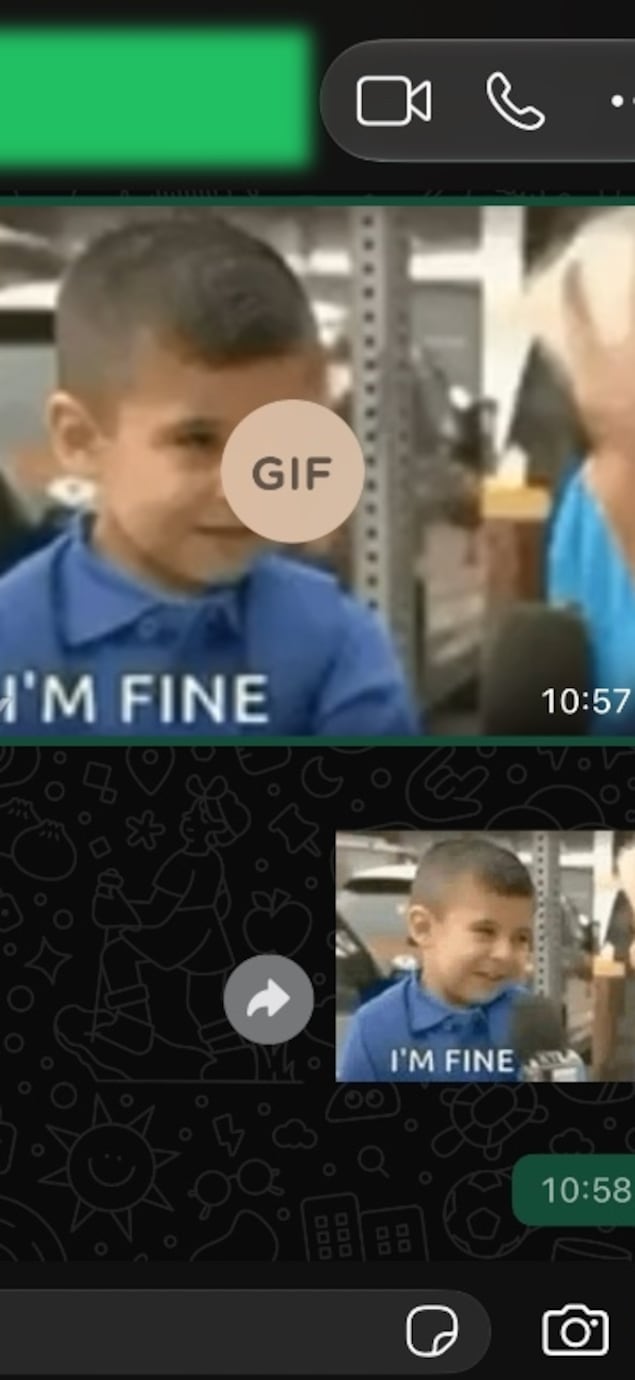
When resent, the animation appeared as a sticker. The animation was preserved in the test. The newly created sticker could then be saved in the sticker collection and reused.
The guide from “Smartprix” linked in the Community Note also describes this method for the iPhone. For Android, it alternatively mentions Gboard or the WhatsApp editor.
Why the X Trick Has a Catch
The supposedly simpler method via X did not work in the TECHBOOK test. Copying the “video link” offered there and then pasting it into WhatsApp did not create a sticker on the tested iPhone. The key difference is what is copied. In the successful attempt, it was the GIF itself; in the X attempt, only its link.
This does not entirely rule out the possibility that the method described on X works under different conditions. However, it could not be reproduced in the TECHBOOK practical test.
Also interesting: WhatsApp tests new AI photo editing
The hype still has a kernel of truth: A GIF can indeed become an animated WhatsApp sticker in a few steps. At least on the tested iPhone, the more reliable method is through a GIF already sent in WhatsApp.