

June 10, 2024, 12:50 pm | Read time: 3 minutes
Does the time displayed at the top left of your iPhone screen sometimes appear highlighted in color? As if it’s surrounded by a bubble in green, blue, red, or purple. This isn’t due to personal preferences or settings–it relates to specific activities on the device. Learn more about it at TECHBOOK.
On the lock screen, the time on an iPhone is usually displayed large and centered. When unlocked, the display shrinks and appears in the top left corner of the screen–typically without a background. If you have an iPhone X or a newer model, the time may appear in color. On older models, the entire status bar changes color accordingly. This indicates certain activities.
Overview
What the colors behind the times on the iPhone mean
If the time on your iPhone screen appears in a small, colorful bubble, it relates to specific activities on the device, depending on the color. More details are explained on the Apple Support page.
Time appears in a green bubble
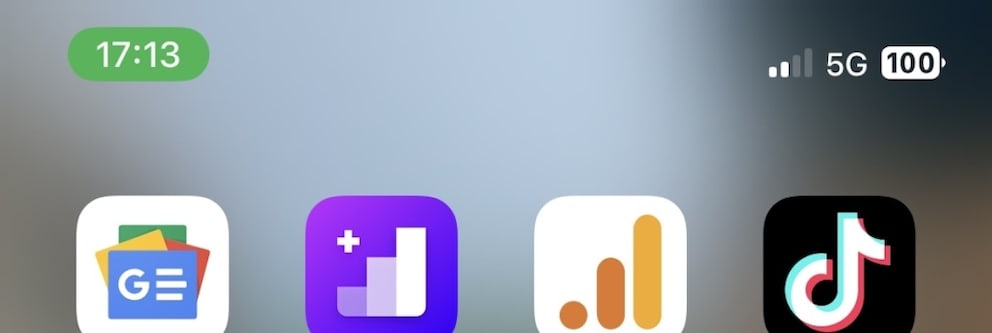
The green color can mean that a call is currently active on your iPhone. You would likely know this, but sometimes a number is dialed accidentally, and while the caller might not notice, someone could be on the other end. Additionally, a green bubble behind the time can indicate that the iPhone is providing a personal hotspot.
Time appears in a blue bubble
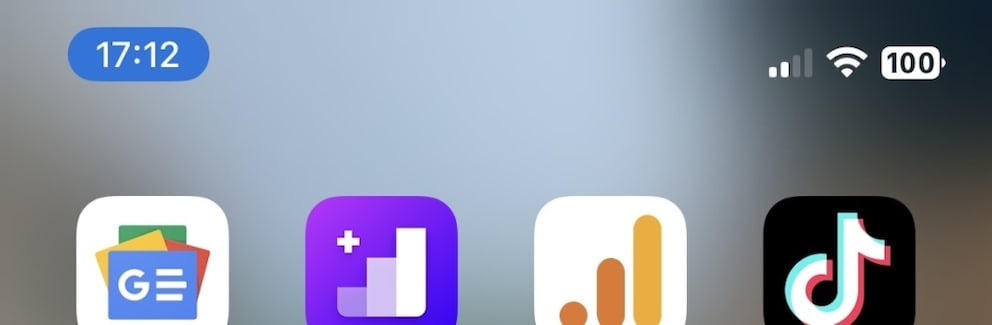
If the time is displayed in a blue bubble, an app on the iPhone is likely actively using its location. Alternatively, the time also appears with a blue bubble when sharing the screen–such as via AirPlay.
Time appears in a red bubble
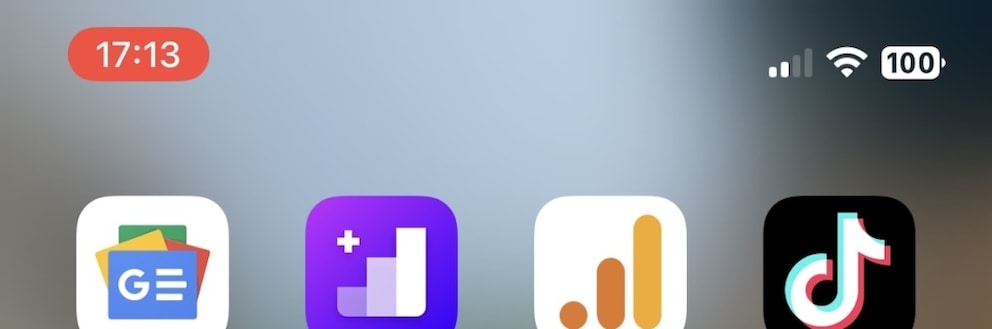
The time in red means that the iPhone is currently recording audio. Similarly, if a screen recording is in progress, it briefly appears in this color.
Time appears in a purple bubble
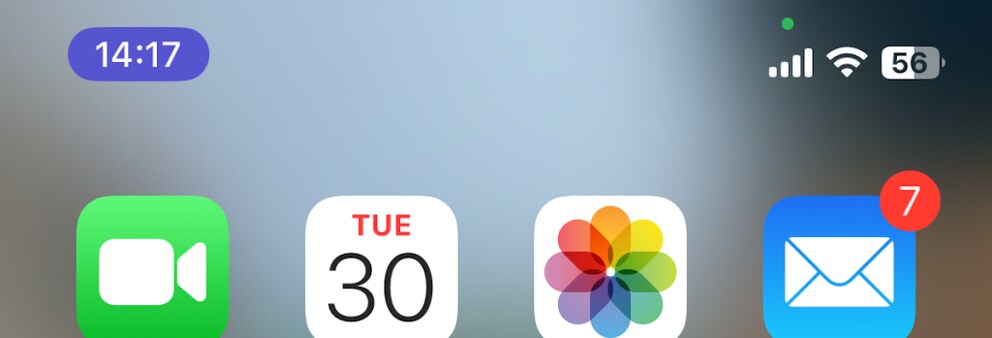
If the time is displayed against a purple background, it can only mean that SharePlay is being used on the iPhone. In other words, the device is currently sharing content.
Activity display works differently on newer models
On newer models from iPhone 14 Pro onwards, the activity display occurs without color changes, explains Apple. There, AirDrop connections, recordings in the Voice Memos app, location usage, and similar activities are displayed in the Dynamic Island. Dynamic Island surrounds the Face ID sensors and the selfie camera at the top of the screen–it makes notifications, app controls, and status information visible to users.