

October 23, 2023, 6:37 am | Read time: 3 minutes
A little water in your smartphone usually isn’t a disaster, but long-term damage can still occur. Apple users can rely on a useful feature called “Water Eject” to help in such cases. TECHBOOK explains how it works.
Even if it says waterproof, unfortunately, that doesn’t mean a smartphone is truly waterproof. Liquid can enter through open areas such as the charging port or speaker. Even minimal water contact can cause damage that may not immediately break the iPhone but can affect the user experience. A classic delayed effect is a muffled sound. If the phone comes into contact with water, there are many first aid options. Their goal is always to get rid of the water as quickly as possible to prevent damage. Most methods, however, involve some effort. But there’s also a practical feature that requires only a few clicks: “Water Eject.” TECHBOOK shows how to get the application on your iPhone and what to consider.
Install “Water Eject” on the iPhone
“Water Eject” is a so-called shortcut that you can easily add.
- Open the linked page here on your iPhone
- Tap “Add Shortcut” at the bottom
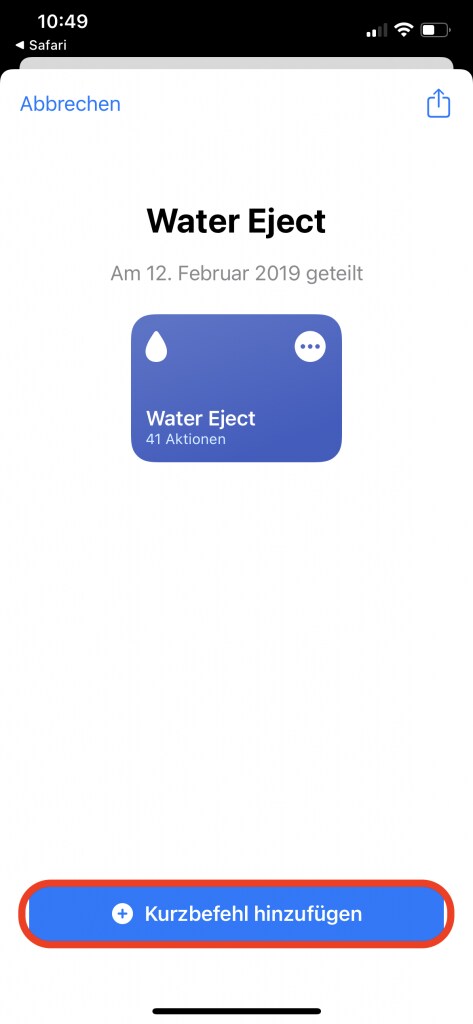
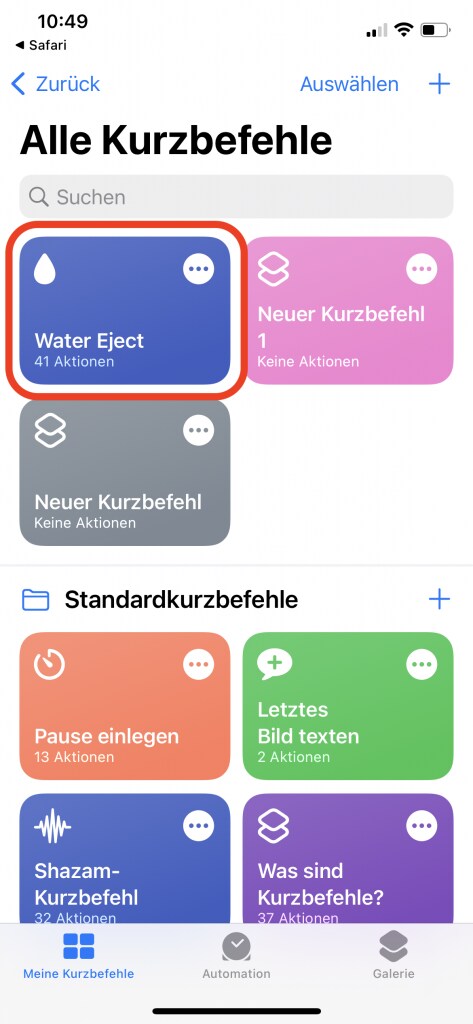
- Afterward, you’ll find the application in the shortcut overview (accessible via the app overview, which you can open by swiping left on the home screen)
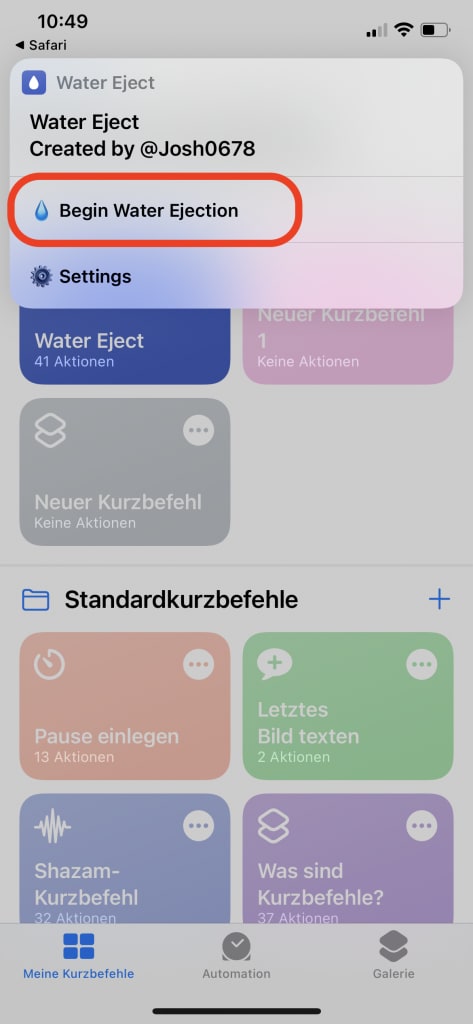
- Tap “Water Eject” in the shortcut overview and then “Begin Water Ejection.” The iPhone will then start vibrating.
By the way, after setting it up, you can also use the function via voice command with Siri.
Also read: Apple warns against a popular trick! What you should never do with your iPhone
How to use “Water Eject” optimally
If you want to get rid of any liquid that has entered, hold your smartphone slightly tilted during the vibration so that the water can drain well from the speaker. You can repeat the process several times, but you shouldn’t do it too often. This could also damage the speaker in the long run. Allow some time to pass between repetitions. Gently dab the affected area dry and then set the iPhone aside to dry completely.
By the way, a similar function is also available for the Apple Watch, where it is called “Water Lock.” Of course, “Water Eject” only helps to a limited extent if your iPhone has been completely submerged in water and the casing is full of water. In this case, there are a few emergency measures you should follow.
Please participate in our survey: