

May 14, 2024, 9:19 am | Read time: 7 minutes
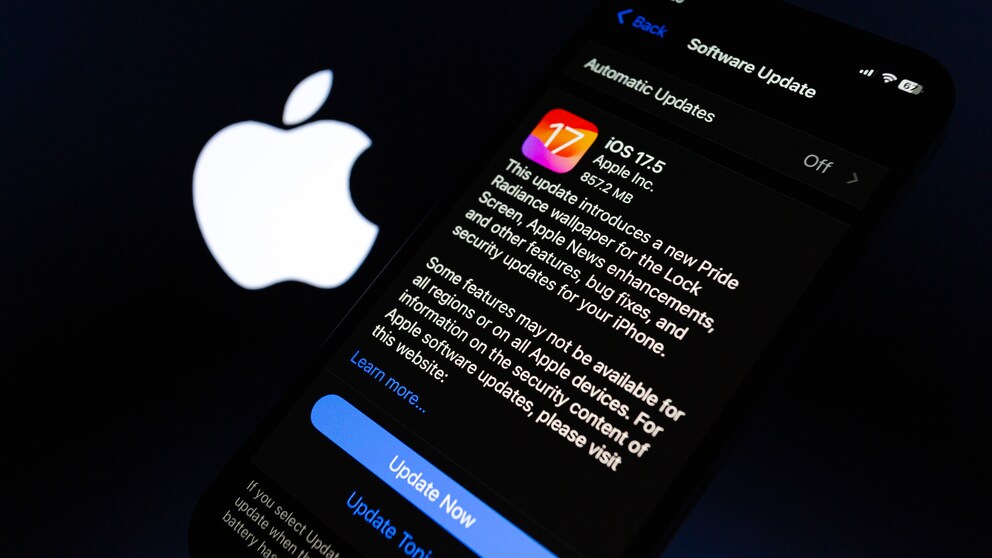
For months, it has been clear that Apple is bringing a major change for European users with iOS 17.5: sideloading. Now the update is here, and TECHBOOK explains the new features and whether you should install the version right away.
With iOS 17.4, several major changes were already introduced for iOS. Among other things, Apple opened its iPhones to alternative app stores for the first time. However, the EU’s measures under the Digital Markets Act (DMA) did not go far enough. Therefore, Apple is now making improvements with iOS 17.5. In addition to sideloading, the update includes several other new features, some of which are cosmetic.
Overview
Apple must enable sideloading with iOS 17.5
“Sideloading” refers to the installation of an application on a mobile device without using the official app distribution. For iPhone users, this previously meant that all apps had to be downloaded and installed via the in-house App Store. If an app wasn’t available in the App Store, you couldn’t simply use it on your device. According to Apple, this approach was intended to ensure security and control on its devices.
Previous approach does not comply with the DMA
The EU disagreed with this through the Digital Markets Act, or DMA. According to its definition, the App Store is considered a “gatekeeper” and thus has a special economic function. Under the new law, Apple, as the owner of such a gatekeeper, must meet certain requirements. Among other things, the company must further open its systems and thus relinquish its monopoly position within its own device ecosystem. Apple fought this in court–without success.
With iOS 17.4, the U.S. company already allowed the installation of apps via alternative app stores. This is linked to certain iPhone settings. Additionally, Apple severely restricted the sources for such downloads. However, this completely excluded downloads from websites or sideloading. This is exactly what the EU demands to ensure Apple truly complies with the DMA.
Also interesting: How to test new iOS versions on the iPhone first
Strict requirements for developers
However, the company also wants to maintain a certain level of control. The requirements for providers of such approved websites are high. Apple details the criteria on a dedicated website. These align in most respects with the requirements that also apply to providers of alternative app stores.
Among other things, it states: “The web distribution, available with a software update this spring, allows authorized developers to distribute their iOS apps directly from a website owned and operated by the developer to EU users.” The mentioned requirements for providers include being part of the Apple Developer Program and being “established, resident, and/or registered in the EU” according to it. Additionally, providers must have been members of this program for at least two years.
Furthermore, providers must undergo a certification process. Apple explains the requirements as a measure to “protect the integrity of the platform.” There is no mention of a commission like through the App Store. However, a fee of 50 cents per user is due if an app is installed more than 1 million times within a year. This falls under Apple’s so-called “Core Technology Fee” (CTF). This rule was considered draconian, as even developers of free apps had to pay the fee.
However, Apple also relaxed its grip here under pressure from the EU Commission in early May. If developers earn less than 10 million euros over a three-year period, the CTF no longer applies. Between 10 and 50 million euros, the fee is capped at 1 million euros. Only beyond the 50 million euro mark does the CTF apply as before.
No sideloading apps available yet
At the launch of iOS 17.5, no sideloading apps are available yet. This is likely primarily due to the already mentioned strict regulations from Apple. So far, there is only one alternative app store for the iPhone, and its offerings are still quite limited.
The biggest hurdle for many developers now is that only apps deemed relevant by Apple, which had at least 1 million first installations via the App Store in the previous year, qualify. This poses challenges, especially for smaller providers, so it may take some time before sideloading becomes truly practical for iPhone users.
Incidentally, iOS 17.5 also includes corresponding settings that can be made on the iPhone. To do this, go to your device’s settings and to the “Screen Time” section. Under “Restrictions,” you will find the “App Installation & Purchases” tab. There you can specify individually whether you want to allow installation from app stores, the internet, or app marketplaces.

What Alternative App Stores Are There for the iPhone?

iOS 16.5 Is Here! What’s in the iPhone Update
Other features in iOS 17.5
The introduction of sideloading is only for EU citizens and is by far the biggest innovation of iOS 17.5. However, the update includes several other features.
Tracking notifications and repair status
One new feature concerns the tracking system for Bluetooth trackers. Apple has been working on this with Google for some time. The iPhone will soon warn against non-network trackers to prevent stalking.
With iOS 17.5, Apple also makes it safer to send the iPhone for repair. Previously, users had to disable the “Find My” feature and activation lock, as the device might not be repairable otherwise. However, this meant that you had no recourse if the iPhone was stolen during service or transport.
A new repair status in iOS 17.5 aims to eliminate this problem. In the “Find My” app, the iPhone can be prepared for repair. Activation only works after entering the Apple ID. After that, the iPhone is fully functional for the repair process, while “Find My” and the activation lock remain active. This way, users can track the device’s location and even report it as lost. The recently introduced protection for stolen devices also remains in place through the status.
Pride collection
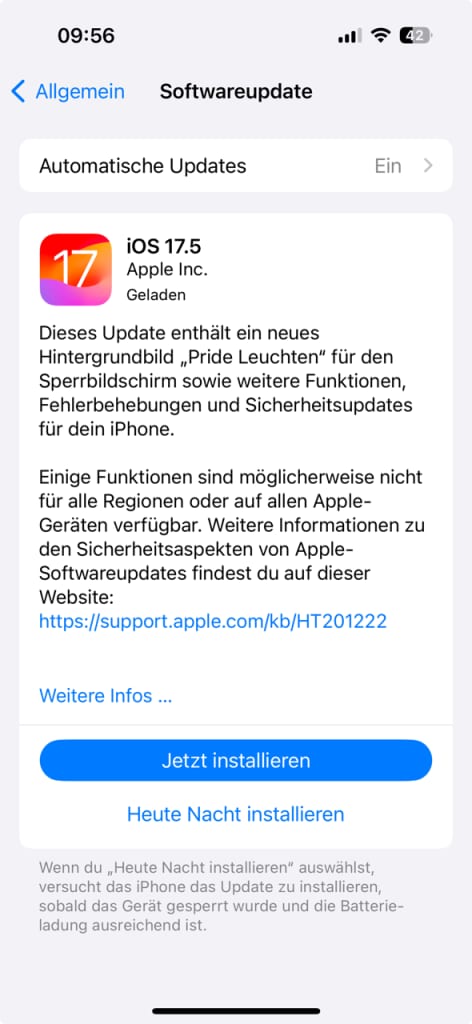
Interestingly, Apple focuses much less on these technical innovations in its update notes than on the new lock screen that comes with iOS 17.5. The new “Pride Lights” were initiated by the company “in honor of the LGBTQ+ community and culture,” according to its own statement.
Additionally, a new collection of Apple Watch bands is planned for May 22. The Watch itself will also receive new backgrounds or a matching watch face via update.
Other new features of the iPhone update
As usual, iOS 17.5 also includes some minor bug fixes that are not yet noticeable. Additionally, the podcast widget has been slightly revised. The widget now adapts its color to the content being played. In the Spotlight search, not only the app is displayed, but also the most recently listened to content–both reminiscent of the Spotify widget.
The News app, which unfortunately is still not available in German, also receives an offline mode and a new crossword puzzle mode.
Should you install iOS 17.5 right away?
Not only, but especially because of the sideloading option, iPhone users should install the update promptly, as it also includes some minor bug fixes and security patches. However, as is usual after major updates, you should expect Apple to make further adjustments. There may still be some errors, and additional minor updates are likely to follow in the coming weeks.