


February 5, 2026, 1:21 pm | Read time: 3 minutes
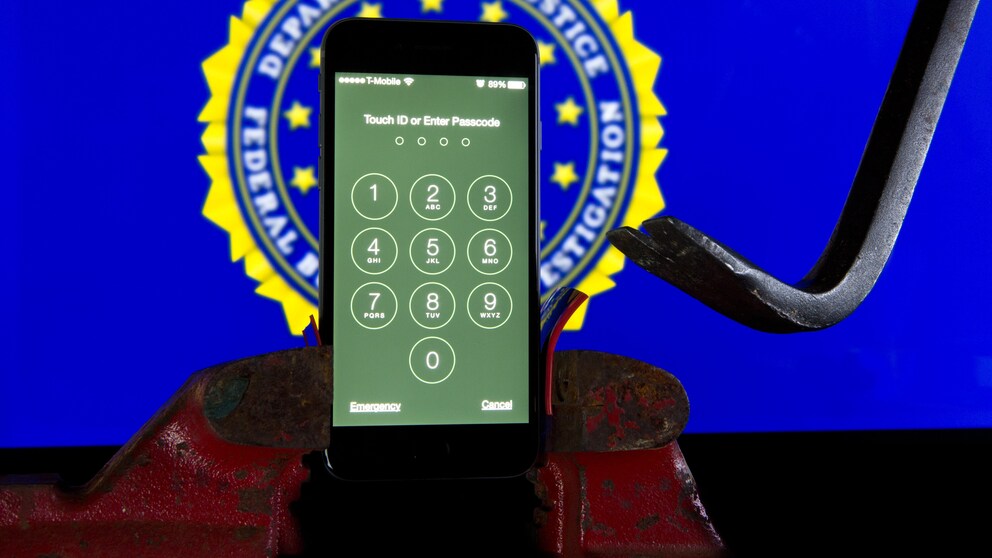
During ongoing investigations into a Pentagon leak, the FBI sought to access the chat logs of Washington Post reporter Hannah Natanson. However, the security agency was thwarted by the lockdown mode on her iPhone 13, which provides additional protection against unauthorized access.
Lockdown Mode Protects Against FBI Access
In mid-January, the FBI conducted a search at Natanson’s home and seized her work iPhone 13, reports Ars Technica. According to court documents from the Department of Justice (DOJ), investigators found the device “powered on and charging; the display indicated that the phone was in ‘lockdown’ mode.”
The FBI’s Computer Analysis Response Team (CART) attempted to unlock the device but failed: “Because the iPhone was in lockdown mode, CART could not extract the device.” The Washington Post has since obtained a court-issued stay order. According to a written statement from an FBI assistant director, the agency has “paused all further efforts to extract the device due to the court’s stay order.”
Investigators were only able to remove and read the SIM card from the iPhone. Apart from the phone number, no additional data, content, or communication logs could be obtained.
Apple Closes FBI Backdoor in iPhone
FBI Sounds the Alarm: Thousands of Messenger Accounts Already Compromised
What Happens When the Mode Is Active
Apple introduced the lockdown mode in 2022 with iOS 16. According to a support document, the mode provides “optional, extreme protection specifically for the few individuals who, due to their identity or occupation, may be personally targeted by some highly sophisticated digital threats.”
The mode significantly restricts numerous functions to close potential security gaps:
- Messages: Most attachments are blocked, links and previews are unavailable.
- Web Browsing: Some web technologies are blocked, pages may load slowly or incorrectly.
- FaceTime: Calls are only possible from recently contacted individuals.
- Apple Services: Invitations are blocked, focus is limited, Game Center is disabled.
- Photos: Location data is removed, shared albums and new invitations are blocked.
- Device Connections: Connections are only possible with unlocked and confirmed devices.
- Wireless Connectivity: Unsecure Wi-Fi networks are avoided, 2G and 3G are disabled.
- Configuration Profiles: Profiles and device management are not possible in lockdown mode.
How to Activate Lockdown Mode on the iPhone
First off: The lockdown mode can only be activated on the respective iPhone, iPad, or Mac, not across devices. However, the feature automatically activates on a paired Apple Watch. Additionally, users receive a prompt to activate lockdown mode on other Apple devices when enabling it on one device.
Here’s the guide:
- Open iPhone settings.
- Select “Privacy & Security“.
- Click “Enable Lockdown Mode“.
- Tap “Enable & Restart” and confirm with the device code.
Through the sidebar in Safari, individual pages can be whitelisted to load correctly on the iPhone, even in lockdown mode. Apps can also be excluded under “Privacy & Security” > “Security” > “Lockdown Mode“.