


August 11, 2026, 8:37 am | Read time: 3 minutes
It often happens that apps try to gain access to microphones and cameras on smartphones through backdoors. In the past, users were unaware of this. To prevent it, modern smartphones have small “warning lights.” But what does a green or orange dot on the display mean?
No More Secret Spying
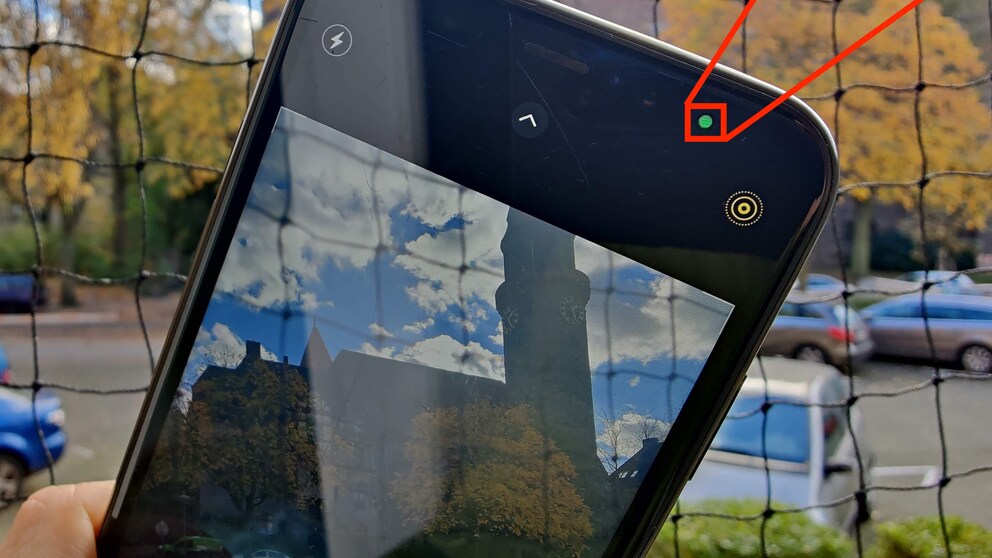
When one of the iPhone cameras or a microphone is in use, a small, circular indicator now appears at the top right of the screen. This allows users to immediately notice if an app is accessing sensitive functions without permission. On the iPhone display, the dot appears green when the camera is active and orange when a microphone is in use.


If you swipe down from the top right of the screen and open the control center, you can see which app last accessed the camera or microphone. Additionally, a blue indicator appears when an app reads the location. This allows users to directly track which service is actively using the sensors.
In the iPhone settings under “Privacy & Security,” users can granularly control which apps are allowed to access these functions. Apple also offers the so-called “App Privacy Report” there. This provides detailed insights into which apps have accessed the camera, microphone, location, contacts, etc., and how often.

Android 16 Warns of Secret Location Access

How Easily Your Smartphone Can Be Spied On
Feature Adopted from Macs
Macs and MacBooks had the green dot years before iOS to signal access to the integrated webcam. Apple has since expanded the display here as well: In addition to the camera, the use of the microphone is also indicated by an orange indicator, similar to the iPhone.
What’s the Status with Android?
Google introduced a similar system with Android 12. Since then, a green indicator also appears on Android smartphones at the top of the screen whenever the camera or microphone is active. Conveniently, clicking on the indicator takes you to the app accessing the functions, allowing you to revoke permission directly.
Also, since Android 12, there is a “Privacy Dashboard.” Here, users can see which apps have accessed sensitive permissions like the camera, microphone, or location in the past 24 hours. Additional control options were added with Android 13, such as separate permissions for photos and videos instead of general storage access. With Android 14, privacy overviews were further refined, and transparency for sensitive permissions was expanded.
In recent years, both Apple and Google have significantly focused their mobile operating systems on transparency and control over camera and microphone access. While secret activations cannot be completely ruled out technically, users today notice them much more quickly than a few years ago.