


June 5, 2026, 10:15 am | Read time: 6 minutes
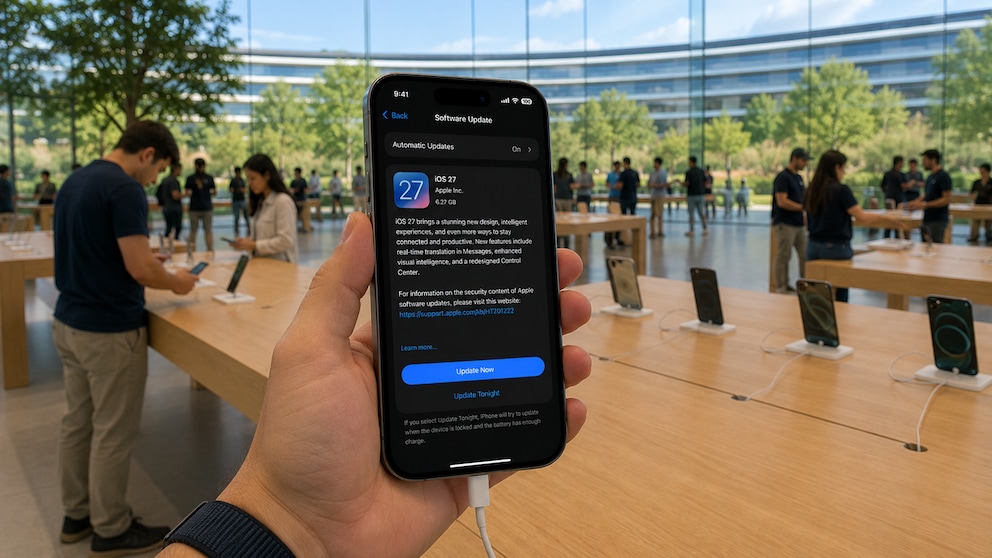
Apple is preparing iOS 27 for unveiling at the WWDC on June 8. The update aims to address existing weaknesses, introduce new AI features, and comply with EU regulations. Registered beta testers can try the new iOS version starting next week, with the launch of the final version scheduled for fall 2026.
Overview
Full Focus on New Siri
Apple is reimagining Siri with iOS 27. The voice assistant is set to function more like an AI chatbot, capable of conducting conversations via text or voice. The company is collaborating with Google and using its Artificial Intelligence Gemini for its own foundation models. The new Siri is expected to respond more naturally, understand more complex tasks, and summarize content from the internet.
Own App
Plans also include a dedicated Siri app for iPhone, iPad, and Mac. Users will be able to start new chats, search older conversations, and pin discussions similar to other AI services. The interface is expected to resemble iMessage. New conversations will begin with suggested inputs. Siri will remain available as a system function via the side button or voice command.
Deeper System Integration
Apple is considering replacing Spotlight search more extensively with Siri. “Siri Suggestions” is also set to be expanded to provide better-suited recommendations based on existing user data. Additionally, Apple is testing Siri in the iOS keyboard and in the Dynamic Island, where a glowing Siri symbol will appear during a request to indicate the ongoing process.
Siri Mode in Camera App
In the Camera app, Visual Intelligence is set to appear as a new Siri mode. The feature will be available alongside Photo, Video, Portrait, and Panorama directly in the app. Currently, Visual Intelligence is only accessible through indirect means. The new mode will recognize objects, plants, animals, artworks, or texts and answer questions about them.
Shortcuts App
The Shortcuts app is set to become simpler. Users will describe in natural language what task a shortcut should perform.
Siri will automatically create a suitable automation from this. The feature is intended to assist users who find the current logic of shortcuts too complex.
Additional Features for Visual Intelligence
The camera will be able to capture nutritional information on packaging. The data will then assist in tracking calories and nutrients in the Health app.
Contact information will also be scannable. Phone numbers and addresses from business cards or other printed templates can then be transferred to the Contacts app.
Customizable Camera App
Apple plans to make the Camera app more flexible. Controls will appear as widgets and can be individually placed at the top of the app. Options include flash, timer, exposure, depth of field, photo styles, resolution, as well as new options for grid and alignment guide. The selection is sorted by Basic, Manual, and Settings.
Since the widget selection will appear by swiping from the bottom, Apple is moving the current camera settings to a different location. The overview will be accessible via a new button next to the shutter. This separates the quick widget selection from the advanced camera options.
New Photo Tools and AI Wallpapers
The Photos app is set to receive several new editing features. “Extend” expands the image section and automatically fills in missing areas with generated content. “Enhance” automatically improves colors, brightness, and other image settings. “Reframe” is particularly aimed at spatial photos and is designed to change the perspective afterward.
Apple is planning a generator for custom wallpapers. The feature will be available directly in the iOS wallpaper selection. Image Playground serves as the basis. According to reports, Apple is testing new models that generate more realistic images and can also be used for individual wallpapers.
Image Playground itself is set to receive a simpler interface. Apple is also working on improved models that are expected to deliver more realistic results. Genmoji is also being revised. The feature is intended to consume less energy, generate less heat, and provide higher-quality suggestions.
Further Innovations
- Apple Wallet is set to receive a feature for creating digital cards. Users can scan physical tickets, membership cards, or similar templates to generate a pass.
- For Apple Cash, an AI-supported bill splitting feature is planned. A photo of a receipt will generate payment requests for multiple people. Apple Cash is currently not available in Germany, and a launch date is unknown.
- Apple is expected to allow alternative streaming standards in iOS 27. Users could then set third-party services like Google Cast as the default alongside AirPlay. The change is related to the EU’s Digital Markets Act. Apple must open its systems more to third-party providers and provide the necessary interfaces.
- The AirPods settings are set to be reorganized. A dedicated AirPods app is reportedly not planned. Instead, the menu in the iPhone settings will be made more user-friendly. Important functions like hearing aids or gestures via head movement will be easier to find.
- Safari is set to receive a new start page with tabs for favorites, bookmarks, reading list, and history.
- The Weather app will receive an overview for temperature, rain, and wind, integrated directly into the main page.
- App search: System-wide, the search in apps like Apple Music, Podcasts, News, and Apple TV will be reintegrated directly into the navigation bar.
Also interesting: What new devices does Apple have in the works?

iOS 27 to Feature Built-In Wallpaper Generator

iOS 27 Beta 3 Introduces Star Rating for Photos and Videos
More Performance and Better Battery Life
The main focus in iOS 27, according to “Bloomberg,” will be on optimizing and streamlining the iPhone operating system. Apple is reportedly cleaning up old system code and aims to make apps and existing functions more efficient. The goal is more stability, better performance, and reduced energy consumption. The update is therefore compared to Mac OS X Snow Leopard, which also focused on optimization.
Additionally, with iOS 27, Apple is preparing for the launch of its first foldable iPhone. The system must be able to switch between the outer screen and the large inner display. When opened, the device, referred to as iPhone Ultra, is expected to resemble an iPad. Therefore, features such as sidebars in apps and the use of two apps side by side are planned.
Which iPhones Will Get the Update to iOS 27?
It is still unclear which iPhones will receive iOS 27. A leak mentions iPhone 12, iPhone SE of the 3rd generation, and newer models as possible minimum requirements.
This could mean that iPhone 11, iPhone 11 Pro, iPhone 11 Pro Max, and iPhone SE of the second generation might be excluded. This list has not yet been confirmed.