



December 25, 2022, 12:04 pm | Read time: 6 minutes
Want to know what Google has stored about you? TECHBOOK shows you where to find it–and how to delete the data.
Google primarily earns its revenue through advertising. To display the most relevant ads to users, the search engine creates a profile from the collected data. You can see which aspects Google finds particularly interesting about you here if you allow personalized advertising. Over time, and especially under pressure from third parties–such as the European Union–Google has become more transparent and now shows, at least relatively clearly, what information the tech giant stores about users on its company servers.
Overview
What you have done and viewed
Whether you use the Chrome browser, an Android smartphone, or Gmail, Google diligently collects information about you in a structured overview. It lists what you have used the respective services for in the past. Practically everything Google learns about you is displayed: the places you visit, the pages you browse, the videos you watch, and what you search for on Google.
Google also allows you to decide which activity data it should store. In the control center of your Google account, you can, for example, disable the storage of your location or the tracking of your search behavior. If you want to prevent Google from storing this data in the future, deactivate the respective option in the control center. However, be aware that some services may not function properly if you do so. For instance, if you disable voice and audio activity, the “Ok, Google” phrase to activate the assistant may no longer be available.

Note that disabling activity tracking does not delete existing data. The tracking is merely “paused.” How to delete older data is explained further below.
Devices using Google services
You can see on which devices you are logged in with your Google account and when they were last used here. Besides the device name, you can find out, for example, where each device was last located and which browsers were last used on it. If you have lost or sold one of the Android devices on the list and forgot to remove your Google account beforehand, you can remove the corresponding device directly from the list. This will log you out of all Google apps on that device.
Where you have been
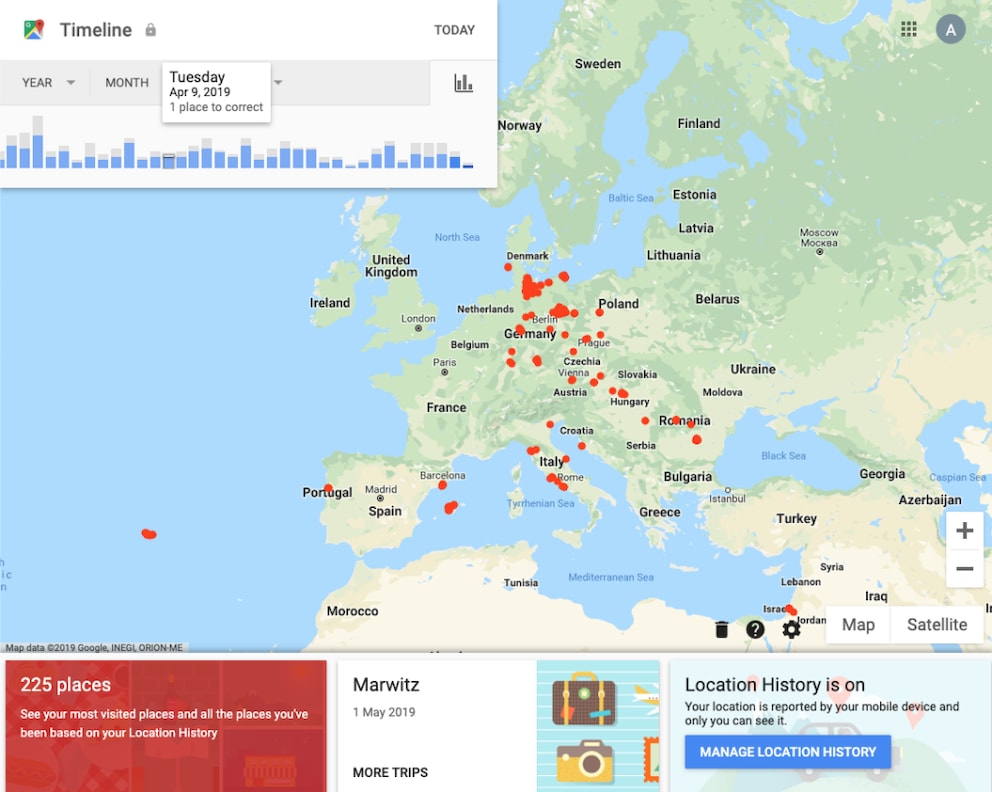
If you use your Android device for navigation or have the location function enabled, Google compiles this data in a so-called “Timeline.” Every single place visited is marked on the Google map. Google keeps track of how many places you have been and records the movement pattern for each day. Clicking on a specific day shows all visited places and routes in a timeline and as a map. In some cases, locations are summarized as a trip. Google even distinguishes between different modes of transportation such as public transit, walking, flying, and driving. If you use Google Photos to store your pictures, they are displayed at the respective location.
Users have the option to manually adjust the places and routes. You can find the Google Timeline of location history here.
Video data from YouTube
YouTube is part of Google, so the company also knows what users search for on the video platform–here is your personal search history. Additionally, data about individual videos is available–here is the watch history.
Which apps access Google data
Many apps and online services want to link with your Google account. You can see such applications, where you have already agreed to the link and what data these services can access here.

Update for Google Maps! Users Must Act to Keep Their Data

Google Fined 403 Million Euros for Data Privacy Violation
How to delete data Google has collected about you
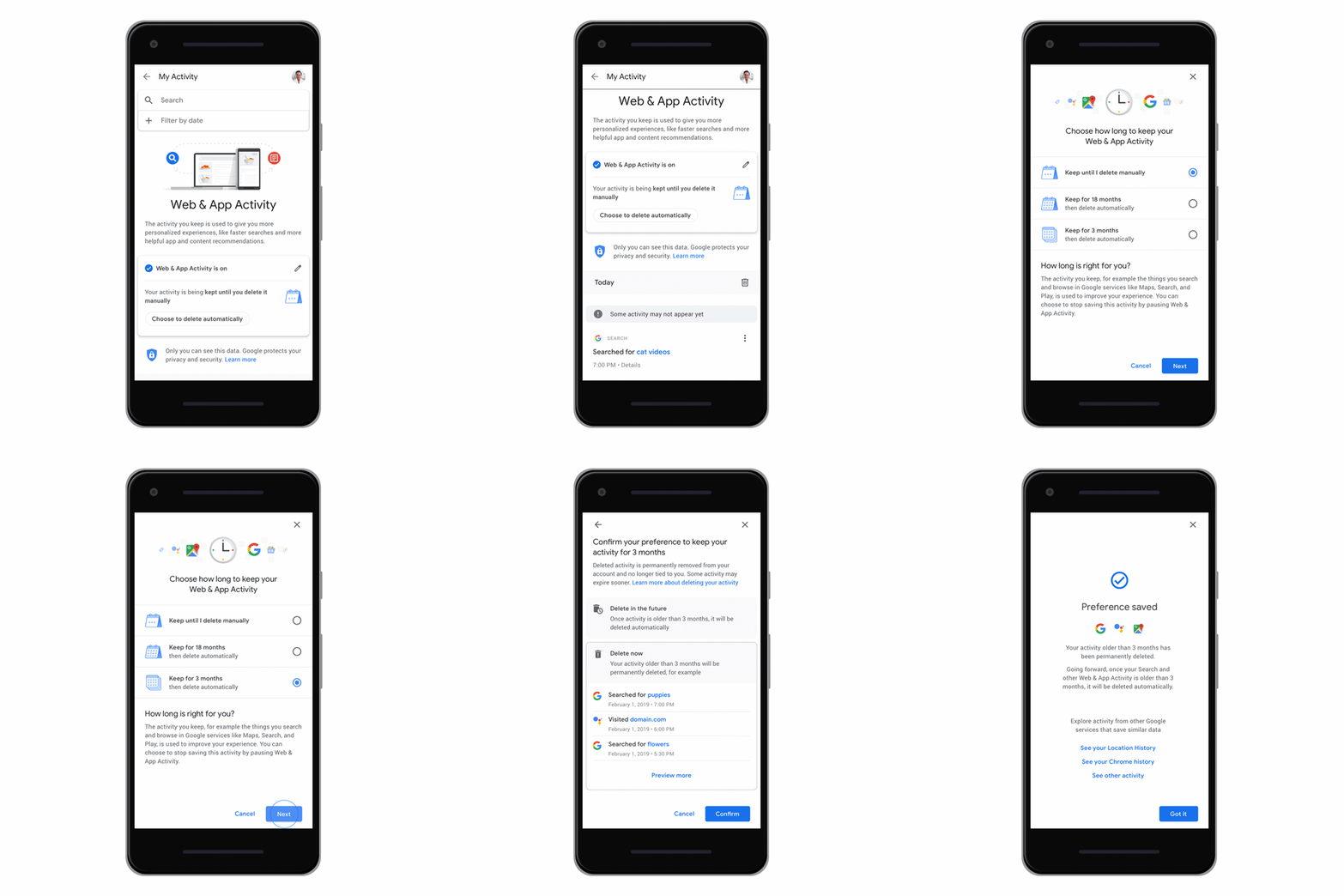
Even now, you can manually request the deletion of your data in Google’s activity overview. The deletion is quite simple and allows you to set the time period as you wish. You can choose to delete all data from today, yesterday, the last seven or 30 days. Or you can enter the dates for the period you want to disappear from the activity history. You can even select only individual services like YouTube and Maps for deletion.
Additionally, Google users can request the automatic deletion of data within certain time frames. This gives users even more control over their own data. The deletion of activity data is automatically possible from Google servers after three or 18 months. You can set up automatic deletion here, if data is collected at all.
You might also be interested in: Billion-dollar fine for Google–abuse of market power through Android
Where all Google data can be downloaded
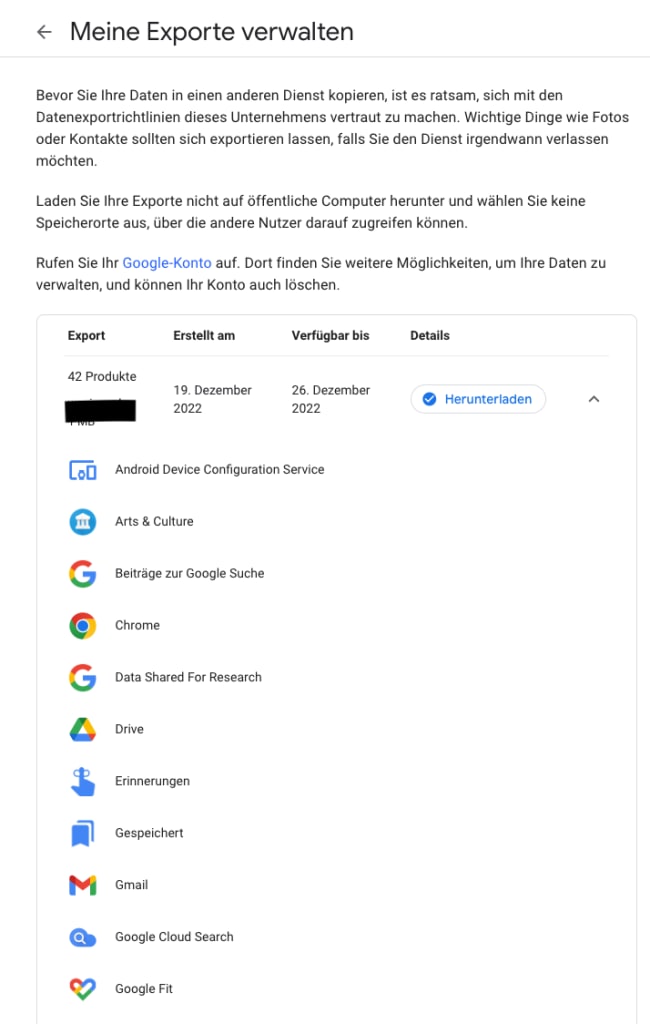
A comprehensive list of all stored data from Google is also available. All information stored by Google, images secured in the cloud, documents shared with Google Docs, and many other data from Google services can be requested and downloaded by users at google.com/takeout.
Google thus provides many settings for users to inform themselves about collected data. It is surprising how much data can be visible in a Google account. Anyone who takes a little time can quickly work through the multitude of settings. It’s worth it.